Your Team Doesn't All Use AI. It Splits Into Thirds
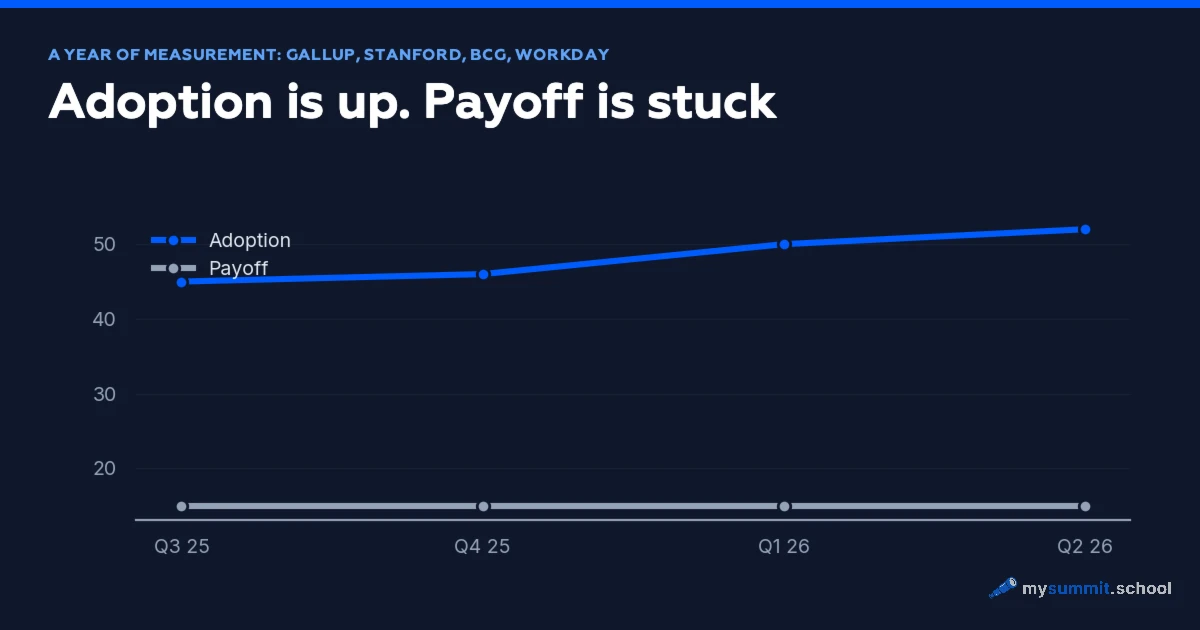
Microsoft published a number in 2026 that sounds impressive: more than 30% of the US working population uses AI. It goes on sounding impressive right up to the point where you read the definition. Using AI, here, means 90 minutes a month. That is three minutes a working day.
If your feed is full of people writing prompts over breakfast and building agents after dinner, you will have formed the impression that AI is everywhere and everyone has mastered it. The data does not support that impression. Microsoft’s Work Trend Index for 2026 (in Russian) found that organisational factors explain 67% of the difference in AI effectiveness between companies.
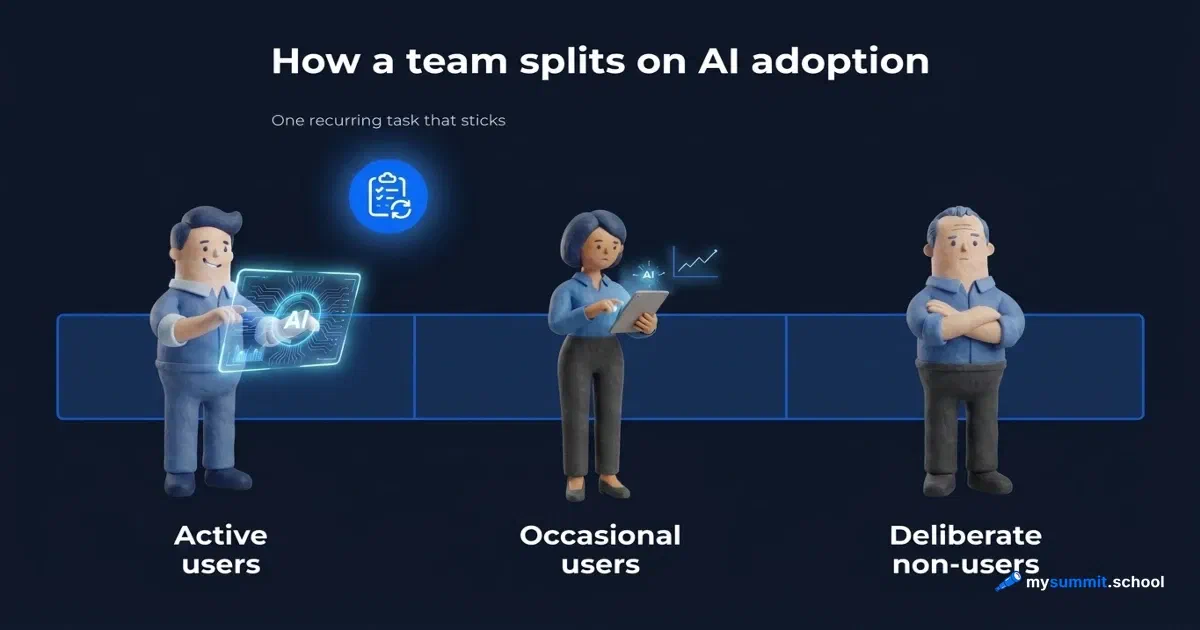
Gabriel Weinberg pulled several sources together in a June note and the picture looks nothing like the media narrative. Roughly a third of people use AI actively. Roughly a third use it now and then. Roughly a third do not use it at all. A Gallup survey of Gen Z, the generation assumed to be digital by default, found that 19% never use AI and another 31% use it once a month or less.
Weinberg reads this as evidence that AI is overhyped, and draws a comparison with meat: about 70% of Americans are deliberately cutting back on red meat, and in much the same way plenty of people deliberately limit AI. The sceptical conclusion is his. What matters here is the split itself. For a manager, the split does not change what you think of the technology. It changes how you go about introducing it.
What the thirds do to your expectations
Most AI adoption plans are written for a team that does not exist. They assume a uniform group of employees who can be moved by a uniform measure: hand out a tool, run a webinar, publish a policy. A quarter later the manager looks at the usage numbers and cannot work out why they are flat.
Flat, because the team is not uniform. Three different groups sit in it, and each one needs something different.
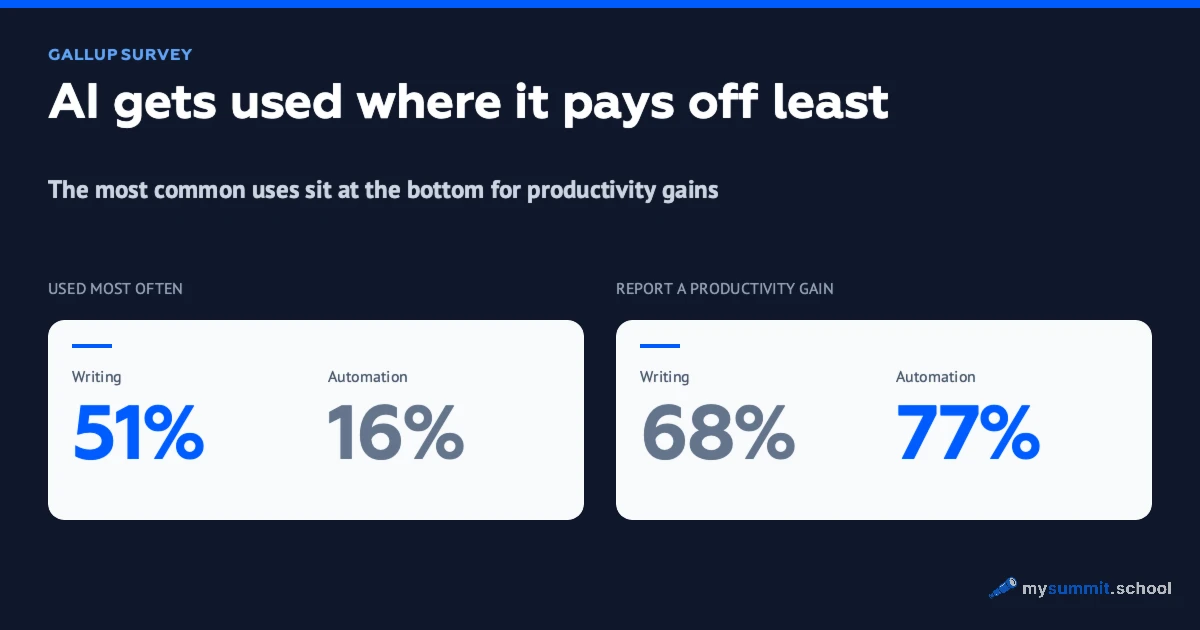
The active third has already found a use. These people do not need an introduction to the basics. They need harder scenarios and permission to experiment. The occasional third tried, some of it worked, some did not, and no habit formed. A pep talk will not help them; one specific task that turns a try into a routine will. The last third stands aside.
A manager’s instinct is to treat that last third as a discipline problem. If they are not using it, they must be lazy or resistant. The data says otherwise. People give reasons: worry about their jobs, questions about privacy, doubt about the quality of the answers. These are rational grounds. Someone who does not trust what the model says is behaving sensibly, right up until somebody shows them which task the model can be trusted with.
All three groups converge on one point. The difference between someone who uses AI and someone who gave up is almost never motivation or technical skill.
One task, and that is where it starts
The most practical observation in the whole picture is simple. People who stay with AI over the long run almost always find one specific recurring task that it does well. Then they build outwards from it.
Not “AI can do anything”. Not “let us re-engineer our processes”. One boring, regular operation that the tool quietly handles better than the person did it by hand. Transcribing and summarising a meeting. A first draft of a client email from a template. A first pass over requirements before they go to the analyst. Turning a list of points into a structured document.
Those who gave up usually did the opposite. They tested AI where it is weak. They asked it to do arithmetic that needs precision. They asked about recent facts and got invention. They handed it work that calls for professional judgement the model cannot reproduce. One bad attempt and the verdict was in: it does not work, I told you so.
Ability has little to do with it. What decides it is whether they landed on the right first task. That is entirely within a manager’s control.
Working out which task will be that first one for a particular person is easiest with a set of real management situations rather than abstract examples from a training video. When the task comes out of someone’s own work, the gain is visible straight away, with no explanation of why it is useful. That is how our experiment with manager task templates works: the 300 hours saved a year begin with one operation that AI handles reliably better.
9 real management tasks in an open module: find the one where AI starts paying off for you. Free, no sign-up.
No payment required • Get notified on launch
Why a mandate to use AI fails
The obvious response from a manager who sees low usage is to require it. From Monday, everyone uses AI in their work, and we review weekly. The intention is understandable. The result is predictably bad.
A mandate pushes the sceptic from the last third to open the tool and apply it to a random task. Chances are it will be the wrong task, because the person does not know which tasks are the right ones – that is precisely why they were standing aside. They get a poor result, file it as proof they were right, and close the question at a different level: not “I have not tried it” but “I tried it, it does not work”. Coercion did not narrow the gap. It set it in concrete.
The same mistake runs the other way with broad training on what AI can do. An employee leaves the webinar impressed, with no single task to apply any of it to within the hour. The impression fades by the end of the day and no habit forms. Between “I have seen what AI can do” and “I use AI for this operation every Tuesday” lies a gap that an overview does not close. We wrote about the same gap in the context of corporate pilots: why AI pilots die at the implementation stage.
The approach that works runs the other way: narrow, precise help instead of a broad requirement, finding each person their one task. It looks slower, because you work one person at a time instead of issuing a single order to everybody. But it is the only approach that produces a durable result, because it matches the way an AI habit actually forms.
Inside that approach sits a skill that people often assume is obvious. A prompt looks simple until you need a reliable result. The line between “it sometimes works” and “it works every time” is exactly where an occasional user either becomes an active one or slides back. Framing the task, checking the answer, knowing where the model cannot be trusted: these are teachable skills, but they do not teach themselves. Workday data on 3,200 users confirms it. Among people who never got to grips with that skill, 37% of the time saved with AI disappears into fixing errors.
A prompt that works reliably is a different thing from a lucky one. Practise on 9 management tasks and you will see the difference. Free, no sign-up.
No payment required • Get notified on launch
What it looks like in practice
The one-task principle is easy to state and easy to ruin in the execution. A few things separate the version that works from the slogan.
Start with the occasional third, not the active one and not the refuseniks. The active group will manage on its own. The refuseniks are the most expensive group to turn around. The occasional users are already halfway there: they need one consolidating task to move from “sometimes” to “by default”. That is the fastest visible result for the least effort. Stanford’s AI Index 2026 recorded exactly this pattern: 62% of users stall at a surface level because they never went through the task that makes the habit stick.
Look for the task in the person’s real work, not in a catalogue of AI capabilities. Do not ask what AI can do. Ask which of your regular operations it will take over. Summarising a stand-up is useful to whoever runs stand-ups and useless to whoever does not attend them.
Make the first attempt a joint one. A sceptic left alone with the tool will repeat their last failed attempt. Work through the task together once: you see where they framed the request so that the result fell apart, and they see that with the right framing the gain is real.
Give a template to copy, not inspiration. Someone who has found their task needs a ready prompt they can paste and adapt; the principles can come later. Below is an example for one of the most common management operations: turning raw meeting notes into a structured summary with decisions and owners.
You are a manager's assistant. I will give you raw notes from a meeting. Turn them into a structured summary in exactly this format:

1. Meeting context – one sentence: what was discussed.
2. Decisions taken – a bulleted list. Only what was explicitly agreed. If a decision is not recorded clearly, do not infer one.
3. Actions – a table with three columns: what to do, who owns it, by when. If the notes give no owner or no deadline, write 'not assigned' or 'no deadline' rather than guessing.
4. Open questions – a list of what was discussed but not resolved.
5. Points of contention – if the notes contain contradictions or anything that could be read two ways, list them separately.

Do not add anything that is not in the notes. Do not smooth the wording. If something is missing for an item, say so.

Here are the notes:
[paste the raw meeting notes]
This prompt is deliberately built so the model has no room to fill gaps. The ban on guessing owners and deadlines, the separate block for points of contention, the instruction not to smooth the wording: that is the difference between “it sometimes works” and “it can be trusted”. Give someone a template like this and their first task is very likely to succeed.
What to hold on to
The split into thirds is no reason to give up and decide AI is overhyped. It is a map of where to put the effort. The team is not uniform, and a plan that says everyone will use AI is addressed to a team that does not exist.
Durable use starts with one task, and the manager’s influence lands exactly on whether a person walks into a good first task or a bad one. It has nothing to do with motivating employees or with policy. It is about picking the first task for a particular person and passing on the skill that turns a lucky break into a reliable result.
The sceptical third is waiting for proof that AI is useful in their own work rather than in somebody else’s demo. Give them that proof in the shape of one task, and the third that stood aside will start moving on its own.
At the same time, keep in mind that using AI does not mean a team shares what it finds. We wrote separately about the other side of it: why employees hide their AI methods even when they can see that sharing would help everyone.
Turn a lucky break with AI into a skill the whole team has
The foundation of the course builds a systematic understanding of AI: how to find your first task, how to frame a request that returns a reliable result, and how to pass working methods on to the team. The management specialisation covers adoption inside a team separately.
Часто задаваемые вопросы
Is it true that everyone uses AI at work now?
Why do some employees avoid AI?
What separates people who keep using AI from people who gave up?
How should a manager introduce AI to a team where half of it is sceptical?
Should sceptics be forced to use AI?
Stanislav Belyaev
Engineering Leader at Microsoft18 years leading engineering teams. Founder of mysummit.school. 700+ graduates at Yandex Practicum and Stratoplan.