AI for Media Creation in 2026: Images, Video, Music and Presentations
By February 2026, generative AI had moved well beyond text. It now produces video, images, music and slide decks – and the output is often good enough that you can’t tell it from a professional’s work.
This article doesn’t go deep on any single tool – media generation deserves a course of its own. The goal is narrower: show what a manager can use today, with no technical skills and a minimal budget. You’ll see which jobs now take minutes and where you still need a human.
If you’re interested in the legal side of AI content – who owns the rights, whether you can use it commercially, which platforms train on your data – see our article “AI and copyright: what a manager needs to know” (in Russian) on the mysummit.school blog.
Image generation: from idea to picture in 30 seconds
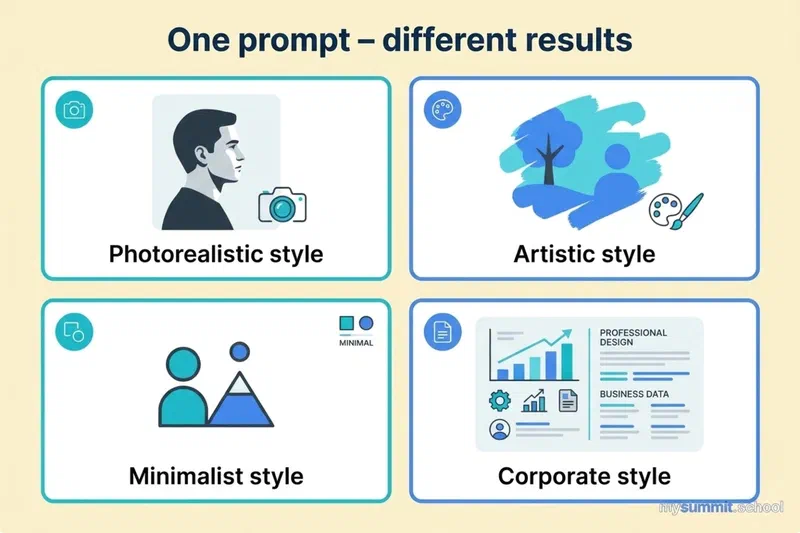
Image generation is the most mature corner of AI media. You describe what you want to see and get a finished image back. Current models handle photorealistic shots, infographics, illustrations and social media design.
Where a manager can use it:
- Leadership presentations – need an illustration for your digital transformation slide? Describe the scene and get an original image in 30 seconds instead of 30 minutes of trawling stock photo sites.
- Social media posts – build a series of visuals for the company LinkedIn page. Consistent style, brand colors, as many variations as you like.
- Mockups for your designer – generate a rough banner or cover to show the designer the direction you have in mind, instead of trying to explain it in words.
- Report visuals – process diagrams, data visualizations, dashboard icons – all without opening Figma or Photoshop.
Which tool to pick
| Tool | Price | Best for | Learning curve |
|---|---|---|---|
| ChatGPT-Image 1.5 | $20/mo (Plus) | Iterating in conversation – “make the background darker”, “add a caption” | Minimal |
| Imagen 4 via Gemini | $0–20/mo | Fast generation and editing inside the Google ecosystem – photorealism and precision | Minimal |
| Freepik AI | from $6/mo | 30+ models with unlimited generation – an all-in-one toolkit for marketing | Minimal |
| Midjourney V7 | from $10/mo | Highly artistic, atmospheric images and deep stylization | Moderate |
| Ideogram 2.5 | from $8/mo | Best-in-class typography – posters, covers, logos with text | Minimal |
| Flux.2 Pro (via Freepik and others) | from $6/mo | Extreme photorealism, complex human poses and fine texture detail | Minimal |
Tip: the fastest way to start is free Gemini with Nano Banana – generate and edit images right in the chat, no subscription needed. If you already pay for ChatGPT Plus, use its image generator the same way: “Draw an infographic about Q4 sales growth, blue tones, minimalist style.” Don’t like the result? Just say what to change.
Video generation: short clips without a videographer
Video is the fastest-moving area. In 2024, AI video looked like awkward animation. By February 2026, it’s cinematic 4K with synchronized sound.
The key limitation: a single clip runs 5–25 seconds at most. For a full-length video you’ll need to stitch several clips together or fall back on traditional editing.
What you can realistically do
- Product teaser – describe the scene (“a woman in an office opens her laptop, a dashboard with charts appears on screen”) and get a 10-second clip for LinkedIn or Instagram.
- Concept visualization – show a client or your leadership what an idea will look like instead of describing it. “A delivery robot drops off a parcel in a residential neighborhood” – 15 seconds of video instead of 15 minutes of explaining.
- Social content – short Reels and Shorts are how most people consume content now. AI lets you make them without a camera, actors or a studio.
- Pre-production prototype – generate a rough cut to discuss with your video team: “this is roughly how I see it.”
The main tools
- Kling AI 3.0 (Kuaishou, China) – generates up to 15 seconds of 4K video with synchronized sound. Lip-sync in 5 languages. “AI Director” mode picks camera angles and pacing for you. Credit-based, with a free tier.
- Runway Gen-4.5 – the quality leader on independent benchmarks. HD video with native audio and 30+ editing tools on one platform. Plans from $12/mo.
- Sora 2 by OpenAI – cinematic quality, a storyboard mode, and licensed Disney/Marvel characters. Up to 25 seconds. Included with a ChatGPT subscription.
- Google Veo 3.1 – the best audio-video sync: dialogue, sound effects and music are generated together with the picture. 4K, up to 15 seconds. About $0.50 per 5-second clip – expensive, but the best audio in the industry.
- Pika 2.2 – creative effects: “Melt”, “Explode”, “Crush”, “Inflate”. Ideal for viral short-form social video. The free plan gives 80 credits a month.
ByteDance (TikTok) is also building video generation. Its Seedance 2.0 model (available through Dreamina) produces 2K video with camera control and lip-sync. Technically a very strong product, but availability outside China is still limited.
Worked example: making a product teaser
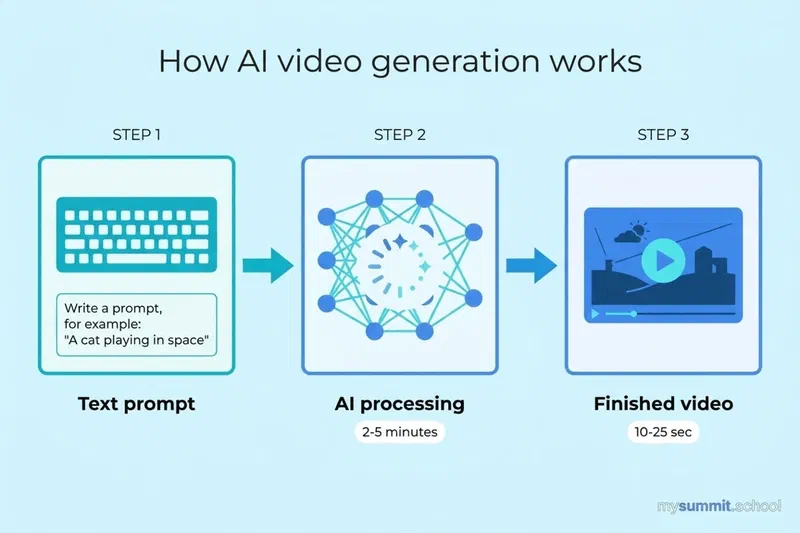
Say you need a 15-second clip for a product launch. Here’s how to do it in Kling AI:
- Go to klingai.com and sign up (free).
- Choose Text to Video mode.
- Describe the scene: “A modern office, a team of 4 looking at a large screen with charts. The camera slowly pushes in toward the screen, which shows metrics going up. Bright natural light, cinematic style, 4K.”
- Pick the aspect ratio (16:9 for YouTube, 9:16 for Reels).
- Click “Generate”. The result arrives in 2–5 minutes.
- Need text or a logo on top? Add it in any video editor (CapCut, Canva).
Media generation tools change fast. The skill of framing a task for AI doesn't. Our open module has 9 practical manager tasks – free.
No payment required • Get notified on launch
Music and voice generation: a jingle in 2 minutes
Audio is another area where AI has made striking progress. It splits into two directions: making music and working with voice.
In January 2026, AI-generated music broke into the charts for good. In Russia, the fully generated track “Vorona” (Kenny feat. MC Dymka) held the top spot on the Top All Internet Hits chart for two weeks, with two more AI tracks in the top 10. Globally, the virtual artist Jacub passed 5 million streams, and by the end of the month 6 of the 50 most-trending songs on Spotify US were entirely AI-generated.
Music: Suno and Udio
Suno AI is the market leader in AI music. You describe what you want to hear and get a complete song with vocals and instruments.
What it’s good for: background music for presentations and videos, podcast jingles, company anthems, event music.
How it works: type “Upbeat corporate track, electronic with guitar, no vocals, 2 minutes, for a technology presentation” – and you get a finished track.
Pricing: free (~10 songs/day, non-commercial use only), Pro – $10/mo (~500 songs, commercial rights), Premier – $30/mo (~2,000 songs plus an editing studio).
Udio is an alternative to Suno with similar capabilities. 10 free tracks a day. Useful as a plan B when your Suno credits run out.
Important: the free tiers of Suno and Udio allow non-commercial use only. For company videos, advertising and public events you need a paid plan with a commercial license.
Voice: ElevenLabs
ElevenLabs is the best service for voice work:
- Text to speech – turn text into natural-sounding speech in 70+ languages. Ideal for narrating training videos, presentations and audio guides.
- Voice cloning – upload a 1-minute recording and the model learns to speak in that voice. An executive can “record” an address to the team from just 60 seconds of audio.
- Video dubbing – automatic translation of a video into another language, keeping the speaker’s voice and syncing the lips.
- Sound effects – footsteps, rain, applause, a notification chime – describe it in text, get an audio file.
ElevenLabs pricing: free access to the basic features, paid plans from about $5/mo.
AI presentations and design: from text to finished slide
For a manager, building presentations is daily routine. AI tools change the approach: instead of “open a template, fill in the slides, hunt for images”, you simply describe what you need.
Gamma – a deck in 5 minutes
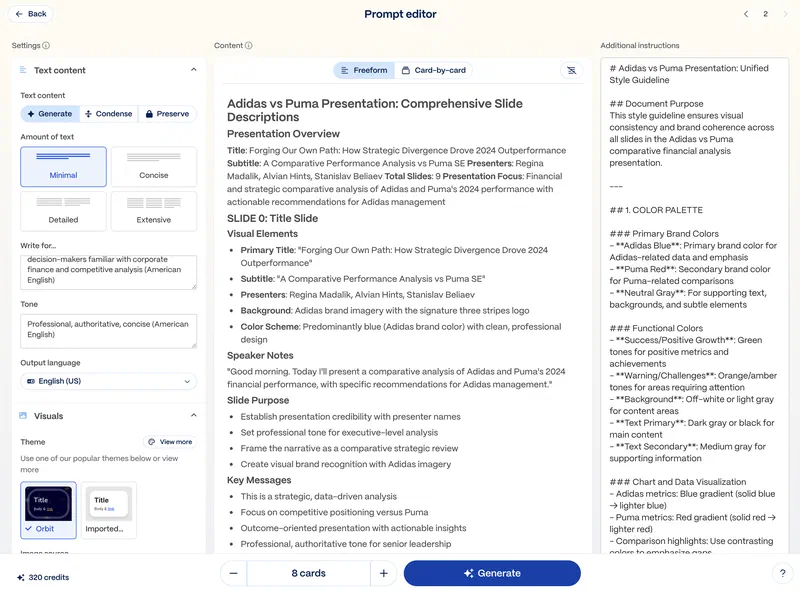
Gamma is the quickest route from text to presentation. Describe the topic – “Quarterly sales report, 15% growth, key achievements and Q2 plans” – and get a finished deck with charts, icons and structure. Every slide is editable, you can change the style in one click, and export to PDF or PowerPoint.
The free tier includes 400 AI credits (~8–10 presentations); paid plans start at $8/mo.
Canva AI – design for everything
Canva with built-in AI (Magic Studio) is an all-purpose tool for teams:
- What it does: presentations, social posts, infographics, video, logos – all in one place.
- AI features: text to slides, image generation, background removal, “magic” photo editing.
- Who it’s for: teams that want one tool for all their visual content.
- Free: core features plus limited AI credits. Pro is about $12/mo.
Beautiful.ai – for everyday decks
Beautiful.ai offers “smart templates” that adapt to your content. Paste in your text and the slide picks the best layout on its own. Ideal for recurring reports and standardized decks.
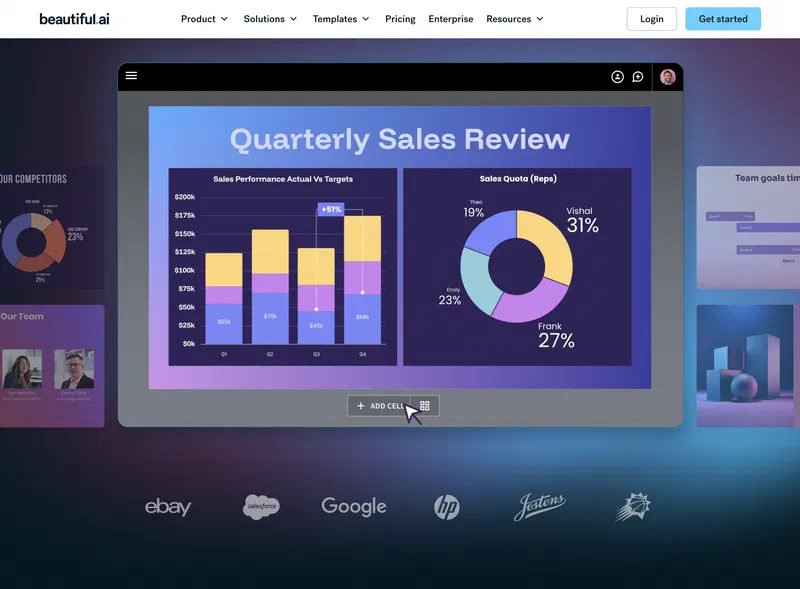
Pricing: 7-day free trial, then from $10/mo.
A manager’s minimum AI media budget
A full kit of AI content tools will cost a manager $30–57 a month:
- ChatGPT-Image 1.5 – $20/mo – unlimited images plus a text assistant in one subscription.
- Video (Kling AI or Pika) – $0–10/mo – 10–50 short clips.
- Music (Suno Pro) – $10/mo – ~500 tracks with a commercial license.
- Voiceover (ElevenLabs) – $0–5/mo – for presentations and videos.
- Presentations (Gamma or Canva) – $0–12/mo – no limits.
For comparison: an hour of a freelance designer costs $30–80, a videographer $50–150. AI doesn’t replace professionals for final production, but it dramatically speeds up prototyping and producing “good enough” content for internal use.
On quality: AI tools are a great fit for internal presentations, social posts, drafts and prototypes. For outdoor advertising, flagship marketing campaigns and print, bring in a professional – and use AI to write the brief and create a visual reference.
Limitations and pitfalls
Before rolling out AI media generation across the team, understand where it falls short today:
Copyright is a gray area. Most countries haven’t settled the legal status of AI content. In the US, images generated without substantial human creative input aren’t protected by copyright. Terms of use vary widely by platform – Freepik grants full IP rights, while Midjourney publishes your images in an open gallery.
Video means short clips only. 5–25 seconds at a time, maximum. Anything longer than a minute has to be assembled from several clips, and the seams may show.
“Weird hands” and artifacts. AI can still produce anatomically wrong details: extra fingers, garbled text, illogical shadows. Every result needs a check.
Censorship and restrictions. Every platform runs content filters. Some refuse to generate images of real people, political content or anything involving violence. Chinese tools (Kling, Seedance) have additional restrictions.
Vendor dependence. If a platform changes its terms or shuts down, your workflow stops. Don’t build business-critical processes on a single AI tool.
Where to go from here
Concrete steps you can take today:
- Try image generation – open ChatGPT (if you have Plus) or Freepik AI and create an illustration for your next presentation. Spend 10 minutes – it’s the best way to get a feel for what’s possible.
- Make background music – open Suno, describe the mood and style, get a track. For commercial use, upgrade to Pro for $10.
- Record a voiceover – if you produce training materials, try ElevenLabs to narrate written instructions.
- Build a deck in Gamma – take the topic of your next talk, describe it in Gamma and compare the result with how long it would have taken in PowerPoint.
Learn to use AI media tools in your work as a manager
The full program: a Foundation module on AI for managers plus specializations. Media generation, presentations, internal communications – from core skills to building AI workflows in your team.
Useful links
- ChatGPT (image generation)
- Gemini (Imagen 4)
- Freepik AI (30+ models)
- Midjourney V7
- Kling AI 3.0 (video)
- Runway Gen-4.5 (video)
- Sora 2 (video)
- Suno AI (music)
- ElevenLabs (voice)
- Gamma (presentations)
- Canva AI
- AI and copyright (in Russian)
This article is part of the “GenAI Tools Review 2026” series. Every tool is covered with hands-on exercises in the mysummit.school course.
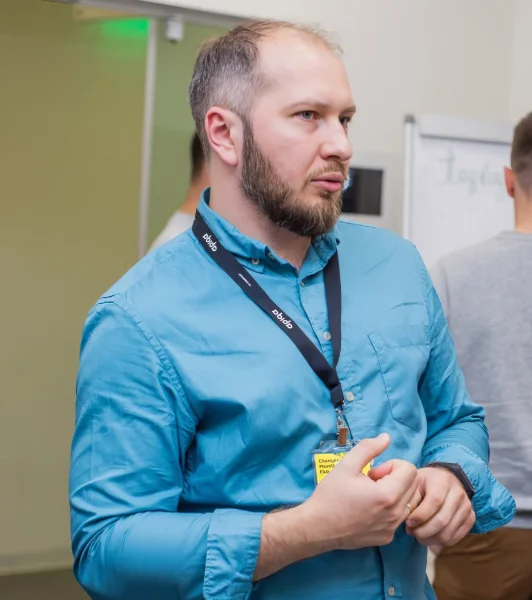
Stanislav Belyaev
Engineering Leader at Microsoft18 years leading engineering teams. Founder of mysummit.school. 700+ graduates at Yandex Practicum and Stratoplan.