AI and Project Rhythm: How a Manager Can Free Up 300 Hours a Year
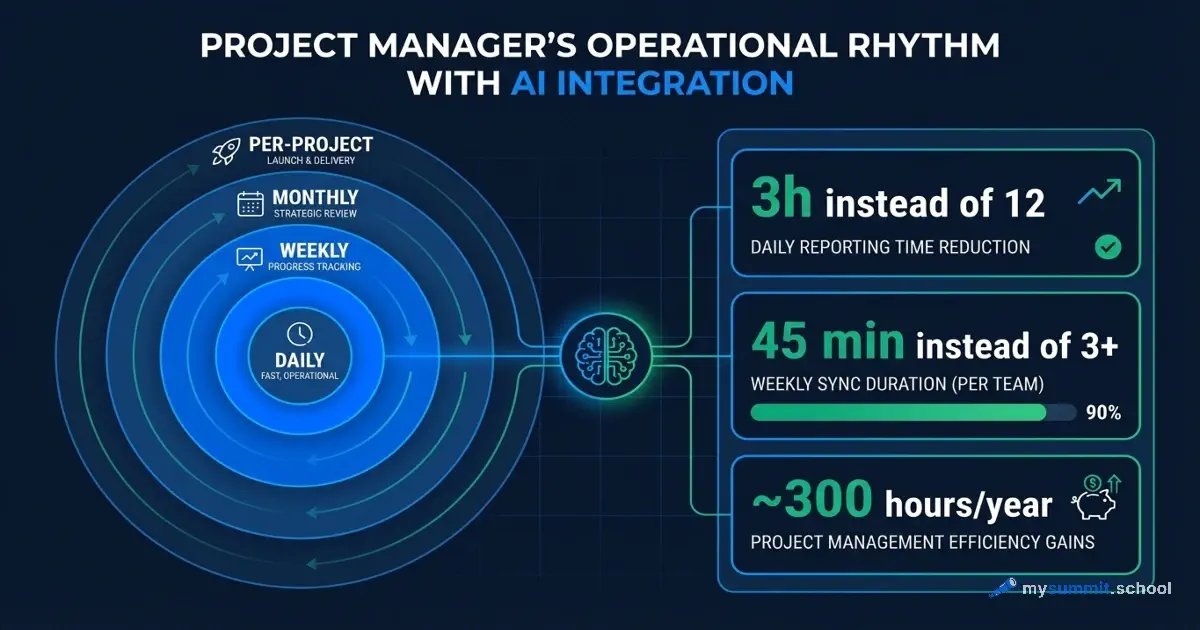
Twelve hours a week. That’s how much time a typical project manager spends on reports, plan updates, stakeholder correspondence, and risk tracking. Nearly a third of their working time goes not to making decisions, but to documenting them.
With AI, that time drops to three hours. But only under one condition: AI must be embedded in the operational rhythm of work, not used episodically – “when you remember.”
Why Rhythm Matters More Than the Tool
Every project management methodology – PRINCE2, PMBoK, Scrum, Kanban, P3.express – defines a set of recurring activities: daily, weekly, monthly. Stand-ups, retrospectives, sponsor reports, risk audits. The names differ, the essence is the same: a project manager works in cycles, and every cycle requires time for data collection, analysis, and communication.
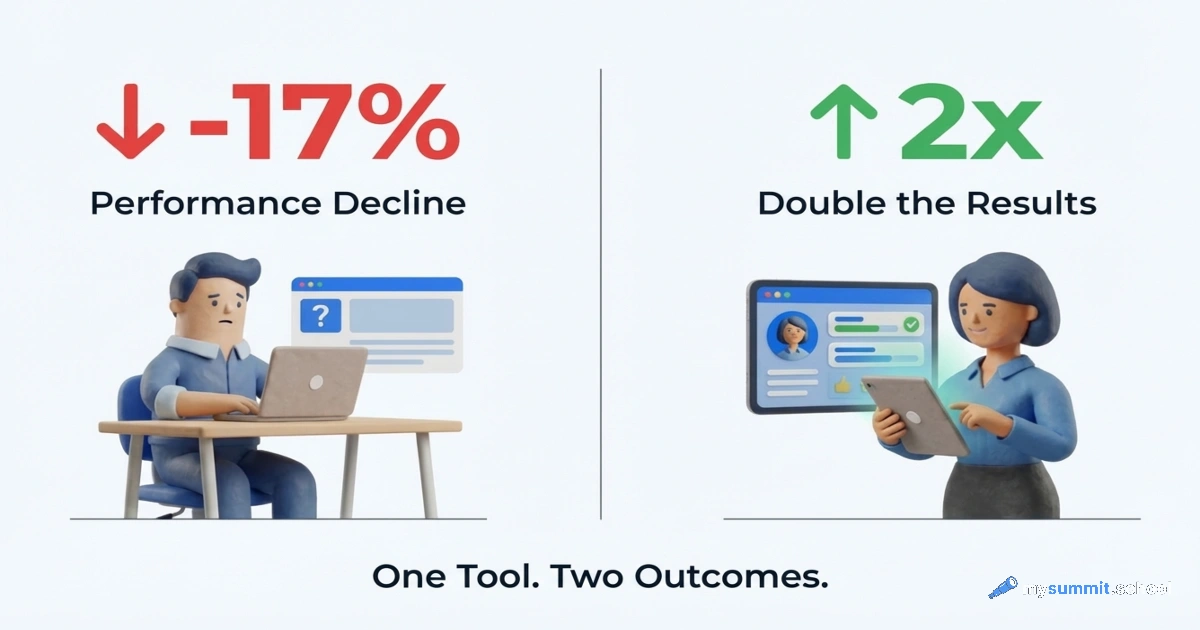
The paradox is that most PMs use AI outside this cycle. They ask it to draft an email, generate a couple of ideas, summarise a document. This creates the illusion of technology adoption but delivers no systemic effect. A Workday study confirms this: only 14% of employees see real gains from AI – those who have embedded the tool into their work systematically. For the rest, 37% of saved time is immediately consumed by fixing errors.
To show exactly how AI fits into each level of rhythm, let’s use P3.express – a minimalist methodology that explicitly describes 33 management activities with a clear schedule: what to do every day, every week, every month, and at project launch. It’s fresh, simple, and not tied to any particular system – but the principles work for any methodology. If you work in Scrum, you have the same rhythms under different names.
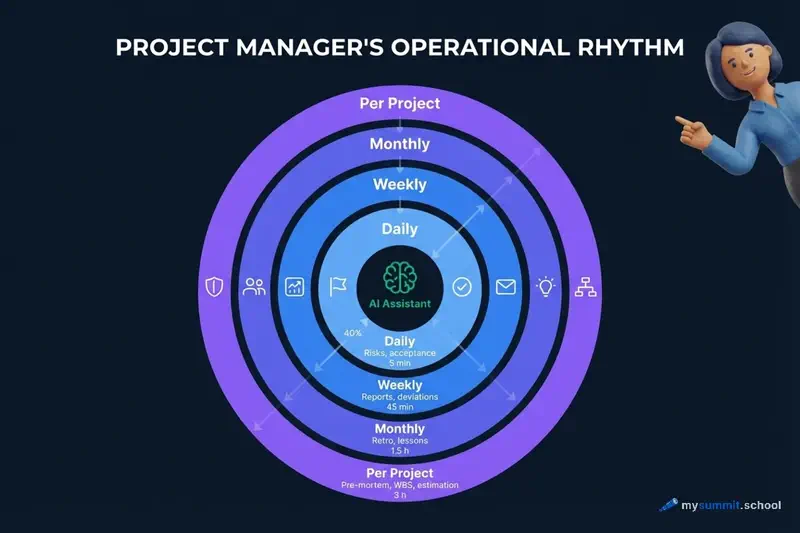
Let’s break it down by level. For concreteness, we’ll use a real project example: an ERP system rollout for a large grocery chain. A team of 14 (4 in-house + 10 from the integrator), a substantial mid-six-figure budget, 18 months, migrating from a legacy custom accounting system to a modern ERP platform with integration across 120+ retail locations.
The examples in this article use Claude and ChatGPT – but all the techniques described work with any modern AI: Gemini, DeepSeek, and others. The principle is the same: structured prompt with project context → AI generates a draft → PM reviews and refines.
Daily Rhythm: Capturing Risks and Accepting Deliverables
Without AI
Every day, a PM needs to log new risks and issues, accept interim deliverables from the team, and update registers. In practice, this turns into accumulating notes “for later.” Risks aren’t recorded when they appear – they’re recalled on Friday before the report. Deliverables are accepted formally – no one documents the reasoning behind decisions.
This isn’t laziness. It’s the lack of structure for rapid real-time information capture.
With AI
AI solves exactly this problem – quickly structuring the unstructured. A voice memo at the end of a meeting becomes a risk entry with category, probability, and response plan. Scattered notes become a decision log with context and rationale.
On the ERP project, this worked like so: after a meeting with the integrator team, the PM dictates a three-minute voice note – “discussed the issue with migrating the product catalogue, 12,000 items with no consistent coding format, risk of a three-week delay on the ‘Data Loading’ phase, Olga from the integrator team committed to a mapping prototype by Thursday.” AI turns this into a structured risk entry in 30 seconds. Previously, such an entry either wasn’t made at all or took 15 minutes at the end of the day.
Daily savings: 20–30 minutes. Over a year – roughly 80 hours on daily operations alone.
Weekly Rhythm: Reporting and Plan Deviations
Without AI
Friday. Stakeholder report. The PM opens the tracker – Jira or a spreadsheet – mentally summarises the week, writes a status update. This takes 2–3 hours – not because the task is complex, but because you need to gather data from different sources, formulate it clearly for different audiences, and set the right emphasis. In parallel, you need to analyse plan deviations and propose response options.
A study on work intensification when using AI revealed an interesting pattern: without a systematic approach, AI doesn’t reduce reporting time – it expands reporting volume. PMs start generating more documents, not fewer.
With AI
A systematic approach looks different. Once a week, the PM spends 15 minutes copying data from trackers into a prompt. AI generates drafts of three report versions in 5 minutes: one for the technical team, one for the business sponsor, and one for the CEO. The PM reviews, adjusts, sends. Instead of 3 hours – 45 minutes.
On the ERP project, this looked like: data from Jira (closed tasks across workstreams – “Warehouse,” “Procurement,” “Finance” – open blockers, data migration status) plus brief context from the PM into a prompt. AI formatted the report with budget, timeline, and risk indicators. The chain’s COO received a clear one-page document, the integrator team got a technical summary by workstream, and the CFO got a single paragraph with key budget decisions.
Another important part of the weekly rhythm is deviation analysis. “The plan says X, reality says Y” – a classic task for AI. Instead of the PM formulating response options independently, they describe the situation, AI proposes three to five options with an assessment of each one’s consequences. The PM chooses and justifies the choice. This isn’t a replacement for expertise – it’s an acceleration of the analytical process.
Weekly savings: about 2 hours. Over a year – roughly 100 hours on weekly reporting alone.
All of this – the daily and weekly rhythm – is covered in the open Foundation module. It also includes hands-on assignments for building your own Human+AI routines.
Open Foundation module – 9 lessons on building a daily AI workflow. Free access.
No payment required • Get notified on launch
Monthly Rhythm: What PMs Usually Skip
Why the Monthly Rhythm Breaks Down
Here’s an honest observation: most PMs skip monthly activities – retrospectives, plan reviews, stakeholder satisfaction assessments, lessons-learned documentation. Not because they don’t understand their value. But because it requires 3–4 hours of focused work at the end of the month, when everything is on fire and deadlines are pressing.
These activities are critical for the long-term health of a project. And they’re skipped in the vast majority of projects.
AI removes the main barrier – the time needed for structuring and formatting.
How AI Restores the Monthly Rhythm
Retrospective without AI: the PM gathers the team for an hour, facilitates the discussion, then spends another 40 minutes formatting the outcomes. With AI: the team fills out a short asynchronous form in 10 minutes, the PM feeds the responses into AI, and gets a structured report with categorised observations and suggestions. A facilitator is still needed, but far less time goes to formatting.
Stakeholder satisfaction assessment: the PM provides AI with context (“here’s a stakeholder, here’s their role, here’s what happened on the project this month”) and gets a list of precise questions for a brief conversation. Then relays the answers, gets a summary and recommendations.
On the ERP project, this practice helped notice in the fourth month that regional branch directors were unhappy about not being involved in testing – they were learning about the new system a week before the pilot launch at their stores. Previously, this would have surfaced only during the pilot, when local-level sabotage was already guaranteed.
If the daily and weekly rhythm are skills from the open module, monthly practices require a different level: the ability to set the right framing for AI and verify results. That’s exactly what the “Human+AI” chapter in “Foundation” covers.
The Human+AI chapter of the open module covers how to frame AI for retrospectives, stakeholder assessments, and project lessons. Free access.
No payment required • Get notified on launch
Lessons learned – a separate story. A typical PM documents “lessons” as generic observations at the end of a project that nobody reads. With AI, you can introduce a practice: once a month, the PM dictates three to five specific situations that went wrong or unexpectedly well. AI turns them into structured cards with context, root cause analysis, and a recommendation for next time. Over the course of a project, a living knowledge base accumulates, not a dead document.
Monthly savings: 2–3 hours. But the main win isn’t the time – it’s that the activities actually happen.
Per-Project Rhythm: From Pre-Mortem to Timeline Estimation
These are the activities that occur at project launch, at key milestones, and at closure. This is where the difference between “without AI” and “with AI” is most dramatic.
Pre-Mortem
The classic Gary Klein technique: imagine the project has failed and ask the question “why?” Without AI, the PM runs a brainstorm with the team, collects risks, someone documents. Takes 3–4 hours including preparation and formatting.
With AI, the process changes fundamentally. The PM describes the project (goal, team, timeline, budget, tech stack, key dependencies) and receives a detailed list of hypothetical failures grouped by category – technical risks, team risks, stakeholder risks, external factors, integration risks. The team then discusses an already concrete, structured list rather than generating one from scratch.
For the ERP project, the pre-mortem with AI took 3 hours instead of the usual 12 (including preparation, the session itself, and formatting). AI proposed risks the team wouldn’t have come up with on their own: for instance, that store cashiers would sabotage the new system because they’d been used to the old interface for 8 years – and that a separate workstream was needed for training frontline staff, not just office employees. The integrator team hadn’t thought about this – for them, the project ended at the head office level.
Work Breakdown Structure Audit and Timeline Estimation
A Work Breakdown Structure (WBS) – or Results Map in P3.express terminology – is the decomposition of a project into concrete deliverables. A typical problem: the PM builds the WBS intuitively, missing entire blocks of work that later surface as unplanned scope. A WBS audit with AI is a request: “look at this decomposition and tell me what I might have missed for a project with these characteristics.” AI isn’t magic, but it’s good at spotting typical omissions: historical data migration, end-user training, parallel operation of two systems, integration testing with external services.
The prompt we used on the ERP project:
You are an experienced technical auditor with 12 years of practice. Specialisation: finding "blind spots" in project plans – tasks no one wrote down but that still need to be done.

Context: ERP implementation for a grocery chain. Team of 14 (4 in-house + 10 from integrator), substantial budget, 18 months. Migration from a legacy custom accounting system. Integration across 120+ retail locations.

Here is the current WBS (top level):
1. Discovery and design (2 months)
2. Standard configuration setup (3 months)
3. Integration development (warehouse, procurement, finance) (4 months)
4. Data migration (2 months)
5. Testing (2 months)
6. Pilot launch in 3 stores (1 month)
7. Rollout across the entire chain (3 months)
8. Stabilisation and support (1 month)

Find tasks that are not in this list but will be required. For each, specify: name, why it's needed, effort in work days, and which WBS block it affects.
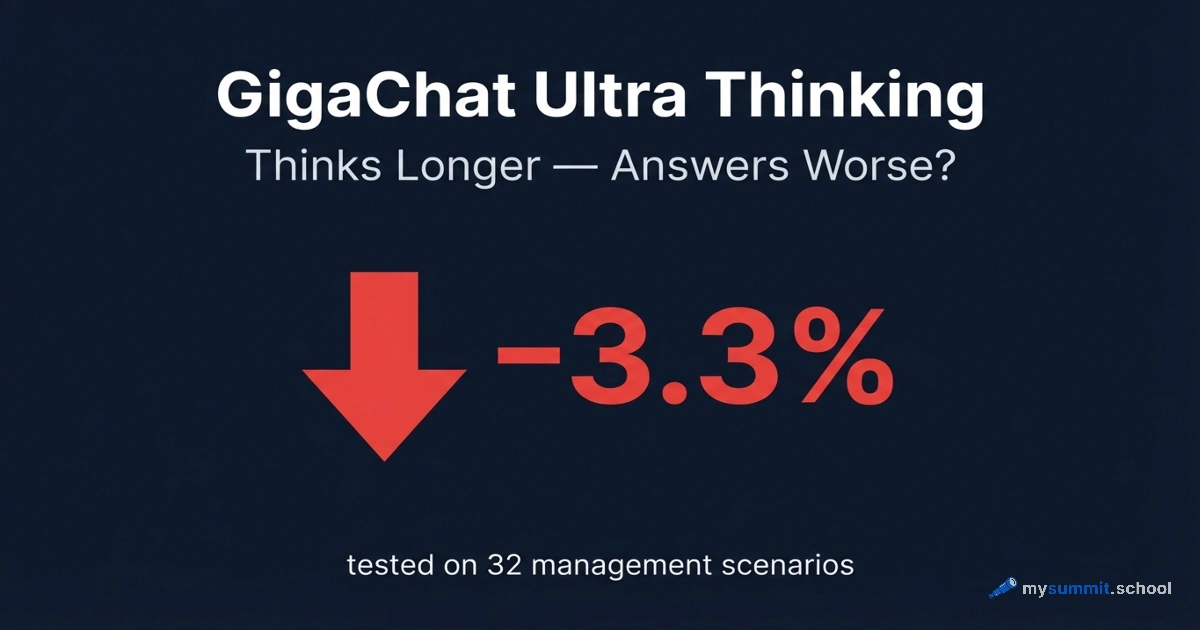
We ran this prompt through several models – from DeepSeek to Claude Sonnet 4.6 and GPT-5.4. Results ranged from 7 to 30 identified tasks, but the core overlapped across all models: missed frontline staff training (cashiers, warehouse workers), data cleansing before migration, role-based access model, rollback plan for the pilot launch. Stronger models additionally caught domain-specific items – regulatory compliance systems and POS integration, wave planning for the store-by-store rollout. A detailed comparison of models for management tasks is in a separate analysis.
Notably, the “Parallel Operation” block – a 2–3 month period when old and new systems run simultaneously – was found by only one model out of several. That’s 6 person-months of work that hadn’t been budgeted for in either cost or timeline. This is why AI is an auditor, not a replacement: it finds 80–90% of gaps, but the remaining 10–20% require the manager’s domain expertise.
Timeline estimation: AI helps shift from “gut feeling” to a structured estimate with explicit assumptions. The PM describes a task, AI asks clarifying questions, proposes a breakdown by phase with a three-point estimate (optimistic / realistic / pessimistic scenario). As MIT research shows, the manager’s role shifts from making decisions to designing choice architectures – and timeline estimation demonstrates this vividly. AI doesn’t replace expertise – it makes it explicit and verifiable.
Per-project savings: launching a new project – 3 hours instead of 12. With three to five launches per year, that’s 30–45 hours.
300 hours isn’t an abstract figure. Each one is built from specific skills: structured prompts, verifying AI outputs, establishing routines. All of this is broken down across 9 hands-on assignments in the open module.
9 hands-on assignments in Foundation – the base without which 300 hours of savings remain theory. Start for free.
No payment required • Get notified on launch
Crisis Response
A separate category that doesn’t fall within the regular rhythm but happens to every PM. On the ERP project, the crisis looked like this: during the pilot launch at three stores, it turned out that the integration with weighing equipment didn’t work – the POS systems couldn’t process items with weight-based barcodes. That’s 40% of the product range. Without AI – five hours of chaotic meetings between the integrator team, the equipment vendor, and the chain’s COO.
With AI: the PM describes the situation in 10 minutes and receives a structured analysis following a framework: “what happened → what the options are → risks of each → whose responsibility → what to communicate to stakeholders and in what form.” The meeting now follows a clear agenda, not chaos. An hour and a half instead of five. Microsoft research confirms: 62% of managers working with projects and products use AI daily, but the boundaries of automation and responsibility for decisions remain with humans – and that’s exactly how it works in crisis response too.
Savings per crisis: one-off, but significant – 3–4 hours per incident.
The Final Arithmetic
Surprisingly, adding it all up is straightforward:
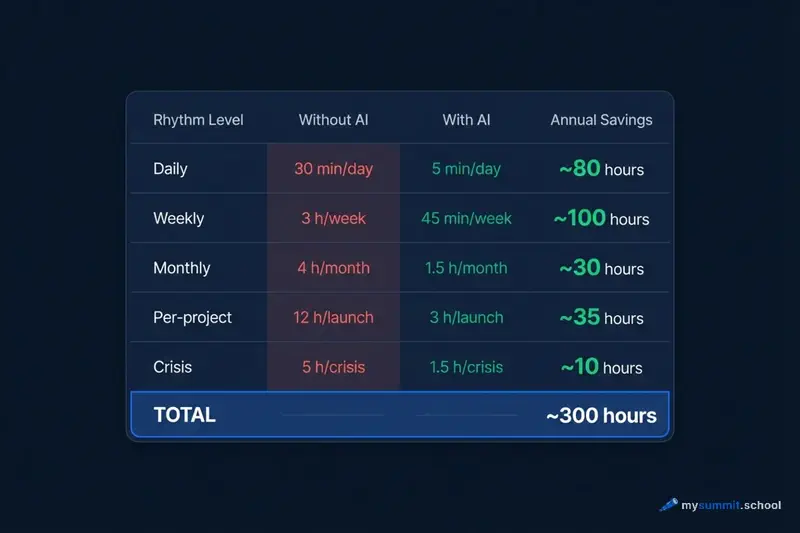
| Rhythm Level | Without AI | With AI | Annual Savings |
|---|---|---|---|
| Daily (risk logging, registers) | ~30 min/day | ~5 min/day | ~80 hours |
| Weekly (reporting, deviation analysis) | ~3 hrs/week | ~45 min/week | ~100 hours |
| Monthly (retro, lessons, stakeholders) | ~4 hrs/month | ~1.5 hrs/month | ~30 hours |
| Per-project (pre-mortem, WBS, estimation) | ~12 hrs/launch | ~3 hrs/launch | ~35 hours (3 projects/year) |
| Crisis response | ~5 hrs/crisis | ~1.5 hrs/crisis | ~10 hours |
| Total | ~250–300 hours |
The figures are approximate and depend on project type, team size, and process maturity. But the order of magnitude is right.
This raises a thought: if AI delivers such results when applied systematically, why do most PMs use it haphazardly? The answer is probably simple: they don’t have an established rhythm into which to embed the tool. No rhythm – no systemic results.
What This Means in Practice
An important caveat is in order here. We used P3.express as an example because this methodology explicitly describes the rhythm of PM activities. But the principle is universal. Working in Scrum? You have the same daily stand-ups, weekly reviews, monthly retrospectives. PRINCE2? The same checkpoints, board reports, risk registers. Kanban? The same flow metrics, bottleneck analysis, WIP limits.
AI isn’t tied to a specific methodology. It’s tied to rhythm. If there’s a rhythm – AI accelerates it. If there’s no rhythm – AI creates an illusion of productivity.
Before AI, many PMs skipped monthly retrospectives and project pre-mortems not because they didn’t want to do them, but because the cost of conducting them was too high given the constant time pressure. AI lowers that cost so much that the barrier disappears. Rhythm becomes achievable.
Perhaps the real question isn’t which AI to use, but whether you have a rhythm to embed it into.
Embed AI Into Your Project Rhythm
Course structure: Foundation for daily Human+AI routines, then specialisations – project management with pre-mortem, WBS audit, and crisis response. A complete path from basics to advanced scenarios.
Sources
- P3.express – a minimalist project management methodology with 33 activities and an explicitly defined rhythm: daily, weekly, monthly, and per-project