AI Doesn't Make You Dumber. It's About How You Use It
A year and a half ago, I wrote a note on my personal blog about something I was noticing in my colleagues’ work and in my own: the more you trust AI, the less often you ask yourself “is this actually right?” I was drawing on a Microsoft study at the time – it showed that trust in AI suppresses critical evaluation of the answers it produces. The argument felt strong to me, but it had an obvious flaw: correlation, not causation.
In February 2026, Anthropic researchers Judy Shen and Alex Tamkin published an experiment that closed that gap. Randomized control. Concrete data. And a conclusion that, I think, most people who’ve read about it have misunderstood.
Because this isn’t a story about AI making us dumber. It’s a story about how exactly we use it.
What Happened in the Experiment
52 developers were given a task: learn to work with a Python library for asynchronous programming called Trio, which was new to them. 26 worked with an AI assistant, 26 without one. After completing the task, everyone took a comprehension test.
The AI group scored 17% worse. The gap was statistically significant, and by behavioral research standards – substantial.
But here’s the interesting part: task completion speed was virtually identical for both groups. AI didn’t help them work faster. But it did help them understand less.
The researchers also captured a curious detail: some participants spent up to 11 minutes just formulating a single query to AI. The transaction costs of working with AI turned out to be comparable to the time it would take to find the solution independently.
And one more fact that explains why the non-AI group performed better: they encountered a median of 3 errors per participant, while the AI group hit a median of just 1. That looks like an advantage. In reality, it’s a disadvantage – it’s precisely the encounter with errors that forces you to figure out what’s going on.
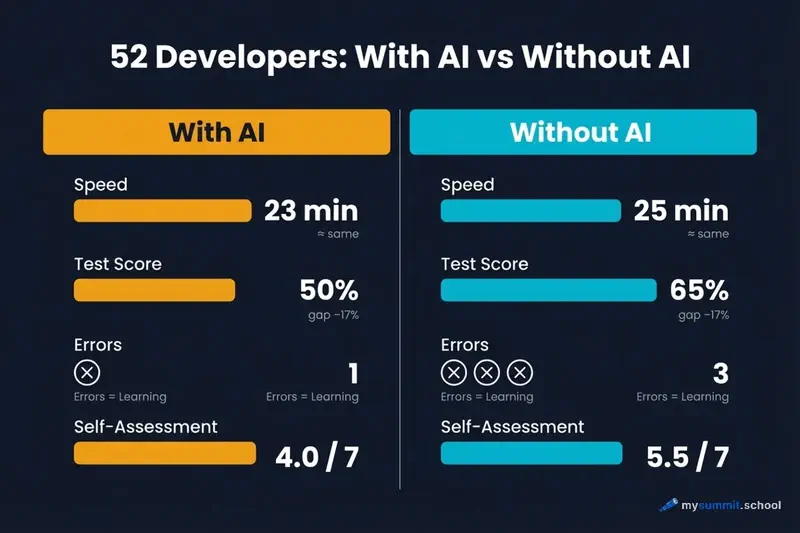
The AI group participants themselves acknowledged this. In their post-task reflections, they wrote that they felt “lazy” and regretted not digging into the details. AI reduced cognitive friction – and along with it, reduced the depth of learning.
An analogous pattern has been documented in education: research showed that 86% of students using AI demonstrate degraded critical thinking – precisely because they stopped encountering difficulty.
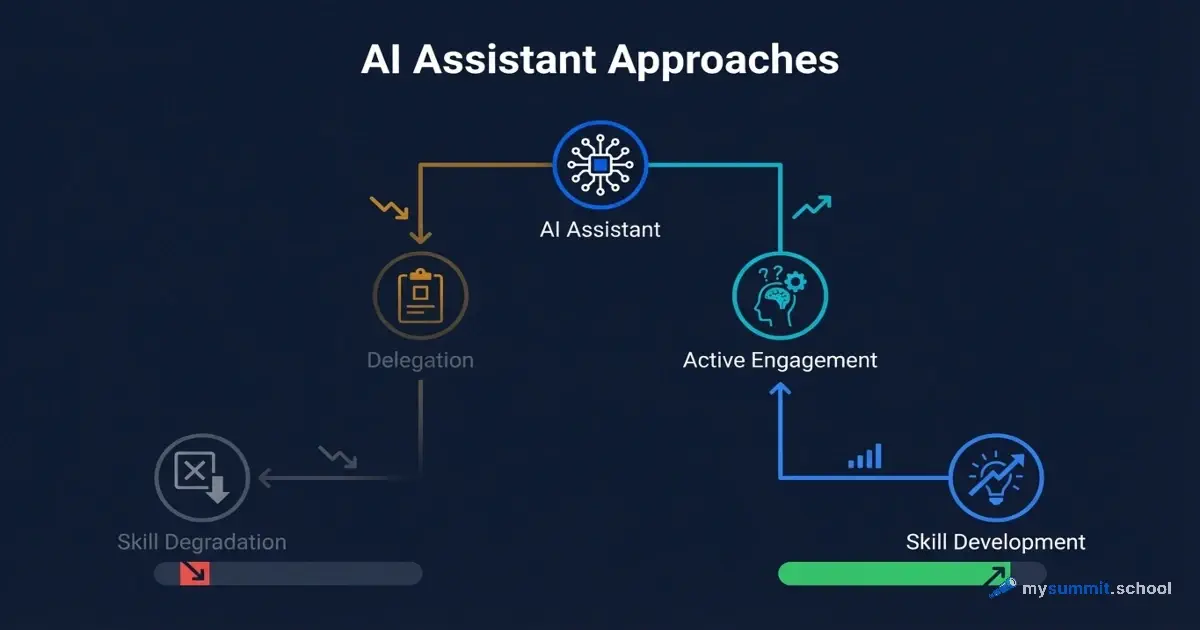
Six Patterns – and Why This Matters More Than “Use It or Don’t”
This is where it gets really interesting. The researchers didn’t stop at comparing groups. They studied how exactly participants interacted with AI and identified six consistent patterns.
Three patterns showed low test scores (24–39% correct answers). Three showed high scores (65–86%).
The difference wasn’t whether someone used AI. The difference was whether they remained a thinking agent in the process.
Patterns With Low Results
AI Delegation – complete handoff. The participant simply asked AI to write the code and accepted the result without studying it. Average score: around 24%.
A typical query looked like this:
Write a function for asynchronous file reading using the Trio library.
The code worked. Understanding was absent. Whenever anything deviated from the template, the participant went back to AI.
Progressive AI Reliance – growing dependency. Started independently, but gradually delegated more and more until they handed everything over to AI. Average score: around 28%.
A typical progression:
How does nursery work in Trio?
...
(several iterations)
...
Just write me a working example with nursery for my task.
The key moment: the shift from questions to “just write it for me” happened imperceptibly, as soon as the first difficulty appeared.
Iterative AI Debugging – debugging through AI without understanding root causes. The participant ran the code, got an error, sent it to AI, and applied the suggested fix. The cycle repeated. Average score: around 39%.
I'm getting an error: TaskGroup is not a function. How do I fix it?
The code eventually worked. But why – the participant never understood.
Patterns With High Results
Generation-Then-Comprehension – generation followed by study. AI writes the code, but the participant then examines it line by line, asking clarifying questions. Average score: around 86%.
Write a function for parallel task execution with Trio nursery.

Then explain to me:
- Why is async with used here instead of just with?
- What happens if one of the tasks inside the nursery raises an exception?
- How is this different from standard asyncio?
The difference is radical. AI becomes not a replacement for thinking, but a tool for it.
Hybrid Code-Explanation – simultaneous request for code and explanation. The participant asked for understanding from the very start, not just a solution. Average score: around 75%.
Show me an example of using trio.open_nursery() and explain simultaneously:
1. What each line does
2. What key concepts I need to understand to apply this on my own
3. What common mistakes people make when using this for the first time
Conceptual Inquiry – conceptual questions, independent implementation. The participant used AI only to understand principles, and wrote the code themselves. Average score: around 65%.
Explain the concept of structured concurrency in Trio. Don't show code – just the idea. Why is this better than simply launching coroutines directly?
After receiving that explanation, the participant implemented the solution on their own, hit errors – and worked through them. Exactly the way the control group did.
What This Means for a Manager
It’s important not to make an interpretation error here. The study was conducted on developers learning a technical tool. But the mechanism is universal – and for managers, it may be even more significant.
A developer can verify: the code either works or it doesn’t. A manager has no such immediate feedback loop. An email written by AI looks persuasive. A risk analysis looks well-structured. Meeting notes read coherently. Checking whether all of this accurately reflects reality and aligns with your managerial intuitions is considerably harder.
This means that skill degradation in a manager can happen more quietly and go unnoticed for longer.
Look at typical managerial tasks through the lens of the six patterns.
Take meeting summaries. The delegation pattern looks like this:
Here's the meeting transcript. Write a summary with key decisions and next steps.
The high-scoring pattern looks different:
Here's the meeting transcript. Identify three moments where participants seemed to be talking about the same thing but meant different things. Explain why you think so.
In the second case, AI becomes a tool for developing your perception, not replacing it.
Or preparing for negotiations. The delegation query:
Prepare arguments for budget negotiations for next quarter.
The conceptual query looks different:
What psychological mechanisms affect how people perceive budget requests? Don't give me arguments – explain what's happening in the mind of the person listening to them.
The difference isn’t about effectiveness in a particular meeting. The difference is in what you accumulate over months of work.
This connects directly to what researchers call Disempowerment – the gradual replacement of your own judgment with algorithmic output. Not dramatic and not noticeable in the moment. Just a quiet shift from “I decided” to “AI suggested.”
40 lessons on AI for managers – including a module on using AI safely without losing your skills
No payment required • Get notified on launch
Three Questions as a Practical Tool
The research doesn’t suggest banning AI – it suggests changing the pattern. Before sending a query, it’s worth asking yourself three questions.
First: do I understand why AI gave this particular answer? Not “does it work,” but “do I understand the logic.” If not – that’s a signal to ask a follow-up question, not to accept the answer.
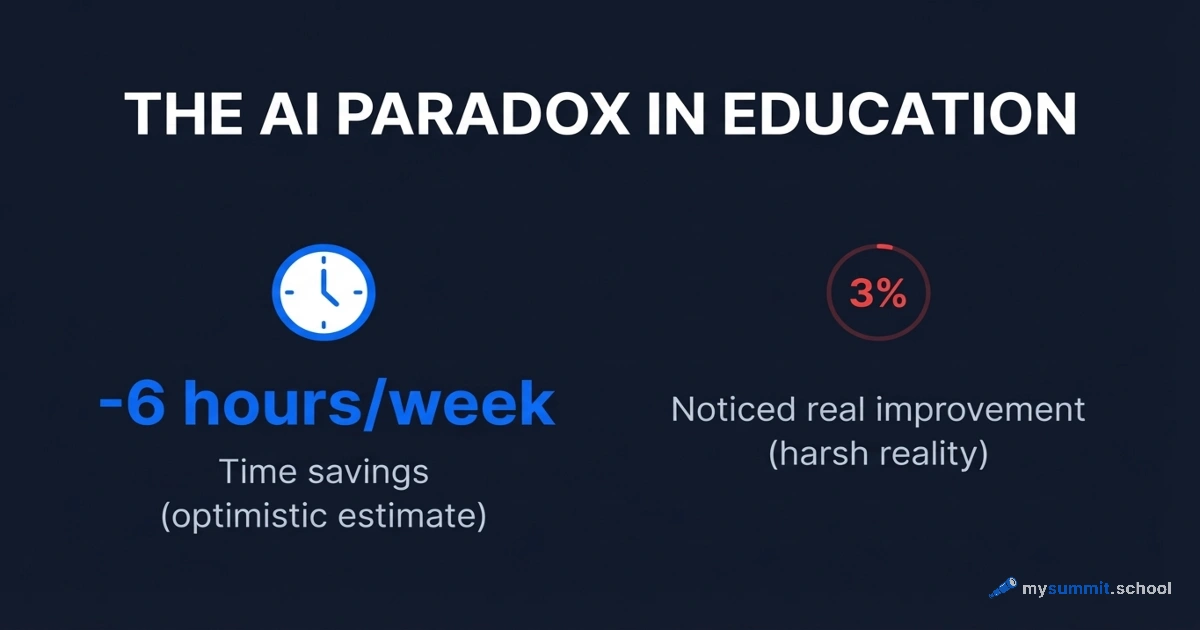
Second: if AI is wrong here – would I notice? As the Workday study shows, 37% of time saved with AI goes toward fixing its mistakes. That’s only possible if you have the competence to detect them. If the delegation pattern has suppressed that competence – you won’t save anything.
Third: in a month, could I do this without AI? This isn’t a question about abandoning the tool. It’s a question about whether a skill is actually forming or just the appearance of one. As MIT research on management shows, the real strength of a professional lies in the ability to critically evaluate options, not in having a tool that generates them.
If the answer to all three questions is “no” – that’s not a reason to stop using AI. It’s a reason to switch to a different pattern.
A Paradox Worth Keeping in Mind
A year and a half ago, I suggested that the accessibility of AI lowers the standards we apply to its output. Now that hypothesis has experimental confirmation – and it’s more precise than I expected.
The point isn’t that AI makes us worse. The point is that AI removes friction – and friction was part of the learning process. The control group encountered three times more errors. And that’s exactly what forced them to understand.
This matters in the context of a broader trend as well: AI doesn’t so much free up time as it compresses workload, lowering visible barriers while increasing pace. Depth of understanding can quietly erode in the process.
The study found that high-scoring participants didn’t avoid AI – they used it to understand better, not to avoid thinking. The difference is in intent, not in the tool.
A question I’ll leave unanswered: which skill do you want to still have a year from now – and how exactly are you working with AI on that right now?
Using AI but not sure you're doing it right?
9 free lessons on AI for managers: safe usage patterns, hallucination detection, practical scenarios – no registration or payment required.