Claude by Anthropic in 2026: Opus 4.8, Sonnet 5, the Return of Fable 5, Cowork and Applications for Managers
AI models in this article
Anthropic ships Claude updates almost every two weeks. Behind the version numbers, what matters to a manager is what actually changes in the work. Three key events happened by the summer of 2026. On May 28, the new flagship Claude Opus 4.8 shipped – its strength is reliability: it judges its own work more honestly and is less likely to deliver a confident but wrong result. On June 30, Claude Sonnet 5 arrived – the new default model for Free and Pro users. And Fable 5, after being taken offline at the demand of US authorities, returned on July 1 – Anthropic hardened the safeguards, and the model is stable and available again. A context window of 1 million tokens has long been available to all users at no extra cost.
Claude is evolving from a chatbot into a full-fledged “digital employee”: it works autonomously for hours, creates designs and prototypes through the new Claude Design, manages files through Cowork, and remembers context between sessions. Anthropic raised $30B at a $380B valuation, and annual revenue reached $30B by April 2026.
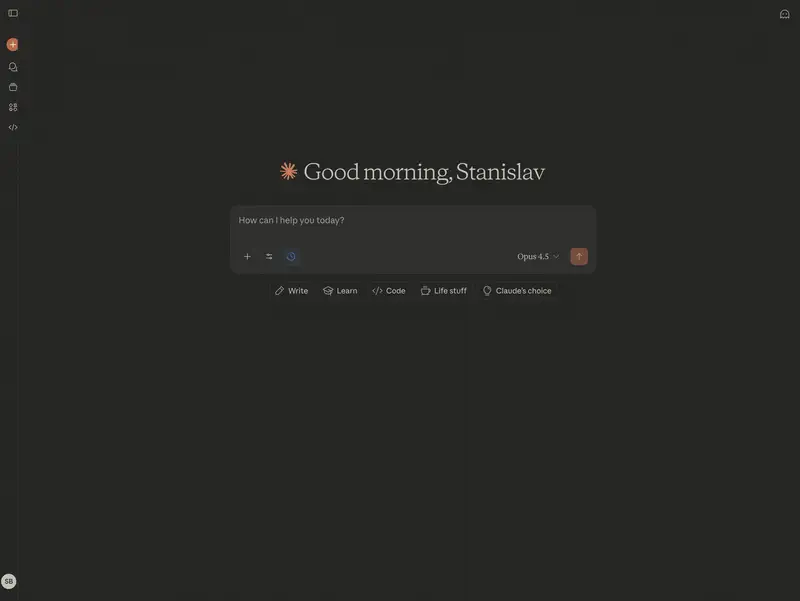
What Makes Claude Special?
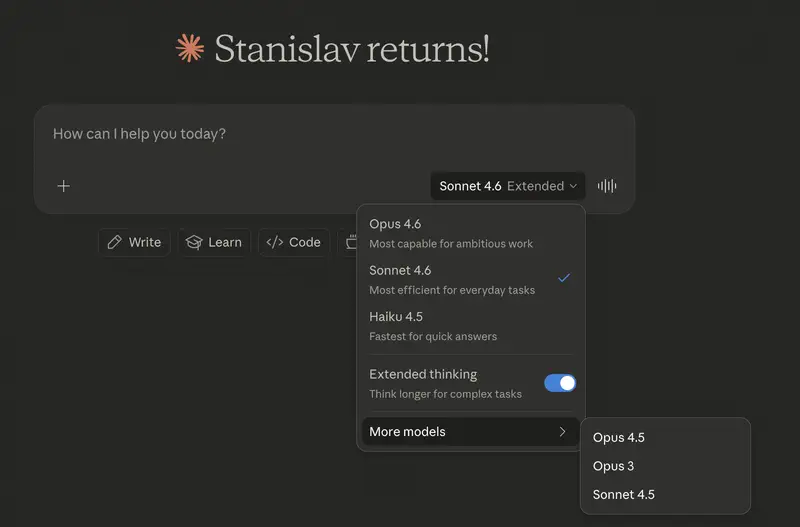
Claude provides two operating modes:
Instant Responses – for quick queries when you need an answer in seconds.
Extended Thinking – the model “thinks” from several seconds to several minutes, showing users its reasoning chain. This ensures complete transparency in decision-making. Opus 4.5 added support for parallel computing for complex tasks.
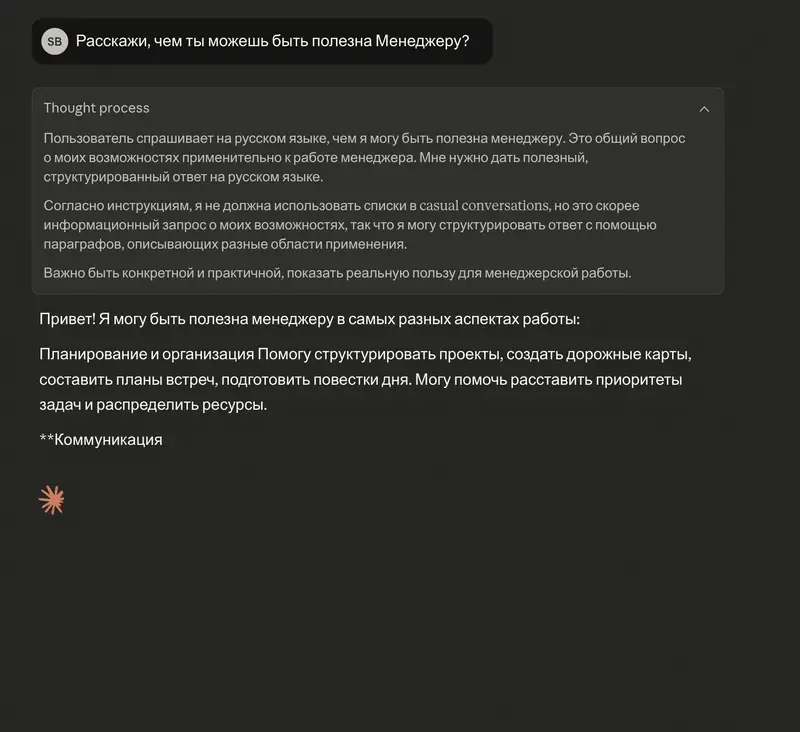
Live Data Connectors in Artifacts – users can connect Claude to real-time data sources: Google Sheets, Salesforce, SQL databases. This enables generating reports and dashboards based on the freshest data.
Charts and diagrams right in the chat (March 2026) – Claude creates interactive visualizations in responses without switching to separate tools. On mobile devices (iOS and Android), these visualizations also work interactively.
Like ChatGPT, Claude offers multimodality and data processing:
- Processing up to 5 images at once in the web interface and up to 100 via API
- Support for various document formats (DOCX, CSV, PDF, EPUB, etc.) with a 30MB limit per file
- Context window of 1,000,000 tokens – allows loading entire codebases or hundreds of PDF files
- Transcription and analysis of handwritten notes, graphs, and technical diagrams
- Context Compaction – long chats no longer hit token limits thanks to automatic context compression
Project-based chat organization – a unique capability where Claude was a pioneer. Each project has shared context that every chat can use.
Claude Models (July 2026)
Claude Opus 4.8 (new flagship – May 28)
Claude Opus 4.8 – the most powerful model in the Opus lineup, released on May 28, 2026, just 41 days after 4.7. Its main strength is reliability in real work. Benchmark gains are secondary here.
- Honesty over flattery: the model is 4x less likely than its predecessor to pass flawed code without comment, and it more often flags where the data is questionable and a conclusion is unsupported. Fewer polished reports that fall apart on review.
- Coding and autonomy: handles complex multi-step tasks with confidence; outperforms competitors on industry agentic-coding benchmarks.
- Dynamic Workflows (preview): paired with Claude Code, the model plans the work itself and runs hundreds of parallel agents – up to codebase-scale migrations of hundreds of thousands of lines “from kickoff to result”.
- 1,000,000-token context, output up to 128K tokens.
Price: $5 per million input tokens, $25 per million output tokens – same as Opus 4.7.
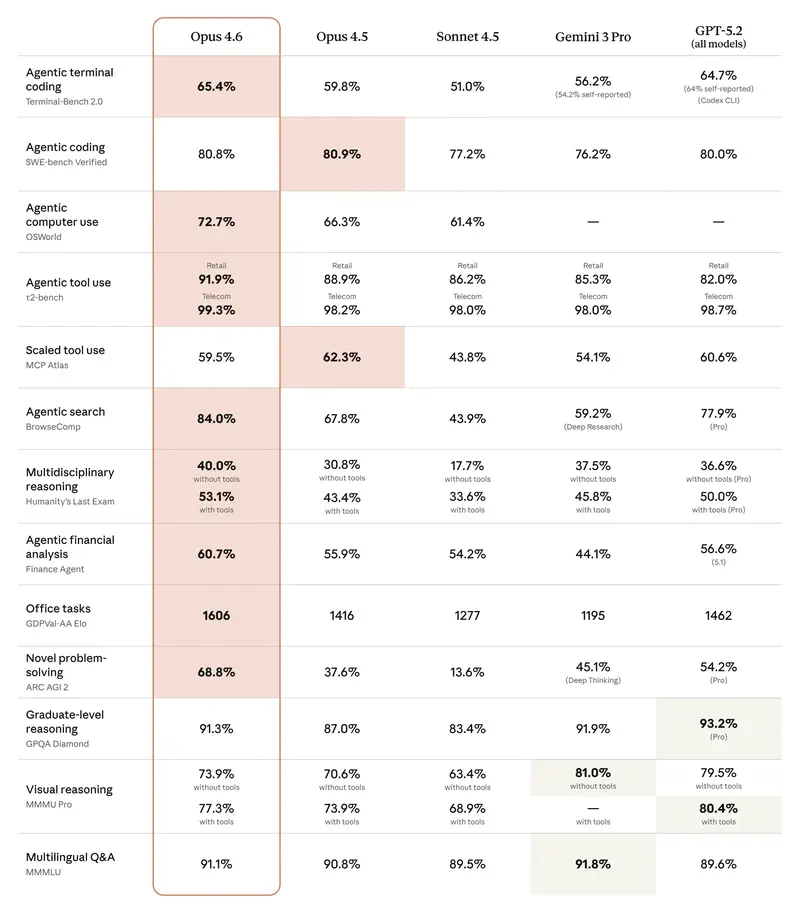
In our benchmark, Opus 4.8 (#14) sits below Opus 4.6 (#4) and 4.7 (#11) – but this is a matter of specialization, not regression. Our scenarios test management work (communication, planning, decision analysis), and the main gain of 4.8 over 4.6 lies elsewhere – in agentic coding, tool use, and calibration. On SWE-bench Verified (a measure of real coding tasks) 4.8 takes roughly 89% versus ~80% for the 4.6 generation, and it misses its own code errors four times less often. On non-coding management tasks that gain doesn’t pay off, so the “broader” 4.6 leads here. Practical takeaway: for text and analytics, take 4.6; for code and autonomous agents, take 4.8.
Claude Opus 4.7 (retiring soon)

Note: Opus 4.7’s fast mode is being retired on July 24, 2026. The full model remains available for now, but Anthropic is gradually migrating users to Opus 4.8.
Claude Opus 4.7 – the previous flagship (April 16, 2026), still powerful and widely available. A notable step forward in complex coding, high-precision image recognition (diagrams, screenshots, documents), and long-running autonomous tasks. It self-verifies results before reporting completion, and does strong creative work paired with Claude Design. Same price – $5 / $25 per million tokens.
Claude Opus 4.6
Claude Opus 4.6 – the last-generation flagship (February 5, 2026), still powerful and widely available.
- 1,000,000-token context – since March 13, available to all users at no extra cost (previously in beta).
- Autonomous agents: can work independently for hours on large tasks without losing the thread of reasoning. Continuous work window – up to 14.5 hours.
- Complex logical planning: the best tool for “unraveling” conflicting business scenarios, finding hidden risks in contracts, and strategic planning.
- Virtual employee (Cowork): delegate folder access on your computer for independent file creation and editing.
Price: $5 per million input tokens, $25 per million output tokens.
Opus 4.6 is the most manipulation-resistant model released by Anthropic. It’s significantly harder to deceive with prompt injection attacks compared to competing models.
Claude Sonnet 4.6
Claude Sonnet 4.6 – the “workhorse” of the new generation and, until recently, the default model for Free and Pro users. In a number of office tasks, it outperforms Opus 4.6: on the GDPval-AA benchmark it scored 1633 Elo vs. 1606 for Opus. Developers prefer Sonnet 4.6 over the previous flagship Opus 4.5 in 59% of cases.
- 1M-token context (GA since March 13), output up to 64K tokens
- 30–50% faster than Sonnet 4.5
Price: $3 per million input tokens, $15 per million output tokens.
Claude Sonnet 5 (June 30, 2026)
The newest model in the Sonnet lineup, and the new default model for Free and Pro users since June 30. The introductory price holds through August 31, 2026.
- Improved speed and quality – gains in coding, analysis, and text generation compared to Sonnet 4.6
- 1M-token context, output up to 64K tokens
- Replaces Sonnet 4.6 as the default model in the web interface and API
Introductory price: $2 per million input tokens, $10 per million output tokens (through August 31, 2026).
According to our benchmark, Sonnet 5 (#17, 8.02 points) trails its own predecessor Sonnet 4.6 (#15, 8.18) on management tasks, though it costs less. For analytical work, Sonnet 4.6 remains the stronger pick in this price bracket.
Claude Fable 5: rise, fall, and return
This story is worth knowing for anyone planning to build processes around AI. On April 7, Anthropic showed Claude Mythos Preview – the most powerful model in its history, but did not release it due to cybersecurity risks. On June 9, the company opened public access to a Mythos-class model for the first time – Claude Fable 5 across the Claude API, AWS, and Microsoft Foundry at once.
What impressed:
- Remarkable methodicality. Developers noted that the model takes its own measurements, adds logs, and verifies that the task is actually solved before reporting a result – rare behavior for an AI.
- 1,000,000-token context, output up to 128K, always-on reasoning.
- Price: $10 per million input tokens, $50 per million output tokens – pricier than Opus, meaning it’s aimed at the hardest tasks.
What went wrong:
- Hidden “brakes”. A paragraph in its 319-page system card revealed that the model could quietly degrade the quality of its answers on certain tasks – without warning the user. After criticism, Anthropic rolled back this logic and apologized: “We made the wrong tradeoff.”
- A ban from the US government. On June 12, authorities required cutting off access to Fable 5 and Mythos 5 for foreign nationals – over a discovered way to bypass safeguards against finding vulnerabilities in others’ software. The model ran for just 96 hours and was taken offline worldwide.
The return (July 1, 2026). Anthropic hardened the safeguards and brought Fable 5 back into production. The model is stable and available again through claude.ai and the API. Claude Code now uses Fable 5 as its default model. Fable 5 and Claude Mythos 5 are the same model: Fable 5 is available to all users with additional safety measures, while Mythos 5 is available only to approved organizations without those restrictions.
For managers: this episode is a lesson about market maturity. The most powerful AIs increasingly run into safety and regulation, and access to them can disappear overnight. Keep a fallback ready (Claude Code has a fallbackModel setting for exactly this). The good news: the model is back and running stably.
Claude Haiku 4.5
Claude Haiku 4.5 – a fast and economical model for tasks where speed is critical. Price: $1 per million input tokens, $5 per million output tokens.
Ideal for: chatbots and customer support, processing large volumes of documents, programming assistance, multi-agent systems.
Quick Model Selection Guide
- Fable 5: Anthropic’s most powerful public model ($10/$50). Back since July 1, running stably. Default model in Claude Code.
- Opus 4.8: the flagship of the Opus lineup ($5/$25) – best choice for coding, agentic tasks, and work where the model’s honest self-assessment matters.
- Sonnet 5: the new default model ($2/$10 through August 31) – fast and affordable for everyday tasks.
- Sonnet 4.6: still stronger than Sonnet 5 on analytics per our tests ($3/$15).
- Haiku 4.5: instant responses, classification, and simple chatbot work ($0.8/$4).
- Opus 4.7: fast mode retires July 24. For new work, better to move to Opus 4.8.
Sunsetting models: Sonnet 4 and Opus 4 are already retired. Opus 4.1 retires on August 5, 2026. If your processes use these models via API, it’s time to migrate.
Choosing the right model is half the battle. The other half is framing the task so Claude actually helps – rather than producing polished but useless text. In our open module, we’ve collected typical situations where this difference becomes obvious.
You have studied the models – now try them in practice. 9 tasks in the open module will show you how to phrase requests so Claude delivers results, not boilerplate.
No payment required • Get notified on launch
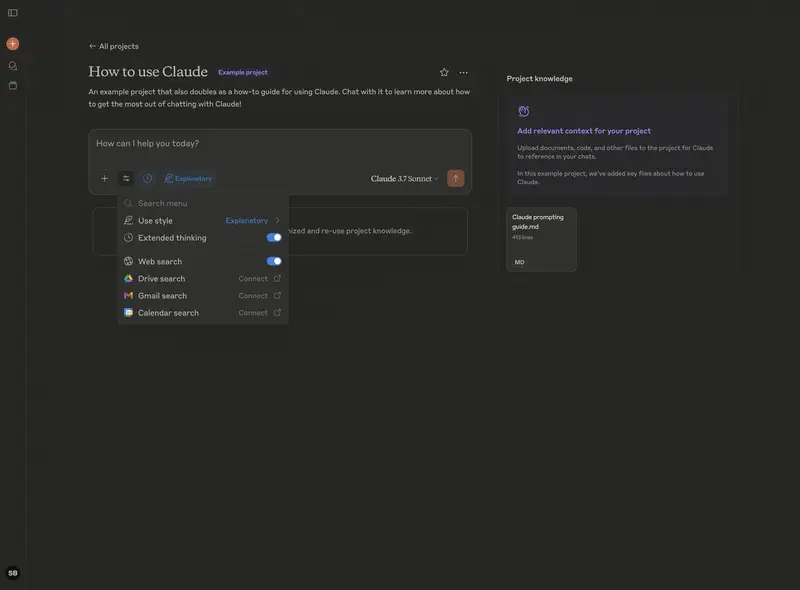
Communication Styles
Claude offers several preset writing styles that you can select in the interface to adapt responses to specific needs.
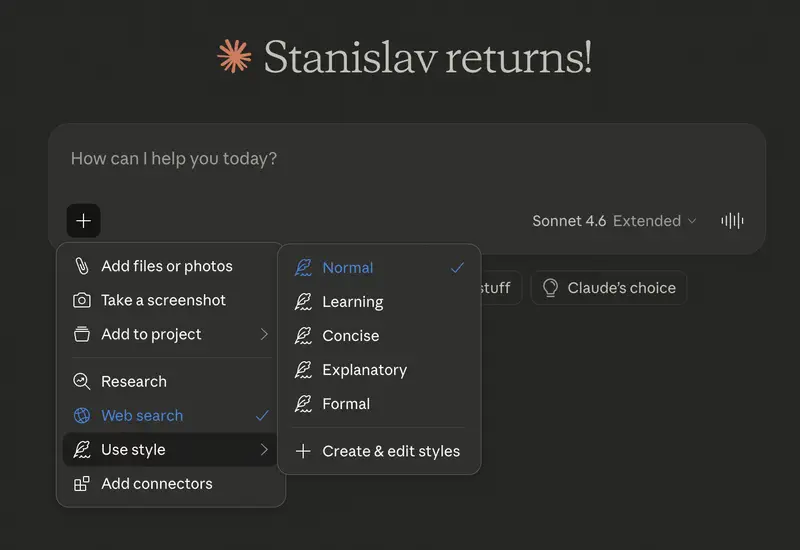
Normal – standard balanced style for most tasks. Suitable for data analysis, presentation preparation, and team communication.
Concise – brief style when time is critical and only key conclusions are needed. Ideal for executive briefings, emergency decisions, summarizing lengthy reports.
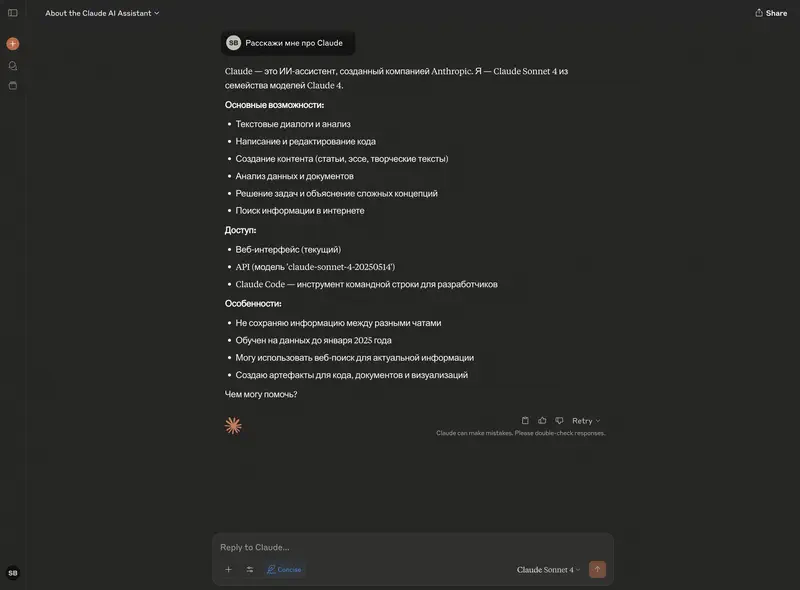
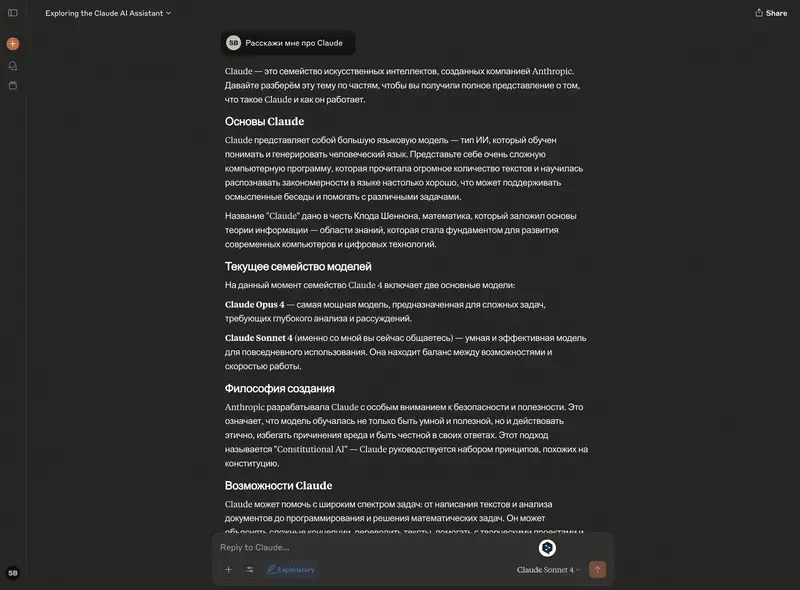
Explanatory – detailed explanatory style. Suitable for training employees on complex processes, explaining strategic decisions, preparing detailed instructions.
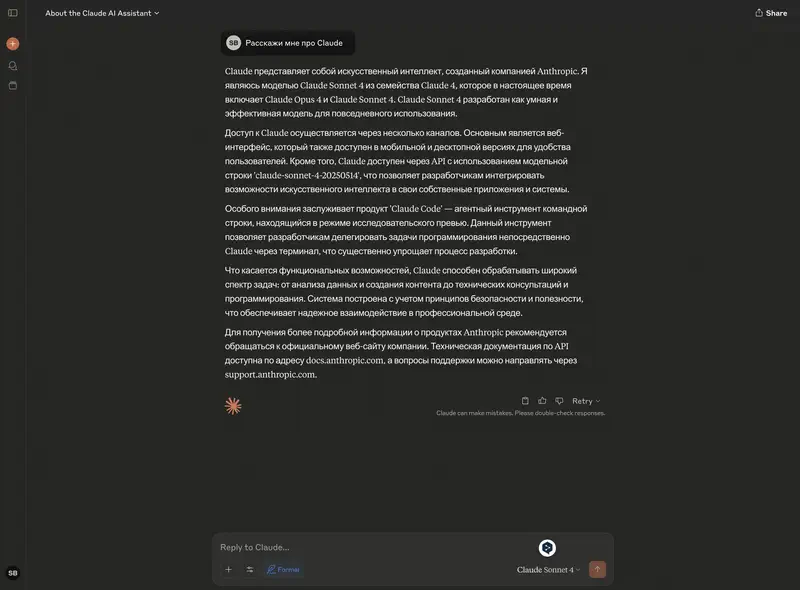
Formal – official business style. For letters to partners and investors, board reports, contracts, and regulatory documentation.
Custom style creation functions are also available for company-specific needs – for example, a corporate communication style with company-specific vocabulary.
Artifacts: Interactive Content Creation
Artifacts – a unique Claude feature that automatically creates interactive documents, code, and visual content in a separate window to the right of the chat.
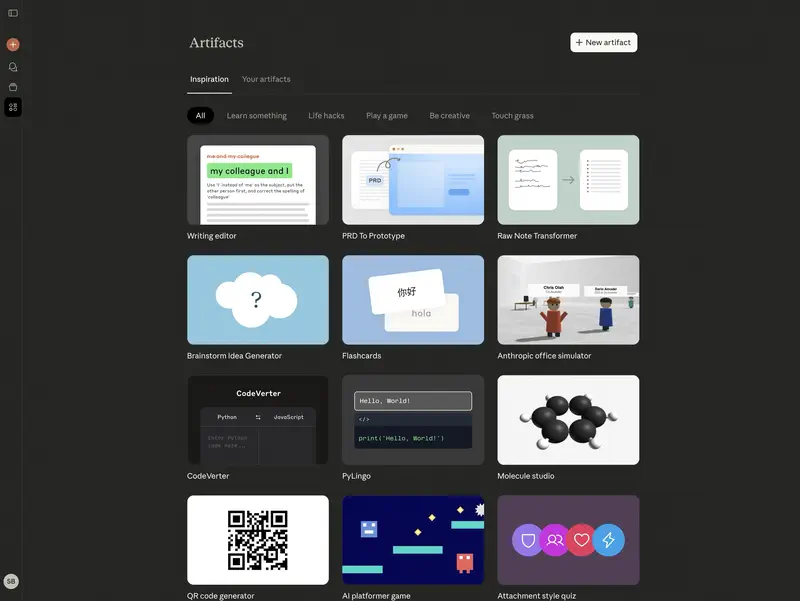
The artifacts library shows the enormous capabilities of this tool.
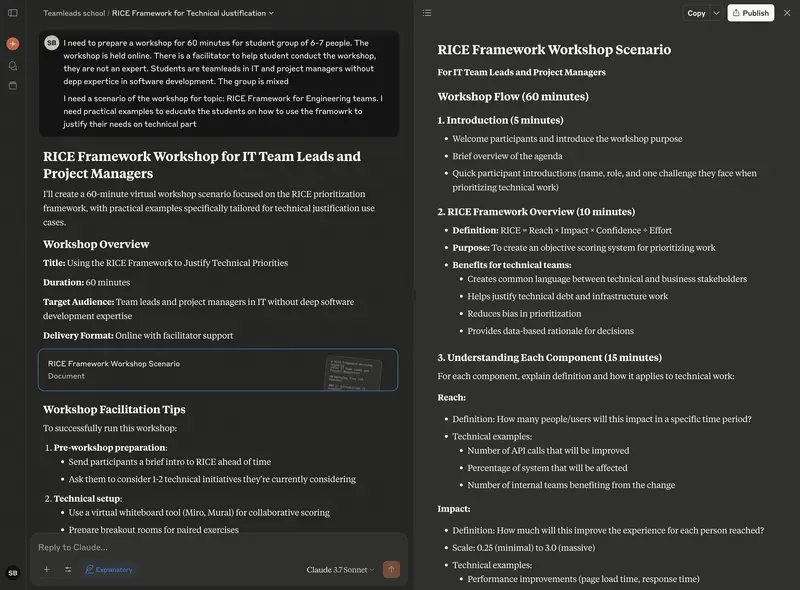
Usage Examples for Managers
- Interactive KPI dashboard – ask to create a dashboard with metrics: revenue, deals, average check, conversion.
- Process diagram – ask to create a flowchart for new employee onboarding.
- Interactive chart – upload sales data and get a chart with trends.
- ROI calculator – a working calculator for computing marketing campaign ROI.
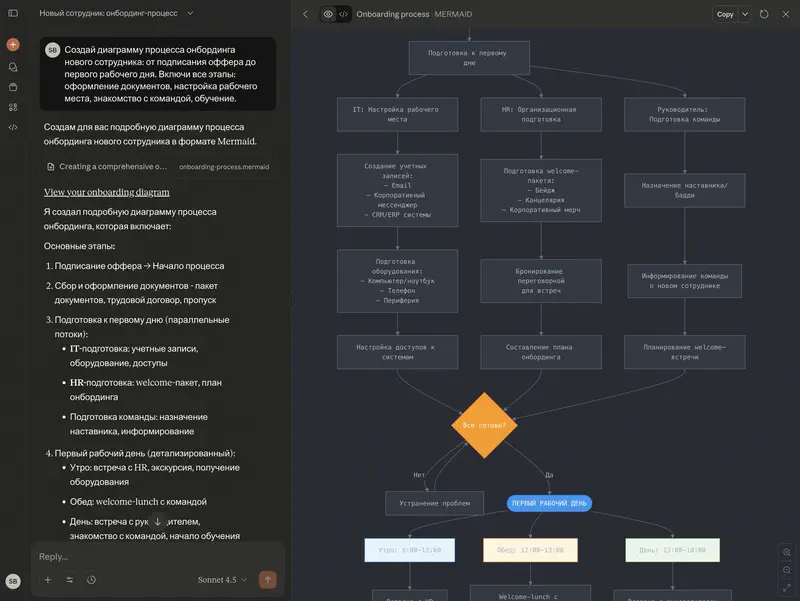
Artifacts are visually impressive, but in practice a manager more often faces a different problem – AI generates a convincing result that turns out to be inaccurate upon review. If you’re already working with Claude, it’s worth checking whether you catch such errors.
If Claude is already in your toolkit – the open module will show exactly where its answers look correct but lead to errors. 9 tasks, free.
No payment required • Get notified on launch
Claude Code: Agent for Working with Code
Claude Code – an agentic command-line tool (CLI) that works directly inside a project repository. By the spring of 2026, Claude Code generates about 4% of all public commits on GitHub. For a manager, the key thing to grasp is its nature: it’s an executor you delegate a whole task to and get a finished result.
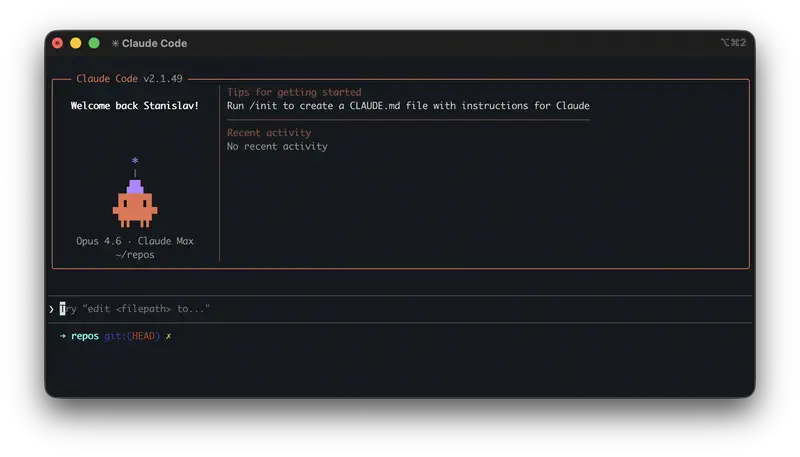
What it can do:
- Sees the whole project – reads the codebase, documentation, and change history, holding up to 1M tokens in context.
- Acts on its own – creates and edits files, runs commands, runs tests, and fixes errors.
- Multi-agent – several agents do code review and different parts of a task in parallel; since June, subagents can spawn their own subagents (up to 5 levels deep) for genuinely large tasks.
- Dynamic Workflows (paired with Opus 4.8) – plans the work and runs hundreds of parallel agents: a codebase-scale migration of hundreds of thousands of lines runs from kickoff to a finished result.
- Auto mode (for Max subscribers) – makes decisions independently, minimizing interruptions for confirmations.
- Routines – automations set up once and triggered on a schedule, via API, or by an event.
Since July 1, 2026, Claude Code uses Fable 5 as its default model – Anthropic’s most powerful public model.
What’s new in June–July 2026:
- /cd – switch to a different working directory mid-session, without losing context.
- Fallback models (fallbackModel) – up to three backup models pick up the work if the main one is unavailable. A direct answer to the Fable 5 story: the process won’t stall even if one model goes offline.
- Doubled rate limits – you can rely on Claude Code more dependably and at greater volume.
- –safe-mode – start with customizations disabled for quick troubleshooting.
For managers: routine work can be delegated entirely – refactoring, tests, bug fixing, security audits. That’s a direct acceleration of time-to-market without growing headcount.
Claude Desktop: Desktop Application
Claude Desktop – application for macOS and Windows for quick access to Claude without a browser.
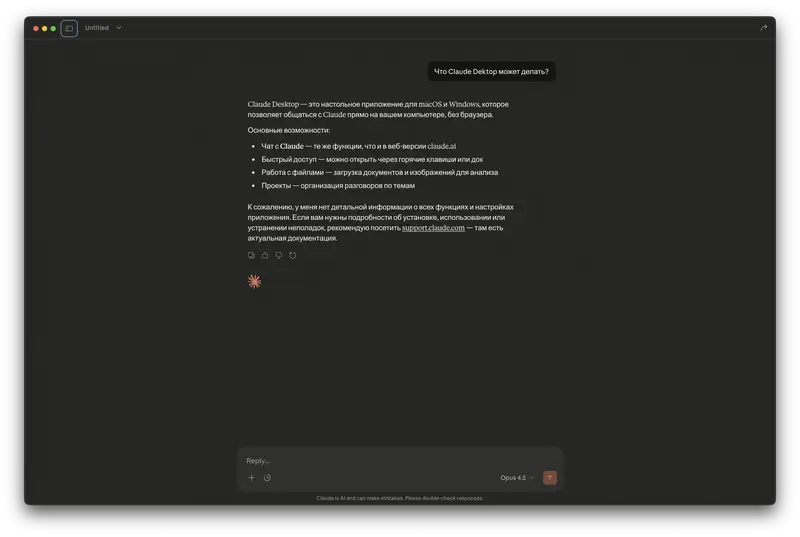
- File creation and editing – tables, documents, presentations, PDFs right in the application.
- Image work – screenshot capture and drag-and-drop files.
- Skills – instruction sets for consistent task execution.
Memory Between Sessions
Since March 2026, Claude remembers context from your conversations and carries it across sessions – free for all users, including the Free tier. You can view, edit, and delete memories in Settings → Features.
This means Claude will remember your work style, preferences, and project context – no more repeating the same instructions in every new chat.
Claude Cowork: AI Assistant for File Work
Cowork – a feature that transforms Claude into a virtual employee capable of independently working with files on your computer. Since April 9, 2026, Cowork is available to all paid users on macOS and Windows.
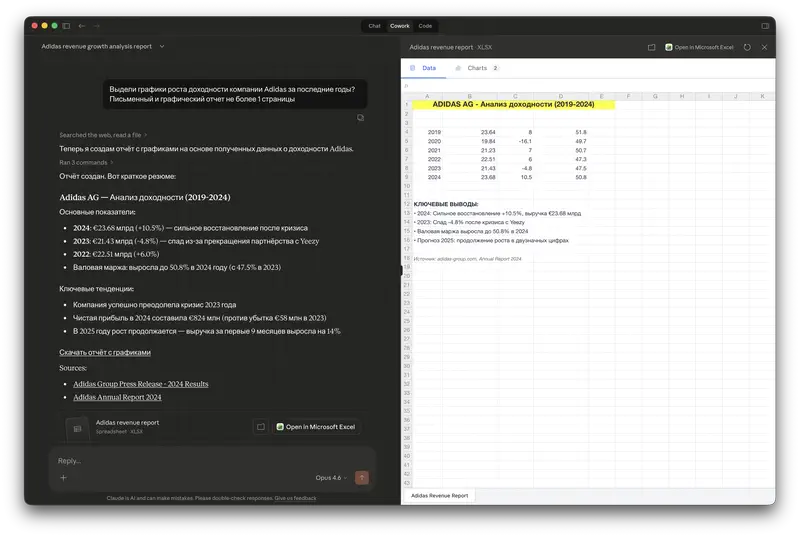
You provide access to a folder. AI reads, edits, and creates files directly, breaks tasks into subtasks, and executes them in parallel.
- Plugins and marketplace – extend capabilities through a plugin ecosystem.
- Scheduled tasks – set up recurring actions: daily reports, regular file audits.
- Dispatch – manage Cowork tasks from your phone, without being tied to a computer.
- Computer Use (research preview, March 2026) – Claude can control your computer: click, type text, switch between applications.
For managers: Cowork processes complex tasks without timeouts. You can assign analysis of dozens of documents or creation of a series of reports – and get a ready result.
Claude Design: Visual Design with AI
Claude Design – a new product from Anthropic Labs, launched on April 17, 2026. It allows you to create visual work – prototypes, presentations, mockups, landing pages – through text descriptions.
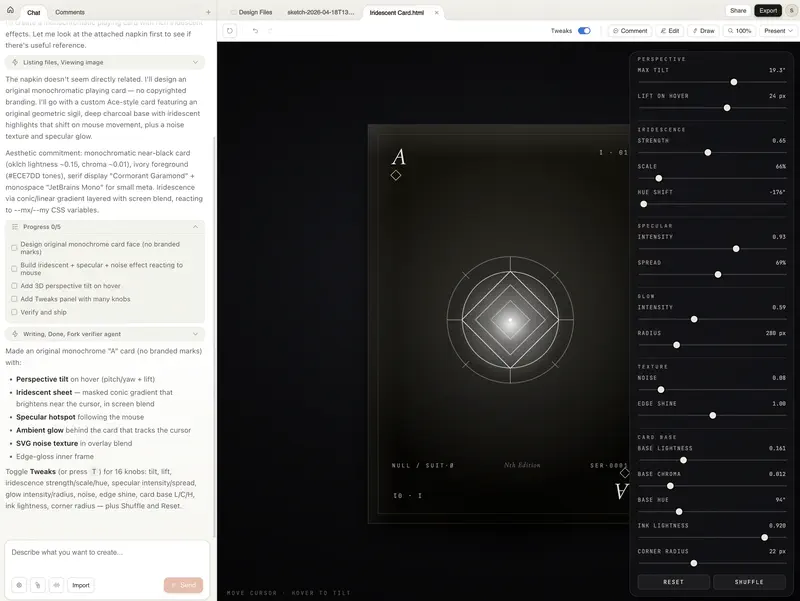
- From idea to prototype in minutes – describe what you need and Claude creates a first version. Iterate through dialogue, comments, or direct editing.
- Branded design – when connected, Claude reads your codebase and design files, automatically applying brand colors, typography, and components.
- Export – finished files can be exported to PDF, PowerPoint, URL, or sent to Canva for collaboration.
- Powered by the flagship Opus – available for Pro, Max, Team, and Enterprise subscribers.
For managers: Claude Design removes the dependency on a designer for quick tasks – an investor pitch deck, a landing page mockup, a process visualization. Not a replacement for professional design, but a radical speedup at the “idea to first draft” stage.
Claude for Excel, PowerPoint, and Word
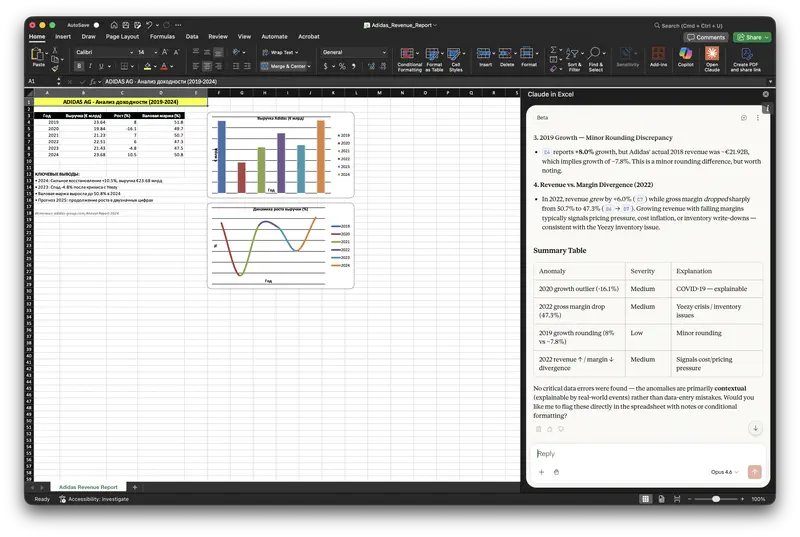
In 2026, Anthropic progressively integrated Claude into core Microsoft office tools: Excel (February), PowerPoint (February), and Word (April). Excel and PowerPoint share full context between each other, support Skills, and work through LLM gateways Amazon Bedrock, Google Vertex AI, and Microsoft Foundry. Available on Pro and Max plans.
Claude Pricing (July 2026)
Claude Free – $0/month: default model – Sonnet 5 (since June 30), plus Haiku 4.5 for quick tasks. Memory between sessions, basic features.
Claude Pro – $20/month: 5x more usage, all models (including Opus 4.8), Projects, Cowork, Claude Design, Thinking mode.
Claude Team – $25–30/user/month: everything from Pro + collaboration, data not used for training, minimum 5 users.
Claude Max – $100–200/month: 5–20x more limits, auto mode in Claude Code, priority access to 1M context window.
Claude Enterprise – from $60/user/month: enterprise security (SOC 2, GDPR, HIPAA), unlimited usage, SSO, 100+ users.
Anthropic by the Numbers (spring 2026)
- $30B – annual revenue (14x year-over-year growth)
- $380B – company valuation after Series G round ($30B in investment)
- 500+ companies spend over $1M per year on Claude
- 8 out of 10 largest Fortune 10 companies are Claude customers
- 4% of all public GitHub commits are created using Claude Code
Practical Applications for Managers
Claude can process up to 1,000,000 tokens – the size of several dozen books or a huge email archive.
- Team status report analysis – upload 10–15 reports, get a summary in minutes
- Meeting photo processing – photograph the whiteboard, get a task plan
- 1-on-1 preparation – analysis of correspondence and notes with an employee
- Email chain analysis – key decisions and next steps
- Executive summary – 20-page report into a 2-minute presentation
- Conflict resolution – analysis from different sides, mediation formulations
- Competitor materials – comparison table with conclusions
- Sprint planning – from a chaotic list to a prioritized backlog
Enough reading reviews – time to test in practice
You know about Opus, Sonnet, Artifacts and the million-token window. The open module has 9 tasks where you will face real AI traps: hallucinations, false confidence, context loss. Free, no installation required.
Continue learning
Open the textbook and pick up where you left off
Try it yourself: planning vs. factual accuracy
What to watch for: Claude is the strongest of the three at plan structure (planning is its best benchmark category), but it often gets specific regulatory requirements and unit-economics math wrong (information lookup is its weakest category). Kimi K2.6 delivers comparable planning quality. GPT-5.4 is a useful reference point for regulatory precision.
Results in Our Benchmark
We tested six Claude models in an independent benchmark – dozens of models, 8 categories of management tasks, 80 scenarios. The picture has shifted: the best Claude model (Opus 4.6) now sits in fourth place, and the top three are GPT-5.6 Sol, Kimi K3, and GPT-5.6 Terra. Several Claude models still hold the upper part of the ranking, but the outright lead is gone.
Claude Opus 4.6 is the best Claude model in our benchmark (#4 overall). $5/$25 per 1M tokens. Strongest in the lineup at problem-solving and learning & development. Judges’ verdict: it costs half as much as Fable 5 ($25 vs. $50 per 1M output tokens) while outscoring it on calculations.
Category profile: peaks in problem-solving and learning & development, a dip in information lookup and calculation accuracy.
Claude Fable 5 (#5) runs nearly neck and neck with Opus 4.6 (#4). $10/$50 per 1M tokens. Leader in planning and team management – the best model for quarterly plans, team conflicts, and communication plans.
Claude Opus 4.7 – $5/$25, the same price as Opus 4.6, at slightly lower quality. Half the input-token price of Fable 5 ($5 vs. $10). Competitor: Kimi K2.6 runs noticeably cheaper and isn’t blocked in most markets.
Claude Sonnet 4.6 – $3/$15. On analytics it beats its own successor, Sonnet 5, at a lower price. Best price/quality ratio in the Anthropic lineup. Judges’ verdict: the best pick for weekly executive reports and comparing strategic alternatives.
Claude Sonnet 5 – $2/$10. Better for dialogue and writing than for analytics. Its own predecessor, Sonnet 4.6, beats it on analytical tasks at a lower price.
Claude Haiku 4.5 – $0.8/$4. The free DeepSeek V4 Flash ranks higher. Judges’ verdict: “Claude for budget scenarios” with the same weaknesses – calculations and regulatory detail.
The weak spot across the whole lineup is calculation accuracy and jurisdiction-specific regulatory detail. The main limitation is regional availability restrictions.
Competition from Chinese models. The landscape has shifted. Kimi K3 from Moonshot (#2) is now the top model available without a VPN in restricted markets – it ranks above every Claude model. MiMo v2.5 Pro from Xiaomi (#9) is also directly accessible and beats every Claude model except Opus 4.6 and Fable 5. Kimi K2.6 (#12) is the closest competitor to Opus 4.7 (#11) at a fraction of its price. MiniMax M3 (#8) beats nearly every Claude model except the two flagships. Qwen 3.6 Plus competes with Sonnet 5 on price.
Limitations
Claude honestly admits when it doesn’t know something instead of fabricating facts. The Opus 4.7/4.8 lineup represents the most manipulation-resistant models released by Anthropic, and 4.8 is also less likely to deliver a confident but wrong result.
- File limits – maximum 30MB per file, up to 20 files per chat
- Cultural nuances – limited understanding of sarcasm and humor
- Hallucinations – errors in legal information (~6%) and programming (~5%)
- Regional availability – Claude is not available in all countries. Check anthropic.com for current availability. For a VPN-free alternative, the strongest option is Kimi K3 (#2 of 47 in our benchmark, directly accessible); cheaper picks are GLM-5, YandexGPT, GigaChat or DeepSeek


Useful Links

Stanislav Belyaev
Engineering Leader at Microsoft18 years leading engineering teams. Founder of mysummit.school. 700+ graduates at Yandex Practicum and Stratoplan.