Coding Agents in 2026: Two Form Factors – Terminal and Desktop
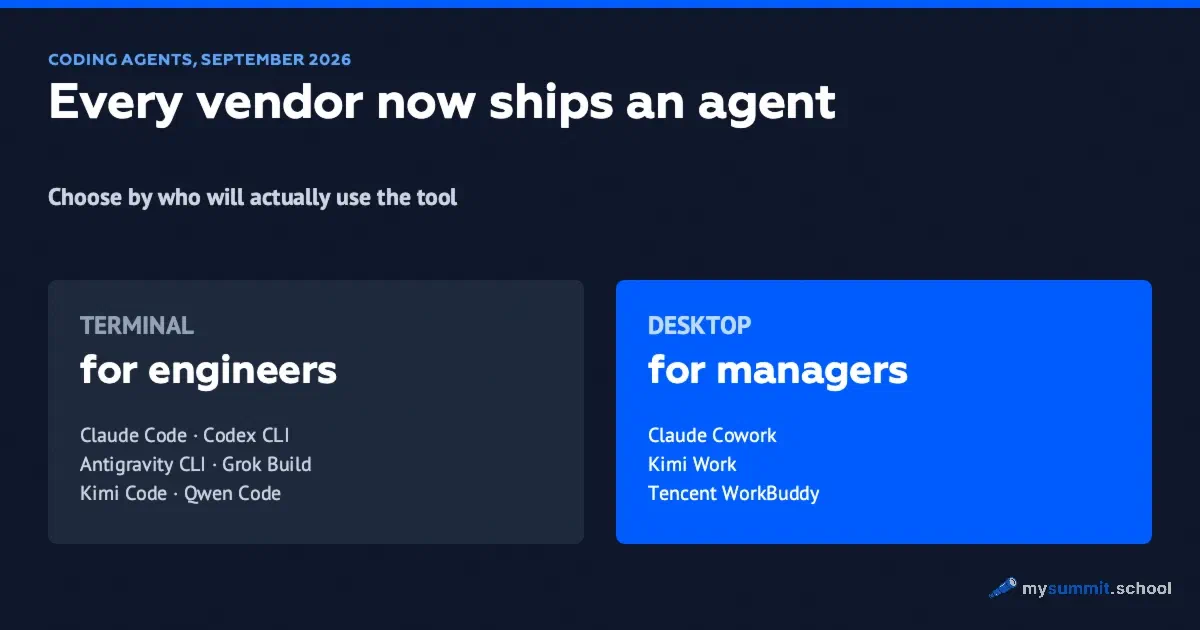
By September 2026, every model vendor had shipped a coding agent: Anthropic, OpenAI, Google, Microsoft, xAI, DeepSeek, Moonshot, Alibaba, Z.ai, Tencent. By mid-year, Claude Code, Cursor, Codex and Antigravity had converged on the same agentic loop: the program reads files, edits them, runs commands, checks the result and reports back. What still differs is packaging, pricing and ecosystem – which is why an alphabetical list of a dozen names tells you nothing.
The split that actually helps is form factor. The terminal is home to agents for engineers: Claude Code, Codex CLI, Antigravity CLI, Grok Build, Kimi Code CLI, Qwen Code. Managers don’t work there, but they pay for these tools – and they need to understand what they are paying for. The desktop is home to agents for office work: Claude Cowork, Copilot Cowork, Kimi Work, Tencent WorkBuddy. These are built for the manager and their team: HR, operations, admin, projects, sales. Sort files, assemble a report, process receipts, clean up spreadsheets.
Access, lock-in and spending nobody sees
Before comparing features, check who controls your access. With a proprietary agent, that is the vendor: its account rules, its regional restrictions, its identity checks. Anthropic, for example, has tightened its anti-fraud controls and now asks some users for an ID document and a live selfie through the verification provider Persona. Large projects and company accounts are the ones most likely to be flagged.
The only class of tools that doesn’t depend on any single vendor’s policy is open-source CLIs with your own API key: OpenCode, Oh My Pi, Aider, Kimi Code CLI, Qwen Code, Kilo Code, DeepSeek Harness. The program is open, the key can belong to any provider, and switching providers is a config change. What that looks like in practice is covered in Claude Code Costs $100/Month – OpenCode Does the Same Thing for Free.
Another telling pattern: engineers pay for agents with personal accounts and third-party keys, and most tools offer no dashboard where the company can see that spend. Kilo shows the scale of the flow: around 10 trillion tokens a month pass through its platform from more than 3 million developers (vendor figures as of July 2026, when Anaconda acquired the company). That is spending that shows up in no budget – and company data leaving under a contract an employee signed personally.
Meanwhile, the annual procurement cycle is out of step with the quarterly cycle of price changes. A Copilot budget approved in Q1 2026 at the rates in force then was obsolete by June, after the pricing model changed. A fixed-price annual contract still looks like the exception in this category.
For the same reason, a review like this goes stale faster than the next one comes out: since February 2026 we have counted 36 changes to agents’ terms, eight of them to price or access. So we maintain prices and availability separately, with a last-checked date on every row – in the agents hub.
The terminal – an engineer’s tool
Every agent in the first table assumes you know what a repository, a branch and a terminal are. This is an engineer’s working tool.
Claude Code · Anthropic
- Default model: Opus 5 by default; Fable 5 and Sonnet 5 can be switched in
- License: proprietary
- Price: the plan you can actually work on is Max at $100–200 a month; Pro at $20 exists, but its limits are enough for a trial. Or pay per token
Included in every paid Claude plan. The most mature subagent system; positioned as the best quality on multi-file tasks.
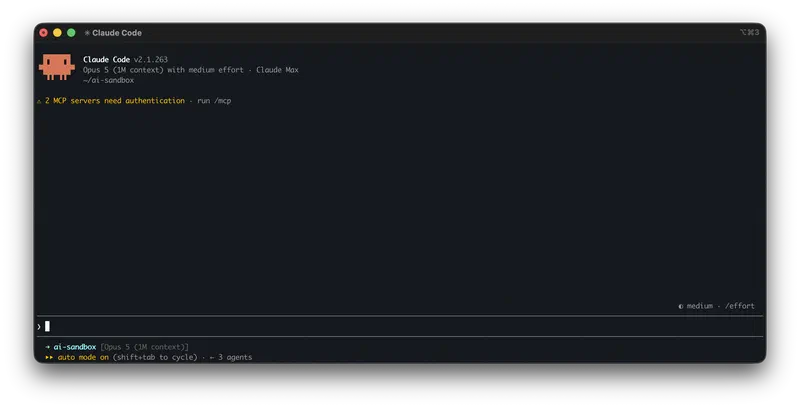
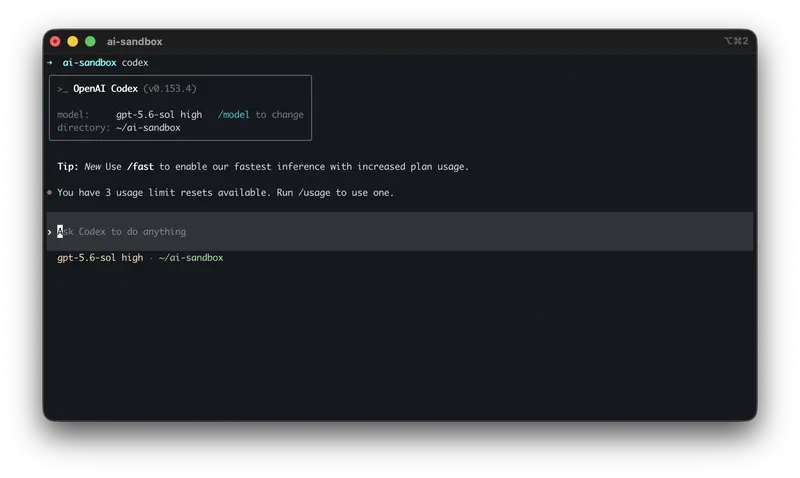
Codex CLI · OpenAI
- Default model: gpt-5.6-sol, medium effort
- License: open source, Rust, 88,600+ stars
- Price: a ChatGPT plan or your own key; pay-per-token added
One agent across terminal, IDE, web and cloud. Routes between three price tiers: Sol, Terra, Luna.
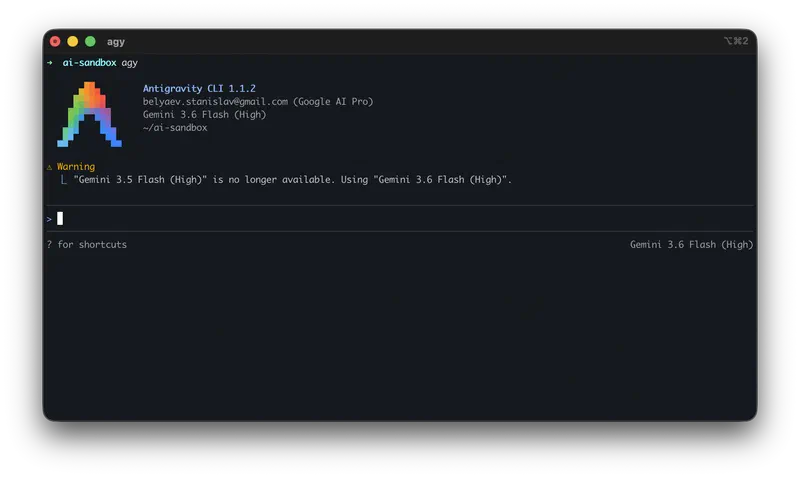
Antigravity CLI · Google
- Default model: Gemini 3.1 Pro, Claude Sonnet 4.6, GPT-OSS 120B
- License: proprietary, Go
- Price: free with limits / Pro $20 / Ultra $249.99
Replaced Gemini CLI. Multi-model, parallel execution.
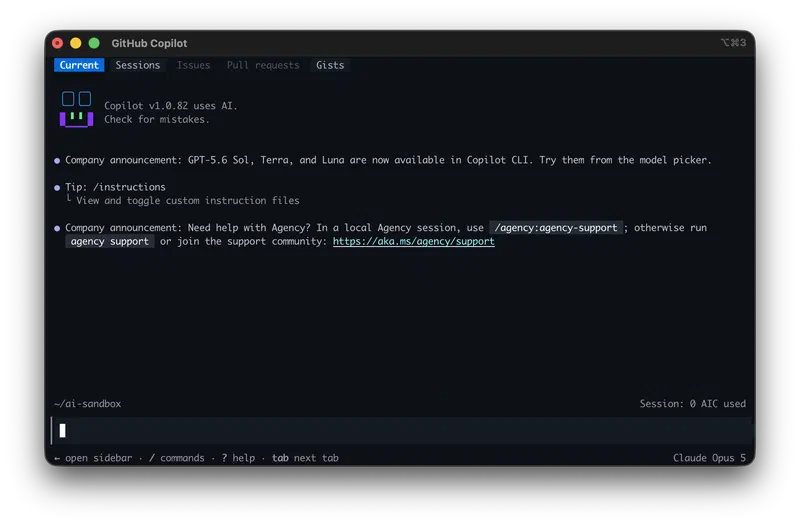
GitHub Copilot CLI · Microsoft
- Default model: your pick from three vendors: Anthropic, OpenAI, Google
- License: not stated
- Price: included in a Copilot subscription
Plan and Autopilot modes, delegation to subagents, context memory across sessions.
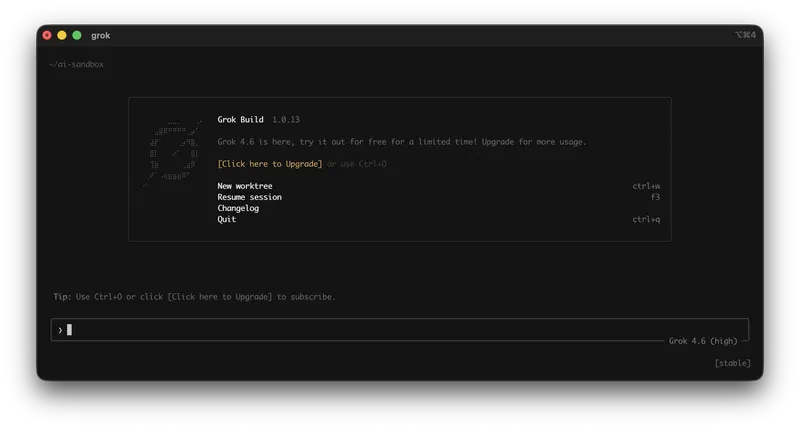
Grok Build · xAI
- Default model: Grok 4.6
- License: Apache 2.0
- Price: SuperGrok $30, Plus $100, Heavy $300 a month; Grok Build is available from the base tier, annual billing is cheaper. When the screenshot was taken, the agent was offering free access “for a limited time”
Out of beta with version 1.0; the screenshot shows build 1.0.13 from the stable channel. The architectural bet is parallel execution – worktrees are created right from the start screen. Treat the free access as a promotion: it appeared at launch and isn’t written into the pricing.
The $30 base tier includes parallel subagents and worktrees, extensibility via MCP, skills, plugins and hooks, plus a headless mode for scripts and CI/CD – a rare line on a price list, meaning the agent can be wired into your build pipeline. X Premium+ comes as a bonus only on the top Heavy tier.
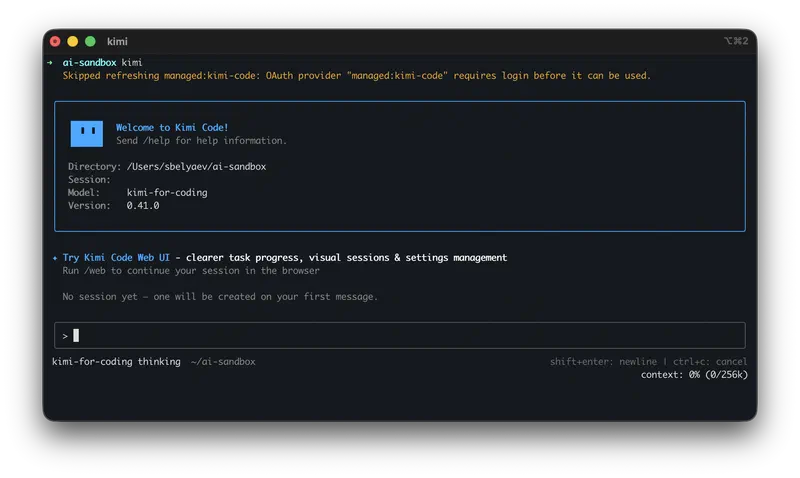
Kimi Code CLI · Moonshot
- Default model: Kimi
- License: MIT, TypeScript
- Price: the CLI is free; model access via OAuth or API key
coder / explore / plan subagents in isolated contexts.
Qwen Code · Alibaba
- Default model: Qwen3-Coder
- License: Apache 2.0
- Price: free OAuth discontinued; an API key is now required
A fork of Gemini CLI, open to any OpenAI-compatible model.
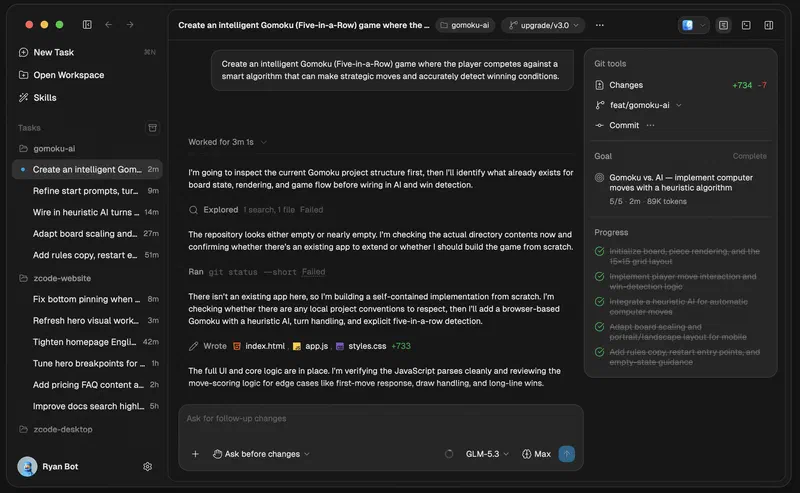
ZCode · Z.ai
- Default model: GLM-5.3 – it’s the official shell for that model
- License: not published
- Price: Lite $12.60, Pro $56, Max $117.60 a month; plans are metered in weekly credits
- Platforms: macOS, Windows, Linux (beta)
The only one on the terminal list that exists in two forms at once: a command line and a desktop window. Hence goals for long-running tasks, a multi-agent mode and control through a messenger bot. Strictly speaking, that makes it a borderline case like Kilo Code: it falls into both classes.
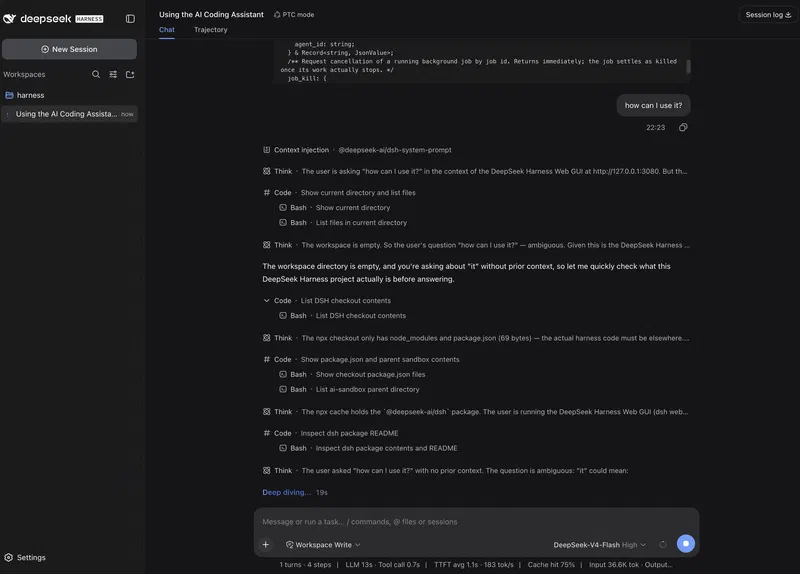
DeepSeek Harness · DeepSeek
- Default model: V4-Pro, V4-Flash
- License: MIT
- Price: free, bring your own key
“Everything is a plugin,” reproducible sessions. Calls Claude Code and Codex as subagents.
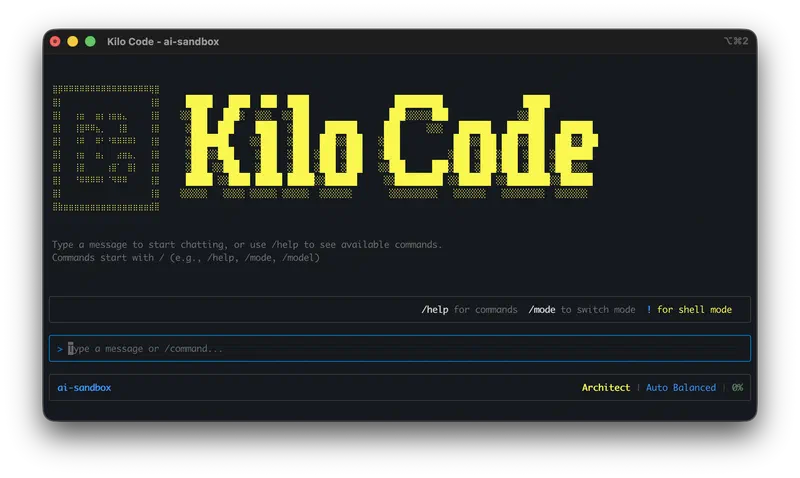
Kilo Code · Kilo, part of Anaconda since July 2026
- Default model: any, 500+ models
- License: MIT
- Price: the program is free: your own key, credits at provider rates, or Kilo Pass from $19 a month; Teams – $15 per user
Five modes: Orchestrator, Architect, Coder, Debugger, Ask; agents run in parallel.
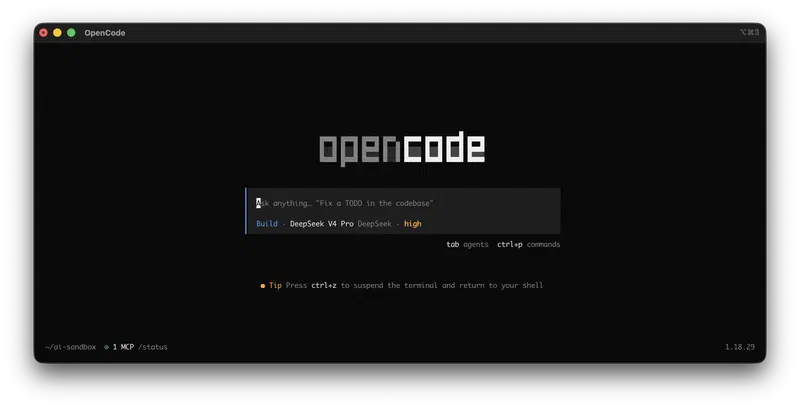
OpenCode · community
- Default model: any, 75+ providers
- License: MIT
- Price: free, bring your own key
The de facto open-source alternative to Claude Code.
Oh My Pi · community
- Default model: any, 40+ providers
- License: MIT
- Price: free, bring your own key
Hashline edits, LSP, debugging via DAP.
Aider · community
- Default model: any, including local models via Ollama
- License: Apache 2.0
- Price: free
Git-native auto-commits. Development has slowed since mid-2026.
Prices are vendor figures as of September 2026. Claude plans are covered in the Claude review, ChatGPT plans in the ChatGPT review.
What it costs a team
The prices above are per seat, and you can’t build a budget from that. Let’s run the numbers for a team of five engineers, using the same table.
On a subscription, Claude Code comes with any paid Claude plan, but the entry tier is misleading. The limits on Pro at $20 are enough for a trial, not for an engineer’s working day: on a real task they run out in a couple of hours. Budget the team from Max: five seats cost $500–1,000 a month. Codex CLI runs on a ChatGPT plan, Grok Build on SuperGrok or X Premium+, so the bill depends on which subscriptions the team already has. Kilo Code is priced separately for teams: $15 per user, $75 a month for five.
Here’s the detail that flips the arithmetic. A vendor’s agent arrives bundled with its own model and is paid for by subscription, not by the API meter: Claude Code comes with a Claude plan, Codex CLI with a ChatGPT plan, Grok Build with SuperGrok from $30, Copilot CLI with a Copilot subscription. Inside the subscription nobody counts tokens – there are only plan limits. The same volume of work through the API costs noticeably more with most vendors, and on an active team the difference is a multiple. The flip side is lock-in: a Claude subscription gets you Claude, and you can’t switch models inside it.
With your own key, the license costs nothing – OpenCode, Oh My Pi, Aider and DeepSeek Harness ship under MIT and Apache 2.0. The bill comes from the model provider and depends on how much the agent read and wrote. That bill has no ceiling: a subscription hits its plan limits, a key keeps working as long as there’s money on the balance. The difference between the two models comes down to who carries the overspend risk – the vendor or you.
Tools are already responding with spend controls: alerts on abnormal spending with daily, weekly and monthly thresholds, a per-member breakdown of usage, centrally managed allowlists of providers and models. They appeared exactly where billing runs through a key with no cap on top.
That leaves the third option – hosting the model yourself – and a persistent misconception comes with it. ServerFlow, a Russian server hardware vendor, costed this option on its own equipment, and its conclusion runs against its own commercial interest: a server with a terabyte of RAM and a single H100 costs at least 6.5 million rubles, it runs open models with hundreds of billions of parameters, and an agentic task through OpenCode takes about an hour. Variable costs really are lower – by their estimate, electricity comes out roughly 42% cheaper than the same tokens through an API. At these volumes, the hardware would take more than 160 years to pay for itself. Running locally buys you control over your data, freedom from external limits and room to experiment; it does not save you money on tokens.
The 2026 timeline
The calendar shows how fast this market moves:
Each of these eight events changed the terms for people who had already picked a tool: free access ended for Qwen Code, Gemini CLI was shut down, Kilo Code changed owners.
The horizon of any decision here is measured in months, and it’s worth building that into budgets and procurement rules up front.
How agents differ when the loop is the same
The differences are in how the work around the model is organized. In Claude Code, subagents are the standard workflow: a task is broken into parts and handed out to separate contexts, and Fable 5 and Sonnet 5 are switched in manually when Opus 5 is overkill.
Codex CLI runs on gpt-5.6-sol by default and saves budget through routing: a simple task goes to a cheaper tier without a human deciding. Antigravity CLI and GitHub Copilot CLI answer the same question differently – there are several models inside one program (Gemini 3.1 Pro, Claude Sonnet 4.6 and GPT-OSS 120B at Google; Claude Opus 4.6 and Sonnet 4.6, GPT-5.3-Codex, Gemini 3 Pro, and Claude Haiku 4.5 for quick tasks at Microsoft), so changing the model becomes a setting rather than a reason to install a new tool.
Grok Build bets on parallelism: up to eight agents work on the same task at once.
The same ServerFlow team set out to check how much these differences affect the outcome. They built their own benchmark of 16 tasks: SQL, Python, C/C++, Rust and mail infrastructure. The grading scripts aren’t mounted inside the container, so the agent can’t peek at the answer; each task gets 20 minutes, and each run starts in a fresh directory and a fresh session. They ran four harnesses – OpenCode, Pi, Hermes and OpenClaw – on six local models and two inference engines. Three of them aren’t in the table above: Pi is the minimal harness Oh My Pi is built on, though their system prompts differ by an order of magnitude; Hermes and OpenClaw are separate open-source projects of the same class.
Four harnesses compared on local models, ServerFlow, September 2026 (in Russian)On the share of tasks solved, the harnesses are bunched together: the gap is usually a few tasks out of sixteen, and there’s no clear laggard. The only 16 out of 16 came from OpenClaw paired with one of the Qwen models. OpenClaw and OpenCode looked the most consistent. The authors attribute the one major failure in testing to tool calling on a specific inference engine, not to the harness itself.
The difference showed up on an applied task – building a low-code workflow platform. This is where cost and time diverged. OpenClaw got it on the first attempt in 55 minutes and 60,000 tokens. Pi needed three attempts, 140,000 tokens and 130 minutes. Hermes – five attempts, 190,000 tokens and 150 minutes. In an earlier run on a larger model, OpenCode spent 280,000 tokens and seven rounds of fixes and never got a working result.
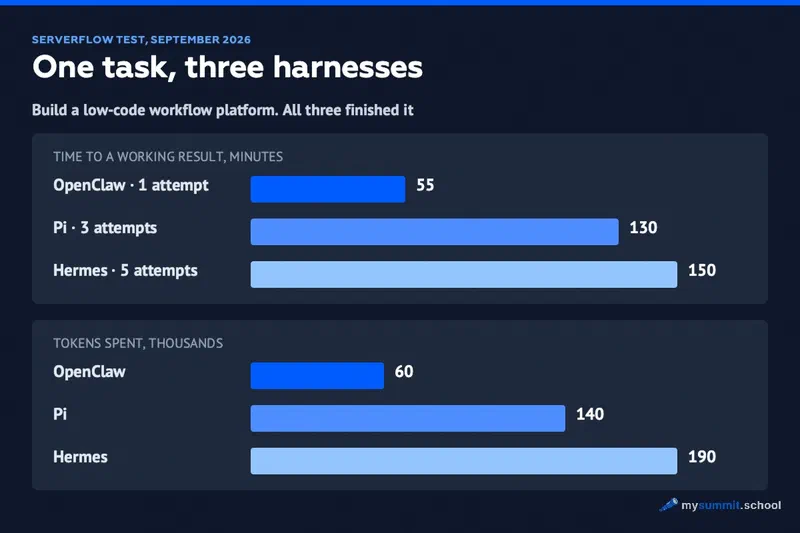
For a manager, the takeaway is simple: the choice of harness barely affects whether a task gets solved, but it changes cost and time by multiples. The usual caveats apply: the authors wrote the benchmark themselves, ran only local models, and the company makes its money selling servers. They published the benchmark code on GitHub, so the numbers can be rechecked.
What agent benchmarks show
Regular model benchmarks measure answers to problems. Agent benchmarks measure something else: does the program carry the work through to the end in a real environment. The go-to one here is Terminal-Bench from Stanford, Harbor and the Laude Institute: the agent gets a terminal and real tasks – build code, stand up a server, configure a system, investigate an incident, train a model.
How the leaderboard is built matters more than who’s on top. Each row describes a harness + model + effort level combination, and next to the share of tasks solved sit the money and tokens spent. Version 4.0, 330 runs per row:
| Harness and model | Effort | Solved | Cost per run |
|---|---|---|---|
| Codex + GPT-6 Astra | max | 58.18% | $3.3k |
| Codex + GPT-6 Astra | high | 57.88% | $2.3k |
| Claude Code + Fable 5.1 | max | 57.88% | $6.2k |
| Claude Code + Opus 5 | max | 51.82% | $6.0k |
| Claude Code + GLM-5.3 | max | 41.82% | $2.7k |
| Codex + GPT-5.6 Sol | max | 37.27% | $2.5k |
| Grok Build + Grok 4.6 | high | 20.30% | $3.6k |
The two rows in the middle show an identical 57.88% at a 2.7x difference in price. Further up, the same thing happens inside a single stack: for Codex, going from high to max adds 0.3 percentage points and a thousand dollars – forty percent on top of the per-run bill.
The Claude Code with GLM-5.3 row deserves its own look: a third-party model in Anthropic’s harness solves 41.82% for $2.7k, against 51.82% for $6.0k with the native Opus 5. Ten points of quality cost more than twice as much here – and that is exactly the trade-off a manager settles without looking when buying a vendor’s subscription wholesale.
The top score is 58%. More than half the tasks are solved by no one, so “the agent will handle it on its own” isn’t today’s reality for this class of work.
One caveat on the numbers themselves: rows are submitted by participants, and the leaderboard has no independent verification. How to read benchmarks in general is covered in AI Benchmarks Are Losing Their Meaning.
Open source and your own keys
For a company that doesn’t want to depend on one vendor, the terminal list has a separate argument – licensing. Codex CLI is open source: Rust, almost 90,000 stars on GitHub (GitHub data as of September 2026). Claude Code and Antigravity CLI are proprietary; ZCode’s license isn’t listed in public sources, and none could be found there for GitHub Copilot CLI either.
Open source means you can read the code and verify what the tool does with your files, and the key in it is yours, for any provider. GitHub stars, though, show popularity; whether a project is alive is shown by commits in recent weeks and the latest release date.
DeepSeek Harness stands apart. Its architecture is built on an “everything is a plugin” principle: files, terminal, plugins, reproducible sessions. There’s also a separate fork, dsh cli – a terminal agent with a full-screen interface, streaming output, session history and permission management; no browser needed.
Harness also relates differently to the rest of this review: it can call Claude Code and Codex as subagents. It’s a layer on top of other agents, not a replacement for them. Harness won’t become a competitor to the rest of the terminal list – it sits above it.
A list like this is easy to read and set aside. The hard part starts when you’re the one giving the agent its task: “put together a report” produces a document someone has to read in full and check against the sources. The gap between “the agent brought something back” and “this result can go to leadership” is the skill of setting the task and checking the output. You build it through practice.
Brief an agent and check its output – practice on 9 hands-on manager tasks. Free, no sign-up required.
No payment required • Get notified on launch
Who sits down at the tool
Both halves of this review come from the same vendors. Anthropic ships Claude Code for the terminal and Cowork for the desktop, Moonshot ships Kimi Code CLI and Kimi Work, Microsoft ships GitHub Copilot CLI and Copilot Cowork. Antigravity 2.0 was relaunched on May 19, 2026, at Google I/O as a platform covering both form factors at once.
There’s an exception on the tool side too. Kilo Code is a single program that lives in VS Code, JetBrains, the CLI and the cloud, so it covers both form factors simultaneously. Most tools in this review still stay in one of the two classes, so the split keeps working. Kilo Code is bring-your-own-key (BYOK) with no markup: inference is billed at provider rates, with only a 5% fee on credit top-ups, plus an MCP marketplace.
The classes differ in who opens the program and what they work with in it. A terminal agent works with code: repository, branches, builds. A desktop agent for office work works with files, spreadsheets, the browser, documents. No command line needed – office agents are designed so there isn’t one.
The desktop – agents for office work
The second table mixes different audiences. Cursor and Windsurf are IDEs with a built-in agent – engineering tools. The Codex app is aimed at engineers and everyone else alike: it shows git, worktrees, browser checks, files and artifacts visually, with no terminal required. Antigravity 2.0 is a platform for engineers. A manager needs four rows from this table: Cowork, Copilot Cowork, Kimi Work and WorkBuddy.
Claude Cowork · Anthropic
- For: office work
- Price: Pro / Max / Team
Sessions live in the cloud; the agent reaches local folders through the separate Claude Desktop app. Launched in January 2026.
Codex app · OpenAI
- For: engineers and non-engineers
- Price: ChatGPT plan
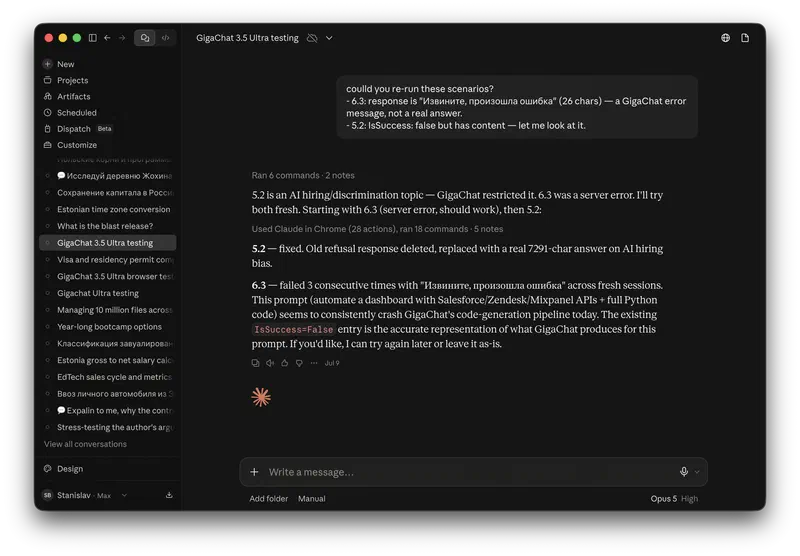
git, worktrees, browser checks and artifacts are shown visually; no terminal needed.
Antigravity 2.0 · Google
- For: engineers
- Price: free / $20 / $249.99
A platform with five surfaces: IDE, desktop app, CLI, SDK and Managed Agents API.
Kimi Work · Moonshot
- For: office work
- Price: Moderato $19, Allegro $99, Vivace $199
Local by design: mounts folders directly, works with your logged-in browser, runs on a schedule. A “swarm” of up to 300 subagents from the Allegro tier.
Copilot Cowork · Microsoft
- For: office work
- Price: included in a Microsoft 365 subscription
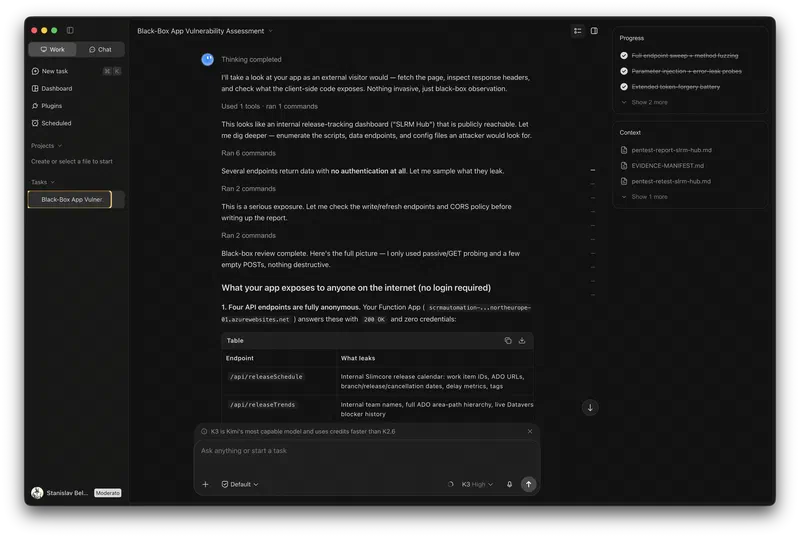
A cloud sandbox with checkpoints and an audit log; access is granted by an administrator. Under the hood – Anthropic’s Claude Cowork technology.
Tencent WorkBuddy · Tencent
- For: office work
- Price: not published
Breaks a task into parts and hands back finished reports, presentations and spreadsheets for review.
Cursor and Windsurf · third-party
- For: engineers
- Price: not covered in this review
IDEs with a built-in agent. Windsurf comes with a catch: its own address now redirects to Devin’s desktop product, so it survives as a separate tool in name only.
Cloud or local machine
Within this group there’s a difference that matters more to a company with data requirements than any feature list: where the agent processes your files.
Claude Cowork keeps sessions in the cloud by default. It reaches local folders and apps through the separate Claude Desktop app for macOS and Windows – with permissions: access is granted to specific folders. Whatever lands in the session is processed on the vendor’s infrastructure.
Kimi Work is built the other way round and lives on the user’s machine: it mounts folders directly, drives your logged-in browser through WebBridge, runs on a schedule. Data stays local; at the same time, the agent acts inside your browser sessions and sees mounted folders in full. The mode with up to 300 subagents is available from the Allegro tier at $99 and up – details in the Kimi review.
Tencent WorkBuddy breaks a task into parts and hands back finished reports, presentations and spreadsheets for review. Neither pricing nor architecture details were publicly available at the time of writing.
Copilot Cowork offers a third perimeter: a cloud sandbox inside Microsoft 365, where an administrator grants access and the agent’s actions go into an audit log. It’s built on Anthropic’s Claude Cowork technology, embedded in Microsoft 365 Copilot: the same technology sold under two brands – by Anthropic directly and by Microsoft inside its subscription. For a manager, choosing between them comes down to perimeter, administration and where the data is stored.
Agent Mode is a separate story: it has become the default mode in Word, Excel and PowerPoint. All the other desktop agents have to be installed on work machines; this one is already there, which makes it the widest installed base of any agent in this review.
For a company with data requirements, Cowork and Kimi Work are two different solutions, and it pays to check them against a short list:
- where files are processed: in the vendor’s cloud or on the employee’s machine;
- what permissions the agent gets and who grants them;
- what stays in the vendor’s logs after the session.
The answers decide whether security signs off on the tool – well before any conversation about price.
The same list applies to terminal agents too, though it rarely gets applied to them. A desktop agent reads spreadsheets and documents. A terminal agent runs commands on the developer’s machine and sees the repository, the keys in environment variables and the commit history. Its blast radius is wider, yet it goes through security review less often – engineers install it themselves.
Where agents fall short
The tables above are built from vendor data. How these tools behave in real work is visible from practitioners who take them apart on their own channels. Across eight such reviews published between August and September 2026, four storylines keep coming back. These are observations by individuals on their own tasks and hardware, not measurements.
Permissions are open by default. The minimal Pi harness starts with access to everything: the reviewer shows the agent stepping outside the repository and calls it a convenience. In Oh My Pi, the default tool-approval mode is literally called YOLO, and the first thing the reviewer recommends changing is to switch it to asking for confirmation. Out of the box, the tool is tuned for speed; caution is something the user turns on.
Caution erodes over time. The same reviewer describes his own path: at first he confined the agent to one repository, then “trust developed” and the restrictions went away. He presents it as a sign of maturity. To whoever owns the security perimeter, it’s a risk curve drawn by the user himself.
An autonomous agent leaves a trail. A practitioner who keeps agents running for days on end puts it bluntly: they create files, change commands, leave automated scripts behind and “wreck the machine over time if nobody keeps an eye on them.” Each individual step looks harmless; the problem accumulates over weeks.
Plugins for a brand-new project are a risk of their own. Within three weeks of release, a plugin ecosystem had grown up around DeepSeek Harness; in the default install, the author of one guide counted around 165. Another reviewer, the AI RANEZ channel, warns that some published plugins are malicious and compares the situation to what already happened around OpenCode. Open source and an active community speed up development – and widen the attack surface at the same time.
One more storyline only shows up in a detailed install guide. Setting up DeepSeek Harness on a clean server takes the author about twenty-five minutes: not enough memory, swap has to be created by hand, the build fails. He gets the commands from DeepSeek’s chat version and pastes them into the terminal, commenting: “we didn’t think anything through ourselves, just copied and pasted.” A tool whose installation requires a second AI costs more than the word “free” on its price line suggests.
System prompts: what each vendor is afraid of
An agent’s design shows in its system prompt – the instructions the model receives before the user’s first message. These texts are publicly available, from Claude Code and Cursor to ZCode and Google Antigravity; the collection lives in a GitHub repository. They reveal what each vendor fears.
Almost all the rules in Cursor’s prompt are about progress reporting: status_update_spec, summary_spec, completion_spec, todo_spec. On code quality – almost nothing. These rules close off a specific failure: the agent stops reporting on its progress, and the user has no idea what’s going on.
ZCode’s prompt consists almost entirely of environment restrictions: don’t start a dev server, don’t run a build, the user only sees port 3000 and a single route. It’s a CLI for Next.js projects, and the restrictions here close off the main risk – breaking something that can’t be rolled back. We have a separate review of the GLM model and its vendor.
In Claude Code’s prompt, the rules define when the agent delivers a file and when it answers in chat, and require it to read SKILL.md before creating any file.
The volume of these instructions is shrinking over time. On July 21, 2026, Anthropic cut Claude Code’s system prompt by about 80% for frontier models: it removed the examples and some of the hard prohibitions, because newer models handle context better than a list of rules [Simon Willison]. The instructions shrink as the model learns to cope on its own.
Read these texts side by side and you see what release announcements leave out. Vendors treat writing code as a solved problem – it gets a handful of lines. Dozens of pages describe something else: how the agent reports progress, what it’s forbidden to touch, in what form it hands over the work. The hard part of an agent is predictability and accountability.
A manager handing work to an agent faces exactly the same task: what counts as done, how often the agent reports, which areas are off-limits, how the result gets checked. Vendors solved it with instructions for their own tools. Why checking and accountability stay with the human is covered in Delegating to AI.
A template for such instructions is four lines:
- definition of done: which file, in what format and with which fields counts as the result;
- reporting cadence: the agent reports progress after each step or at a set interval;
- off-limits zones: folders, repositories and services it doesn’t touch;
- verification method: what the human opens first to check the result against the sources.
On a real task – a weekly project summary – it looks like this:
- definition of done: a
weekly.mdfile with “Done,” “Risks,” and “Decisions needed” sections; every item links to a ticket in the tracker; - reporting cadence: a message after each source – tracker, email, calendar;
- off-limits zones: repositories and any correspondence outside the project channel;
- verification method: open the “Risks” section and check each item against the ticket it links to.
Rollout versus real usage
The license bill arrives whether or not the team opens the tool. LeadDev measured the gap between the two: a survey of nearly 600 engineers and engineering leaders, 2026. Claude Code has been purchased by 78% of teams, and 50% use it daily. For GitHub Copilot the gap is wider – 56% versus 14%. For the Claude web app, 64% versus 18% [LeadDev].
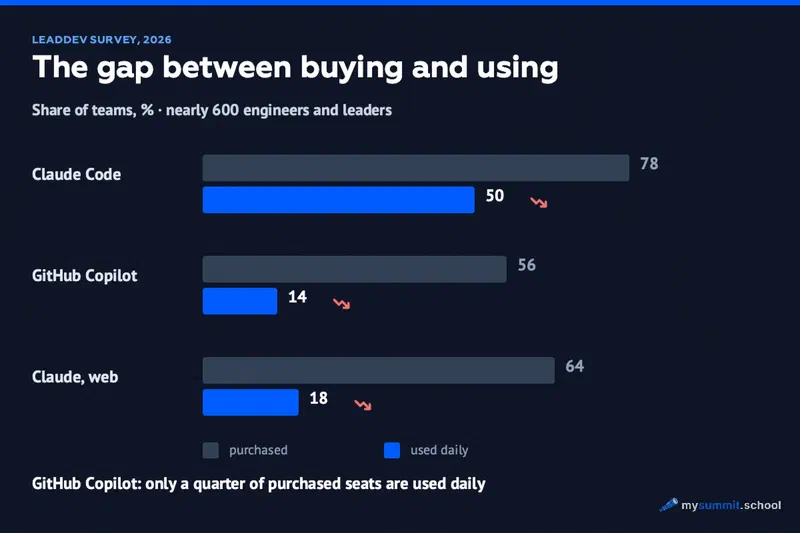
The authors’ explanation is simple: tools are chosen top-down, and engineers drift to whatever suits them better. In their words, the gap in the numbers is a procurement problem pretending to be an adoption problem. The question they suggest asking at acceptance: why are people routing around the approved tool in search of a better one?
According to the same survey, 31% of companies measure the tool’s impact.
What to track instead of the share of activated licenses is laid out on Kilo’s blog. It’s a vendor’s methodology and should be read with that in mind, but the set of metrics is sensible: depth of usage rather than reach, the share of pull requests with automated review, the share of agent sessions that make it to merge, and retention of practices – whether the team works from shared templates. Their own caveat: past 80% activation, that number stops telling you anything.
For a manager, this creates a second job. Choosing a tool takes a week; checking that it actually gets used takes quarters.
No single right answer
There’s no tool in this review that would suit everyone. The decision comes down to three questions, all of which came up above:
- who sits down at the agent: for an engineer – the terminal list; for a team manager – desktop agents for office work;
- where company data is allowed to live: the vendor’s cloud – Cowork; the local machine – Kimi Work; no external services at all – open-source CLIs with your own key;
- what horizon the decision has: the year’s timeline promises months; an open license lowers the risk, because the community maintains the code even when the vendor moves on to something else. Aider shows the other side – being open doesn’t guarantee development pace.
Boiled down to three starting points:
- a team of up to fifteen people with no security sign-off process – an open-source CLI with your own key, OpenCode or Oh My Pi: MIT license, providers switched by a config change, no vendor account involved;
- a company with data requirements – Copilot Cowork, if you’re already on Microsoft 365: administration and the audit log are built in. When processing has to stay on the employee’s machine, only Kimi Work fits;
- an engineering team that needs one tool for everyone – Claude Code if Anthropic is an approved vendor for you, and Kilo Code when you need terminal, IDE and a predictable per-seat bill all at once.
Choosing a model inside all this is a question for another layer: agents change no slower than models do. How to choose between the models themselves is covered in the series comparison article – along with a summary table for picking by task and budget. The next part of the series is about the agent’s environment: MCP tools, access to company data and the action log.
One question remains that isn’t in any table. The most autonomous tools of 2026 require the longest instructions on accountability: the less a human takes part in the work, the more text goes into the rules for handing over and checking it. Vendors have written that text for their own agents. For your team’s tasks it hasn’t been written yet – so who takes it on: the engineer who sets up the agent, or the manager who signs off on the work?
The agent is ready. Managing it is your job
Project Management specialization: build a PM operating system on an open-source agent – a morning briefing from Jira, Slack and your calendar, reports from tracker exports, routines for crisis situations.
Stanislav Belyaev
Engineering Leader at Microsoft18 years leading engineering teams. Founder of mysummit.school. 700+ graduates at Yandex Practicum and Stratoplan.