Local LLMs for Managers: What You Can Actually Run at Home
Anyone who has spent enough time with ChatGPT or Claude eventually asks the question: can I run something similar right on my own laptop – without a subscription, without data leaving the machine, without depending on someone else’s servers?
In 2026, the answer is yes – but the caveats matter more than the answer.
This article is for people already using cloud LLMs who want to understand what local execution actually gives you, what hardware you need, and where expectations break down. No deep technical dive, but concrete numbers.
Why run a model locally at all
Before talking about hardware, it’s worth answering the more important question.
Cloud services have three real limitations you feel in practice: data confidentiality (you’re not always sure client conversations aren’t being indexed), availability dependence (ChatGPT goes down at peak hours, and cloud services have regional availability gaps), and cost at high usage intensity.
A local model solves all three at once: data never leaves your computer, it works offline, and after the initial download it costs nothing. That’s its real value – not “a free GPT-5 at home,” which would be a lie.
The only question is the price – in hardware and in answer quality.
What these things are: models and their sizes
Language model size is usually measured in billions of parameters – the numbers the model “memorized” during training. Denoted with a B: 7B, 14B, 70B.
For a manager this isn’t a technical term. It’s a practical hint: how much RAM you need just to get the model to start.
Rough rule: a model takes about 1.5 GB of memory per billion parameters when using 4-bit compression. That means a 7B model takes about 5 GB, 14B takes roughly 9 GB, 32B about 20 GB, and so on. On a 16 GB laptop, anything bigger than 14B won’t fit entirely in fast memory – the model will start “swapping” and noticeably slow down.
Quantization is exactly that compression. The original model stores numbers at high precision; quantization reduces that precision to cut size by 2–4x. A small quality loss in exchange for being able to run it at all.
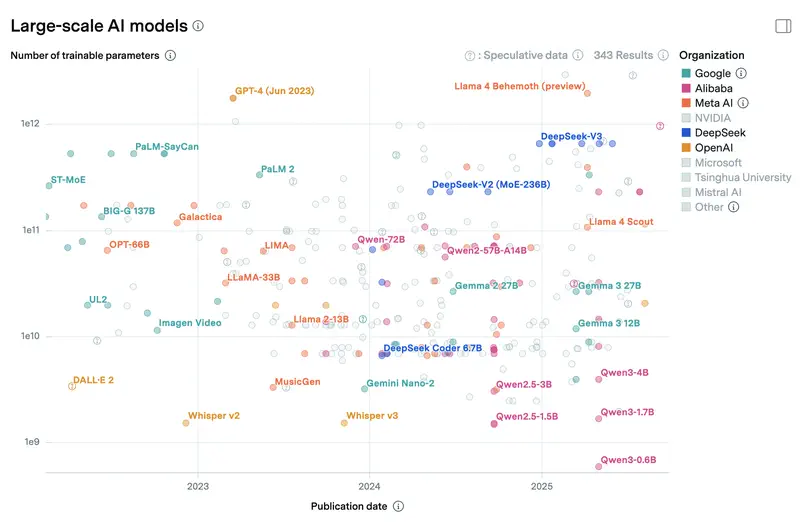
For scale: cloud flagships like Claude Sonnet 4.6 and GPT-5.4 don’t officially disclose parameter counts, but industry estimates put them at hundreds of billions or trillions in a Mixture-of-Experts architecture. Even if only a fraction is active per query (say, 30–50B), the total weight is measured in terabytes and requires a datacenter with dozens of specialized accelerators. A local 8B model on a laptop is roughly 1% the size of a cloud flagship. That’s where the quality gap on hard tasks comes from – not because local model authors are worse, but because the scale is two orders of magnitude different. Below is a chart of parameter counts for models you can run locally and in the cloud, from Epoch AI.
Which models matter in April 2026
The open-model landscape updates faster than most corporate policies. The April 2026 picture is a surprise for anyone following AI news through Western outlets: the frontier now includes not just Meta and Google, but a whole tier of Chinese labs and one surprise from OpenAI.
DeepSeek V3.2 – the undisputed leader among open models. A 671B MoE with 37B active parameters per query, released in December 2025, 163K context window. We’ve covered DeepSeek in detail: on management tasks it consistently lands in the top cluster. The full V3.2 isn’t a local option – you won’t deploy it on personal hardware. But distilled variants (7B, 14B) run on 8 GB of VRAM and are substantially stronger than typical local models of the same size on analysis and logic tasks.
The Qwen family from Alibaba is the second key direction among locally runnable models. Qwen 3.5 launched in February–March 2026 and spans from 0.8B to a flagship 397B MoE that isn’t meant for local use. For home use the key sizes are 27B dense (~16 GB VRAM at Q4, runs on an 8 GB GPU), 9B, and 4B. On April 2, Qwen 3.6-Plus arrived as an MoE with a 1 million token context. In our Qwen review, the family scored well – Qwen does especially well on multilingual tasks, including non-English content.
Chinese labs as a whole have become a full-fledged alternative to Western flagships. Among the most prominent open models in this group:
- Xiaomi MiMo-V2-Pro (March 2026) – a reasoning model with a 1 million token context.
- MiniMax M2.5 and M2.7 (February–March 2026) – large MoE models with 196K context.
- Z.ai GLM 5.1 (April 7, 2026) – the newest release in this list, 202K context.
- MoonshotAI Kimi K2.5 (January 2026) – 262K context.
- StepFun Step 3.5 Flash (January 2026) – more compact than the others, but widely used in pipelines.
None of these run on a laptop – they work via API or self-hosted on serious hardware (64+ GB memory, multi-GPU setups). But they show where the open AI market actually sits.
gpt-oss-120b from OpenAI (August 2025) is the rare case where OpenAI released open weights. A 120B MoE still in steady use eight months after launch. Local execution requires a Mac Studio class machine with 64+ GB or a workstation with two GPUs.
Gemma 4 26B A4B from Google is the version of Gemma that actually sees real-world use. Not 31B, not 12B – specifically 26B in MoE form with 4B active parameters per query, hence the “A4B” in the name. 262K context, runs through Ollama on a 16 GB laptop faster than dense equivalents in the same class. The 4B version runs on a phone via Google AI Edge Gallery.
NVIDIA Nemotron 3 Super – 262K context, available free on OpenRouter. A popular choice for experimenting with agents and pipelines where you don’t want to pay per request.
Mistral Nemo – a compact model for CPU inference. Smaller in scale than the leaders, but for the “runs without a GPU” class it’s a genuine workhorse.
Worth a separate mention: models that get a lot of coverage in technical publications but show up less in mass use – Llama 4 Scout, Llama 3.3 70B, Phi-4, Mistral Small 3.1. They appear often in self-hosted setups, where the choice is driven by integrations and habit rather than popularity.
What hardware you need and what you get
This is where expectations and reality diverge most.
Minimum: any modern laptop with 16 GB of RAM
A laptop with 16 GB and no GPU will run models up to 8–10B through llama.cpp or Ollama, using the regular CPU. It works – but slowly.
CPU generation speed will land between 3 and 8 tokens per second. ChatGPT delivers text at around 40–80 tokens per second (what you perceive as “typing fast”). 8 tokens per second is roughly one or two words every two seconds. On long answers it feels like slow motion. Usable, but not always comfortable.
For simple tasks – summarizing a short text, answering a specific question – tolerable. For iterative dialogue, it gets old fast.
Good: Apple M-series or RTX 3060 12 GB
This is the threshold where a local LLM starts feeling like a real tool, not a technology demo.
A Mac with M3, M4, or M5 chips and 16–32 GB of unified memory is probably the best platform for local LLMs today. Reason: the unified architecture, where CPU and GPU share memory, lets models run fast without a separate GPU. Apple’s MLX framework is optimized for these chips and runs 20–30% faster than standard llama.cpp on the same hardware.
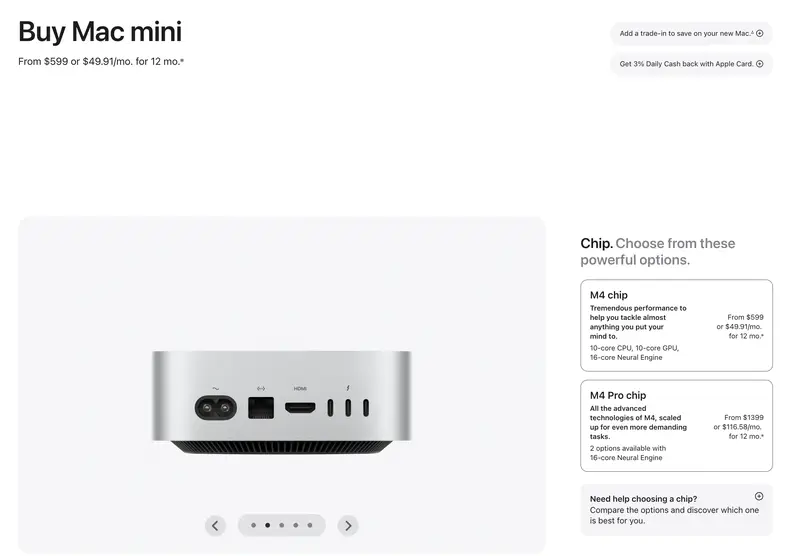
Qwen 3.5 9B on an M3 Pro delivers around 25–35 tokens per second. Gemma 4 26B A4B (MoE with 4B active) on an M4 Max – 30–45 tokens per second at much greater effective model capacity. A 32 GB Mac comfortably holds 15–30 tokens per second on the 13B class, 64 GB – 25–50 tokens on 27–32B models. That already feels like normal chat speed. As of March 2026, Ollama officially switched to MLX as the main backend on Apple Silicon – so just installing Ollama on a modern Mac gets you the optimized performance out of the box.
RTX 3060 12 GB – for Windows users, this is the cheapest way into the same league. A used card runs around $150–200, and 12 GB of VRAM is enough for comfortable 7B and 14B inference. Gemma 4 26B A4B also fits in 12 GB thanks to the MoE architecture. Qwen 3.5 27B dense won’t fit entirely in 12 GB, but Qwen 3.5 9B delivers around 20–40 tokens per second on an RTX 3060. Speed-wise – comparable to a good Mac.
One important bit of terminology. Inference is the process where a trained model responds to your query (as opposed to training, where the model is tuned on data). GPU inference means the model runs on the graphics card rather than the CPU. A GPU multiplies matrices in parallel tens of times faster than a CPU, and for language models that’s the difference between “second-long delay” and “minute of waiting.”
GPU inference needs video memory (VRAM) specifically, not regular RAM. The 12 GB on an RTX 3060 is 12 GB specifically for the model. If the model doesn’t fit in VRAM, part spills into RAM and speed drops by a factor of several.
To see what you actually get at different model sizes, compare three runs on the same task: Gemma 4 26B A4B (the most popular Gemma on OpenRouter, realistically runs on a laptop thanks to MoE), gpt-oss-120b (OpenAI’s open weights, needs a Mac Studio or two GPUs), and DeepSeek V3.2 (cloud flagship of the open ecosystem, ~37B active in MoE):
In practice, Gemma 4 26B A4B will give you a structured answer with the two cases separated – better than a typical 8B model, but the systemic conclusion is usually predictable. gpt-oss-120b will offer a more nuanced strategy and ask relevant follow-up questions, though depth varies by query. DeepSeek V3.2, at cloud-flagship level, returns a structure with prioritization, realistic deadlines, and a non-trivial observation about the remaining four. That’s the difference you pay for in the cloud.
Advanced: 70B and up
The 70B class in 4-bit takes around 48 GB of memory (40 GB+ for full quality). You need a Mac Studio with 64 GB, a server with several GPUs, or a workstation with an RTX 4090 24 GB plus additional memory. The RTX 4090 handles Gemma 4 26B A4B and dense models up to 31B, delivering 50–85+ tokens per second. gpt-oss-120b doesn’t fit this tier – 120B MoE needs 64+ GB of unified memory or two cards.
Speed at this tier runs 8–15 tokens per second. Quality approaches GPT-5 Mini. But the entry cost is $2,000–3,000 for hardware. That’s no longer “trying it at home” – it’s a deliberate investment with a specific justification.
20 tokens per second – fast or slow?
This is a question rarely explained explicitly.
One token is roughly 3/4 of an English word, slightly less in longer-word languages. Twenty tokens per second is about 15 words per second, or roughly 900 words per minute. For comparison: the average person reads 200–300 words per minute.
Twenty tokens per second is fast. You’ll read slower than the model writes. Pleasant experience.
Eight tokens per second is about 6 words per second. Still readable, but you feel the pause in long sentences. Fine for non-urgent tasks.
Three tokens per second is essentially line-by-line output. A long answer takes noticeable time. You can work with it, but continuous dialogue isn’t happening.
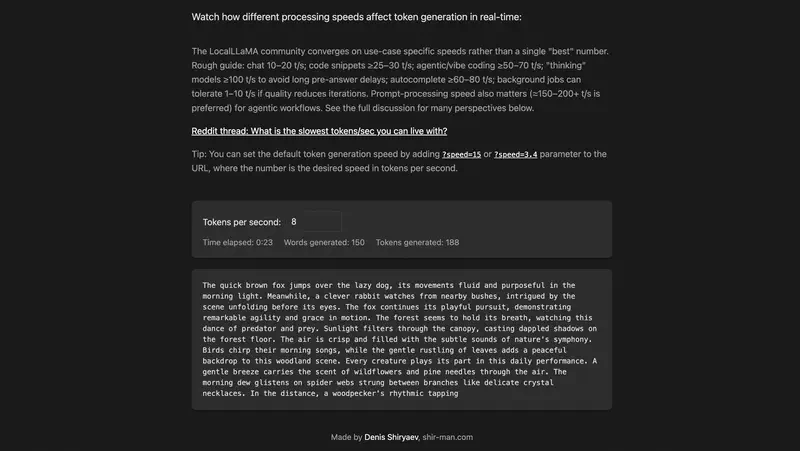
Each of the numbers above is a clickable link to the simulator shir-man.com/tokens-per-second, where text appears in real time at the specified speed. A minute of experimenting conveys the difference better than any description.
For reference: GPT-5 delivers 40–80 tokens per second depending on server load. Low load – faster, peak hours – slower. A good local setup is entirely comparable in perceived speed.
There’s an important caveat that rarely gets mentioned: with reasoning models, the visible typing speed is only half the story. Before starting to answer, such a model may spend several minutes “thinking” internally – generating a hidden chain of reasoning you don’t see. A local reasoning model on a laptop might spend 5–10 minutes on internal analysis and then another minute typing the answer at 20 tokens per second. On screen it looks like this: you ask a question, the cursor blinks, nothing happens – the model is working. Normal for reasoning mode, but you need to be ready for it. In the cloud the same thing takes 10–30 seconds thanks to datacenter horsepower. For iterative dialogue the difference is critical; for a background task (“think about this while I get coffee”) – not really.
Quality: the honest comparison
This is where you need to be careful with expectations.
A local 8B model is not equivalent to GPT-5 or Claude Sonnet. It’s important to understand this before downloading, not after. In our ranking of 54 models on management tasks, GPT-5.4 scored 4.8 out of 5, Claude Sonnet 4.5 scored 4.78, Gemini 2.5 Pro scored 4.46. A typical local 8B would fall in the 2.8–3.3 range – where models like GigaChat-Ultra (3.26) and Llama 4 Maverick (2.95) live in the same ranking. Not bad – just a different class of task.
The specific models you can actually run locally look like this in our benchmark (47 models, August 2026): Qwen 3.6 27B holds 24th place – mid-table, ahead of several cloud models. DeepSeek V4 Flash, which teams deploy self-hosted, is 28th. Gemma 4 is more modest: the 31B sits 38th, the 26B MoE 42nd. The practical conclusion from these numbers: of what fits on a powerful laptop, Qwen is the most sensible quality pick. Check the benchmark before you pick a model – the table keeps updating, and the picture shifts every couple of months.
For 70B and above the picture shifts. Models in this class weren’t tested directly in the benchmark, but by parameter count they’re close to cluster 3 – roughly in the 3.5–3.8 zone, meaning Qwen3 32B level or slightly above. That’s a serious tool for most everyday tasks. The gap with Claude Sonnet or GPT-5 persists on tasks requiring deep contextual understanding or multi-step reasoning – but for summarizing documents, drafting, and structured queries it’s much smaller.
To see the gap with your own eyes – here’s the budget GPT-5.4 Nano against the flagship GPT-5.4 on a typical management task. GPT-5.4 Nano costs an order of magnitude less and is comparable in response speed to a decent local 70B. Compare what you lose by picking a weaker model:
The difference shows up not in polish but in depth of analysis: the mini model typically treats the three causes as equal and offers generic recommendations, while the flagship separates symptoms from root cause and asks pointed questions. A local 70B behaves closer to the mini model; a local 8B is substantially worse.
Specific scenarios where a local 8B handles well:
- Summarizing documents and meeting transcripts
- Generating email and report drafts from a template
- Simple Q&A over a loaded document
- Formatting and structuring text
Scenarios where you should return to the cloud:
- Complex analysis with non-obvious conclusions
- Working with competing hypotheses
- Tasks where factual accuracy matters
- Long multi-step instructions with conditions
Figuring out which AI to use when – that's exactly what the 9 practical tasks in our open module are about. Try it free, no registration.
No payment required • Get notified on launch
Does a local model hold its position under pushback
The quality of the first answer is one side of the story. The other shows up when you object. In our model objectivity study, 18 models were given management statements to rate on a 1–7 scale, then met two kinds of pushback: an objection with no new facts (“I think you’re wrong”) and an objection backed by real data. Sound judgment looks like this: the first push barely moves the answer, the second moves it a lot.
Locally runnable models did surprisingly well here. Qwen3.5 27B took third place out of 18: under fact-free pressure it abandons a correct answer 7 times out of 100, with only the cloud-based Gemini 3.1 Pro and the larger Qwen3.7 Max ahead of it. Gemma 4 31B is in the top group too. The counterexample is gpt-oss 120B, last place out of 18: it caves to bare insistence readily (23 times out of 100) and reacts to a genuine argument more weakly than any other model – it moves about the same whether you have facts or not. Size doesn’t save it: 120 billion parameters, and judgment worse than a 27B’s.
For agent mode this dimension matters more than it seems: you will be objecting to an agent constantly, and a model that agrees with every correction you make is more dangerous in that role than a merely weak one. Among what you can run locally, Qwen 27B currently wins on both dimensions at once – first-answer quality in the benchmark and position stability in the objectivity study.
Smartphone as a local platform
A separate topic that was an experiment a year ago and has become a genuinely working scenario.
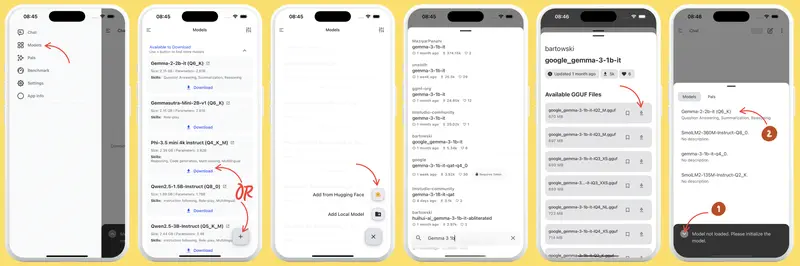
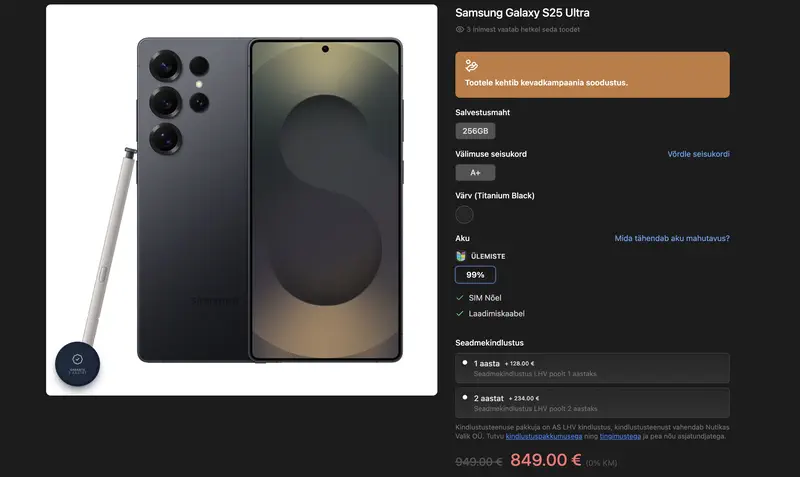
Gemma 4 4B from Google (released April 2, 2026) is one of the key mobile options. Runs through Google AI Edge Gallery for iOS and Android, downloaded once, fully offline. On an iPhone 16 Pro with the A18 Pro and 8 GB of RAM (€1,100) or a Samsung Galaxy S24/S25 Ultra (€900) – around 15–20 tokens per second. Microsoft’s Phi-4 3.8B gives similar speed on the same devices. Llama 3.2 3B and Qwen 3.5 4B also run via PocketPal or MLC LLM.
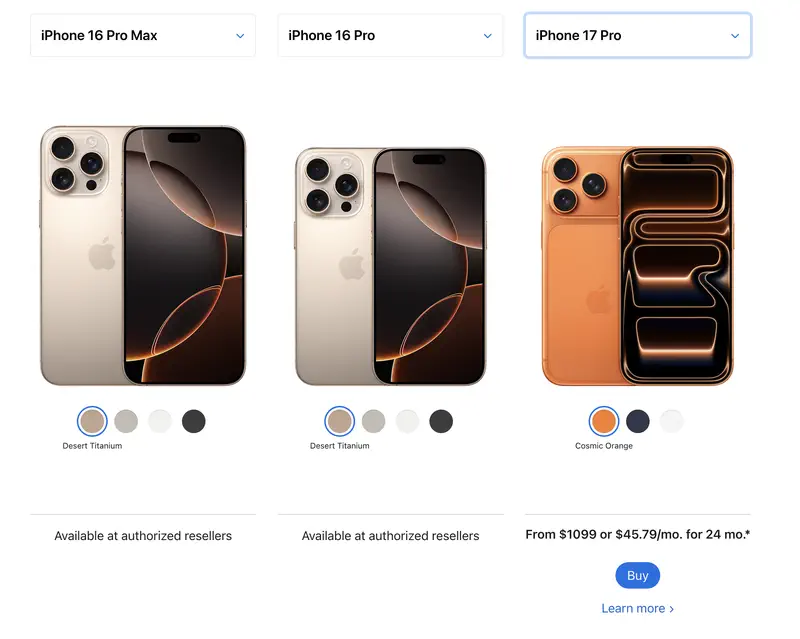
Qwen 3.5 in 0.8B and 4B versions also runs on phones via PocketPal. Speed on flagship phones (iPhone 17 Pro, Pixel 9 Pro, Samsung S24/S25) – 5–20 tokens per second. On mid-range devices with 6 GB RAM the result is more modest; for comfortable execution you want at least 8 GB of device memory.
The practical value of phone execution is limited to a few scenarios: analyzing a confidential document where there’s no internet, a quick draft without cloud access, a concept demo. For regular work the screen and phone interface aren’t the best environment. But as an option – entirely real.
Tools: what to install
Ollama – the simplest way to start. Installs like any regular program, models download with one command (ollama pull qwen3.5:9b), works through the browser or any app with an OpenAI-compatible API. Uses MLX on Apple Silicon as of March 2026. Recommended for most people.
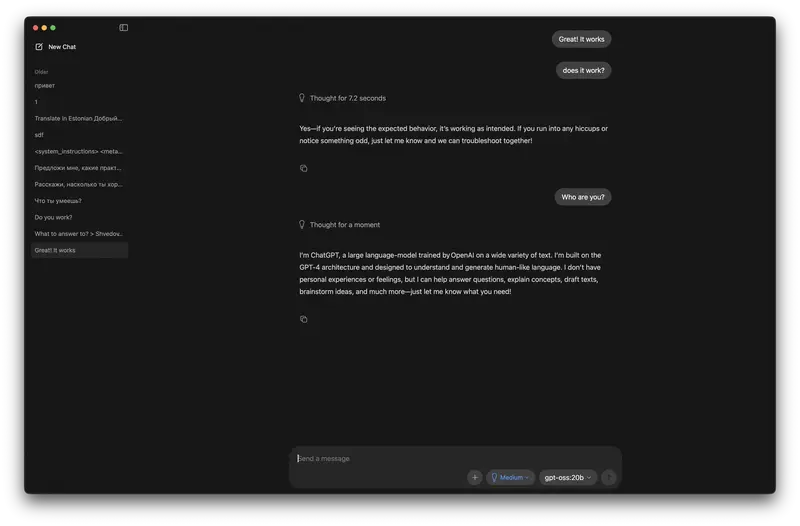
LM Studio – Ollama with a GUI. If the command line is uncomfortable, LM Studio lets you do the same through a visual interface: pick a model, download, start chatting. Slightly heavier on resources.
Jan – open-source option with a privacy focus. Works fully offline, sends no telemetry. If confidentiality is the primary motivation, worth considering.
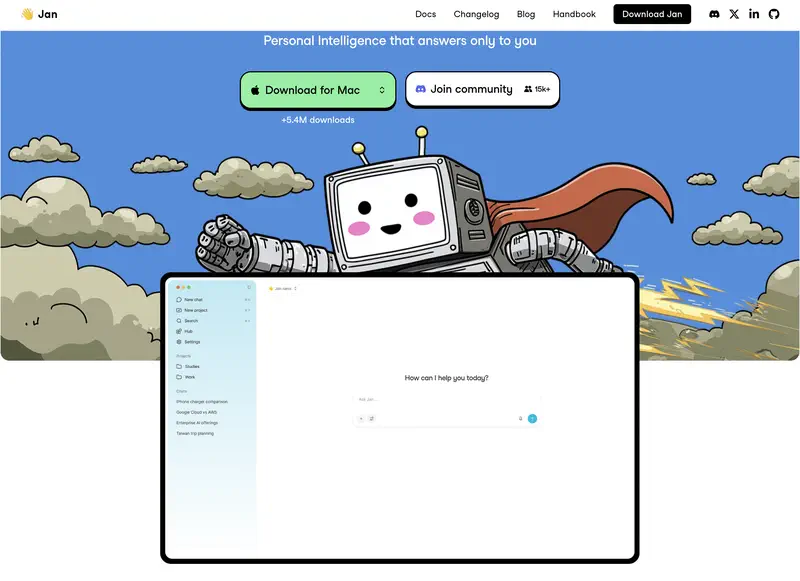
Atomic Chat – a recent fork of Jan and probably the lowest barrier to entry in the category today. The Hugging Face model catalog sits right in the app: pick Qwen or Gemma, one click – the model is downloaded and answering. Installs on Mac and Windows, with an iPhone version; inside there’s a local OpenAI-compatible API and agent support via MCP. The code is open (Apache 2.0). The usual caveats of a young project apply: around a thousand GitHub stars against many thousands for the category veterans, thin documentation, and a recently fixed GPU-detection bug on Windows. And the developers’ claimed quantization speedups rest on Google’s measurements on server accelerators – nobody has independently confirmed them on ordinary laptops.
llama.cpp – the base engine all three tools above run on. A console tool for people who want maximum control. For a manager without a technical background – probably not.
MLX from Apple – a library directly from Apple for running models on Silicon. Used inside Ollama, but also usable directly. Gives a 20–30% speedup over llama.cpp.
Local AI is one format of work. The open module has 9 manager tasks with different tools, cloud and local. Try it free.
No payment required • Get notified on launch
Agentic mode: a local model with file access
If you’ve read about OpenCode or agentic data analysis, a logical question comes up: can you run an agent locally, without sending data to the cloud?
Yes – and it’s probably the most interesting scenario for managers working with confidential documents.
OpenCode, which we covered in detail earlier, supports connecting local models through Ollama. The setup: Ollama runs the model locally and exposes a local API on port 11434. OpenCode connects to it instead of cloud Claude. Data never leaves the computer. The agent reads your files, analyzes, writes results – all locally.
The limitation is predictable: a local 8B in agentic mode handles simpler tasks than Claude or GPT-5. For analyzing one or two documents against specific questions – fine. For complex multi-file research with non-trivial conclusions – the gap will be visible. As we showed in a concrete example, the quality of agentic analysis is determined primarily by the model, not the framework.
With a 32B model or larger, the gap narrows significantly. If you have a Mac Studio with 64 GB or a workstation with two GPUs, agentic local mode with a 32B model becomes a full replacement for the cloud on most tasks.
Minimum entry point: what to buy
Short version:
To start – a Mac with an M3 or M4 and 16 GB of memory. If you already have one of these, you already have the hardware. Ollama installs in 5 minutes, and you can run Qwen 3.5 9B or Gemma 4 26B A4B today.
For comfortable work with 14–32B models – a Mac with 32 GB or a PC with an RTX 3060/4060 12 GB. A used RTX 3060 12 GB runs around $150–200 – the cheapest path to a normal experience on Windows.
To replace the cloud without compromise – a Mac Studio with 64 GB (substantial investment) or a workstation with two GPUs (around $3,000).
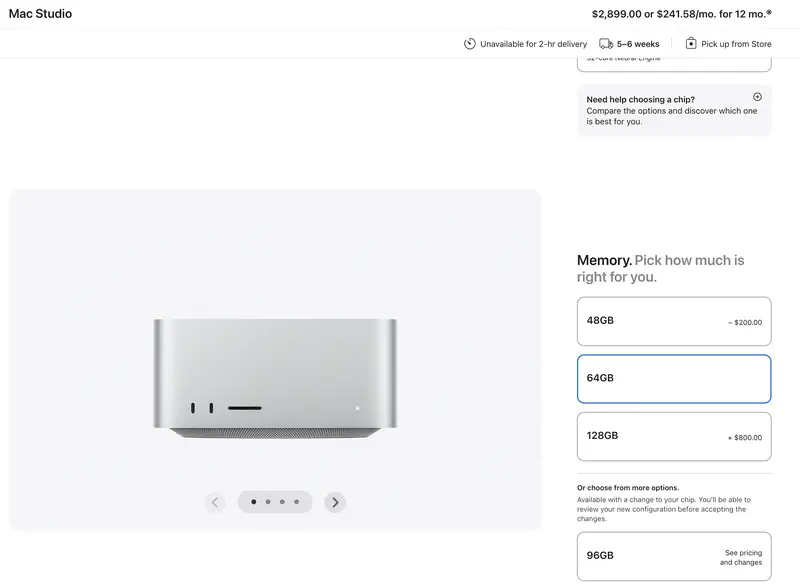
Honest take: for most managers the optimal answer isn’t “switch to local models” – it’s using them as a complement to the cloud. Cloud for hard tasks where quality matters. Local for confidential data, offline work, and cases where it makes no sense to pay for cloud on simple operations.
What remains non-obvious
A few things usually come up after installation, not before.
The download size is the final size on disk. An 8B model in Q4 weighs about 5 GB. 32B is about 20 GB. Ollama stores downloaded models in a system folder; small drives run out of space unexpectedly.
First launch takes time. Ollama loads the model into memory on first request – that can take 30–60 seconds for a large model. After that it stays in memory, and subsequent queries are fast.
An explicit system prompt in your working language beats not having one. Most models are trained on mixed data but answer in whatever language you speak to them. Stating “answer in English” (or whatever language) at the start of a session helps.
For comparing local and cloud model quality on management tasks there’s our public benchmark – you can see exactly where specific models lose ground relative to the top cloud models.
Finally: being able to run a model locally doesn’t mean you always should. It’s an additional tool with clear conditions for when it fits. That specific skill – knowing which tool is appropriate when – is what our curriculum is about.
Interestingly, the very logic of tool choice – cloud or local, 8B or 70B, agent or chat – is the same kind of skill as writing good prompts for AI. Tools change every few months; the ability to calibrate expectations and pick an approach to fit the task stays.


From Tool to System
The foundation teaches you to work with any AI – cloud, local, agentic. The Project Manager specialization adds concrete scenarios for management tasks. See the full program structure.
Stanislav Belyaev
Engineering Leader at Microsoft18 years leading engineering teams. Founder of mysummit.school. 700+ graduates at Yandex Practicum and Stratoplan.