Claude Code Costs $100/Month – OpenCode Does the Same Thing for Free
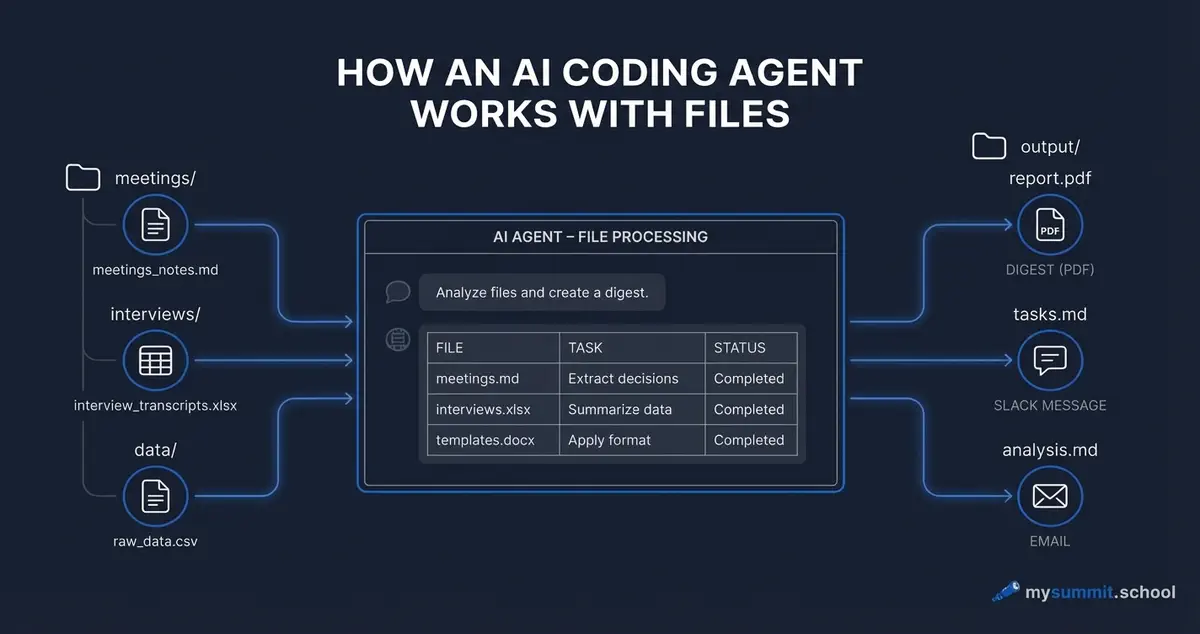
In March 2026, Lenny Rachitsky published an article with a telling headline: “Everyone should be using Claude Code”. It went viral on LinkedIn and tech newsletters, picked up hundreds of thousands of views, and now every week a manager somewhere asks: how do I try this?
The answer is uncomfortable. The Anthropic Max subscription that unlocks Claude Code costs $100 per month. That’s $1,200 a year for a single tool – before you’ve even figured out whether it fits your workflow. And it locks you into a single vendor, a single model, and a pricing tier designed for power users, not for someone exploring whether AI agents are worth the investment.
There’s a direct alternative. OpenCode is an open-source project that does exactly the same thing, works with any model (including free ones), and takes 15 minutes to set up.
What Claude Code Is and Why Everyone’s Talking About It
Let’s start with what it actually does, because most coverage misses the point.
Claude Code is not a chat. It’s an agent that runs on your computer and works with your files directly. You give it a task in plain language – “summarise all meeting transcripts from March” – and it opens files, reads them, analyses them, and returns a result. No copy-paste, no manual uploads, no context window limits.
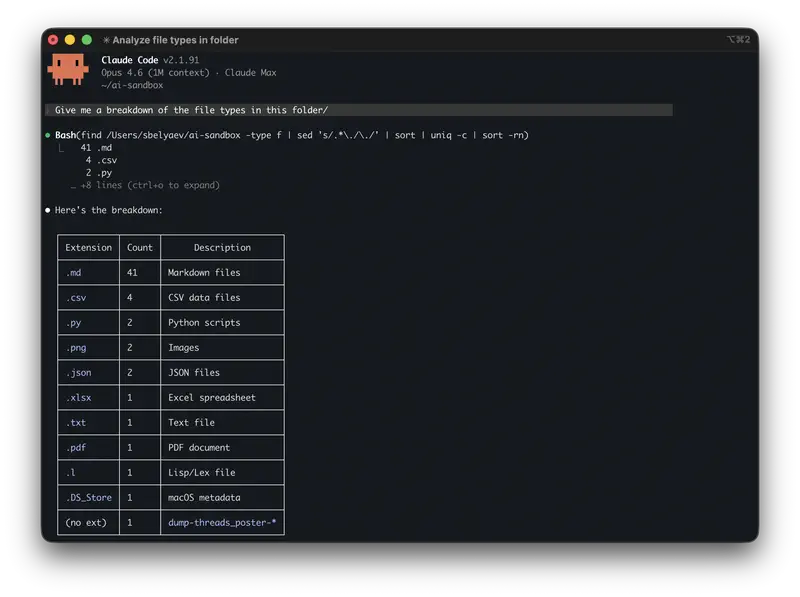
That’s what Lenny meant: the tool removes friction between intention and result. You’re not working with an AI interface – you’re working with your own files through AI.
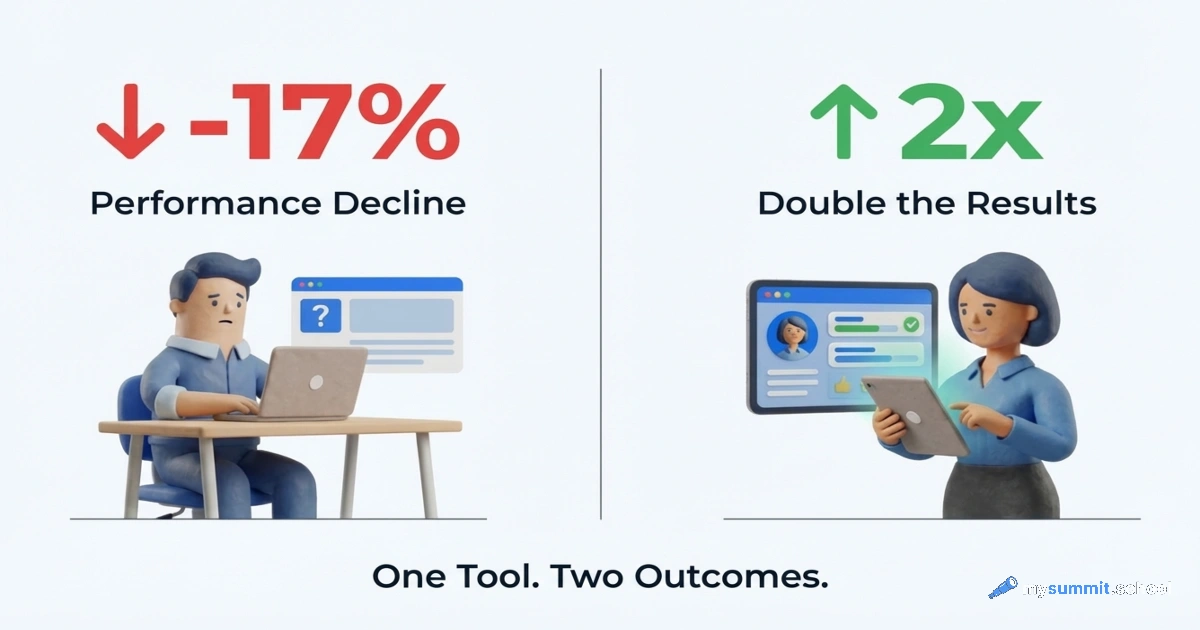
For a manager, this matters more than it appears. Research by Workday found that only 14% of employees actually get real productivity gains from AI – those who embedded the tool into their work systematically. The agentic approach, where AI reaches the files on its own, lowers the barrier to that kind of systematic adoption.
But Claude Code has an accessibility problem – it’s expensive and it’s vendor-locked. And that’s where OpenCode comes in.
OpenCode: Same Principle, No Lock-In
OpenCode is an open-source project. It’s described as “the open source AI coding agent”, but the name is misleading: the agent works with any text files, not just code.
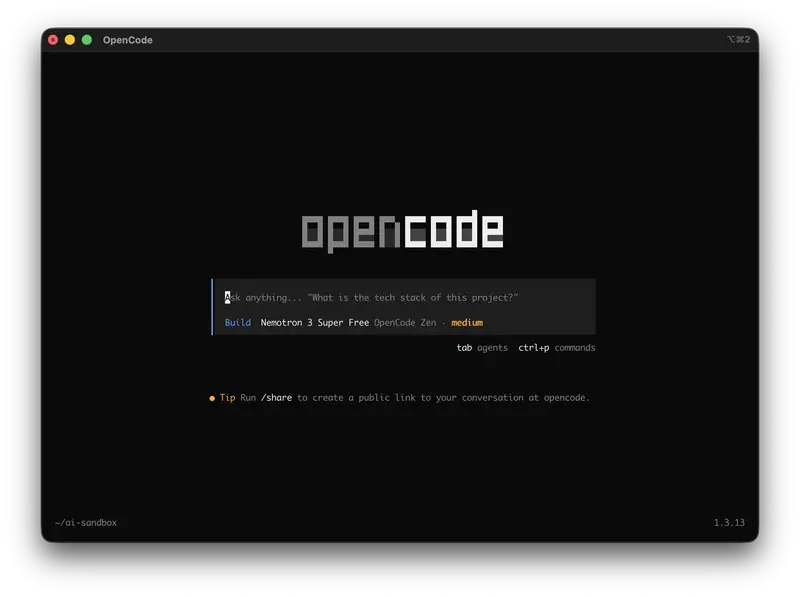
The principle is identical to Claude Code: a terminal-based agent that reads and edits files on your computer, responds to natural language commands, and can execute chains of actions. The key difference is modularity. OpenCode is not tied to Anthropic. It works with any provider.
And there’s a desktop version too – more on that shortly.
This changes the economics entirely:
- DeepSeek – a powerful model with minimal restrictions and extremely low API pricing
- Google Gemini – works via API, pricing starts at a free tier
- OpenRouter – an aggregator providing access to dozens of models, including cheap options for routine tasks
- Local models (Ollama) – no internet, no API costs at all, if you have enough RAM and CPU
For those who do have access to Claude’s API, OpenCode supports it too. But the point is that Claude access is optional – not mandatory.
An important technical detail: OpenCode is not a script or a wrapper. It’s a fully-featured application with two modes: build (full access – the agent can create and edit files) and plan (read-only – analysis only). For most managerial tasks, plan mode is the sensible starting point: the agent reads your files but doesn’t touch them.
These tasks work because the prompts are written correctly. The open module covers 9 lessons that teach exactly this skill. Free, no installation required.
No payment required • Get notified on launch
What a Manager’s Working Folder Looks Like
Before we get to the tasks – it’s important to understand how the agent sees your work. It knows nothing beyond the files in the current folder. So the folder structure is your context.
Here’s how a project working folder might be organised for the agent:
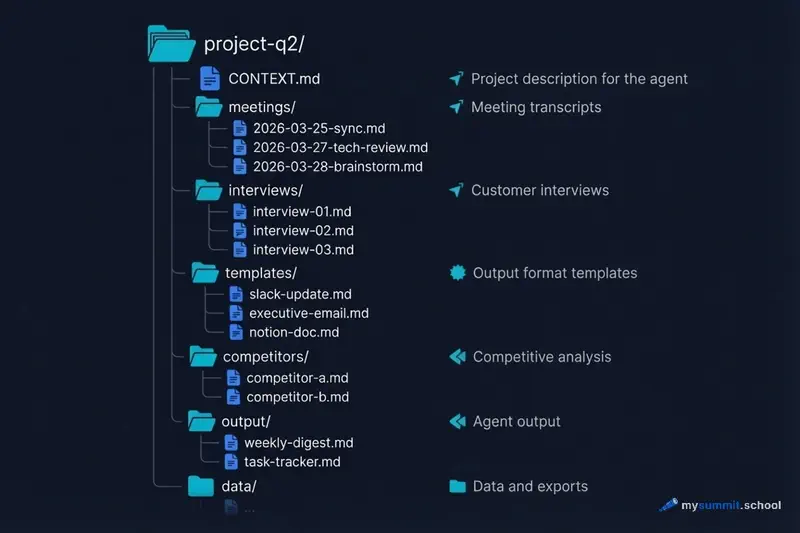
The CONTEXT.md file is optional but useful. It contains a brief project description, team info, and current priorities. The agent reads it first and uses it as background for every task. One page of text saves dozens of clarifying questions.
The templates/ folder holds output format templates. You create them once: what a Slack post looks like, what an executive email looks like, what format a Notion document should follow. The agent uses them as tone and structure references.
The output/ folder is where the agent places results. It leaves the originals untouched (especially in plan mode).
This structure isn’t dogma. But the clearer your files are organised, the more accurate the agent becomes. A chaotic folder with 200 unstructured files – and the agent starts getting confused just as a human would.
Three Tasks to Start With
A terminal agent is not a chat replacement. It’s a tool for tasks where AI needs to work with real files – not with fragments you’ve manually copied. All three examples below use the folder structure described above.
Task 1: Notes from Three Meetings → Task Table in 2 Minutes
A typical Monday. You have leftover notes from last week: a sync with leadership, a technical review with the architect, a brainstorm on a new feature. Everything in one file, mixed together – who said what, which tasks, which decisions. A familiar situation.
Navigate to your notes folder and write to the agent (sample file from this example):
Extract all tasks from meeting-notes.md, organise by assignee, add priority. Format: table with columns Task, Assignee, Deadline, Priority.
The agent reads the file, finds tasks, distributes them by person. The output is a structured table:
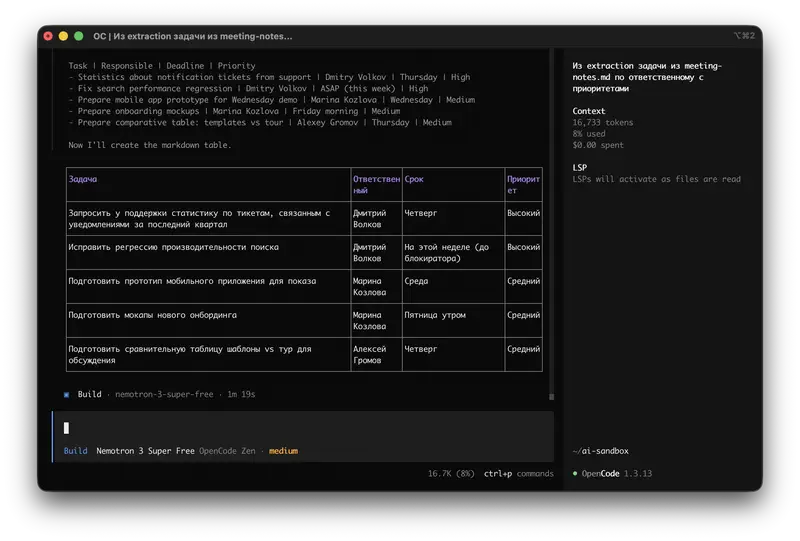
Manually: 30 minutes of re-reading and structuring. With the agent: 2 minutes, including reviewing the result.
Task 2: 5 Customer Interviews → Patterns with Quotes
Five customer interviews conducted over the week. Each one is 3–4 pages of transcript. Your manager wants key insights for the weekly digest. Reading all five manually – 2 hours minimum.
Analyse all files in the interviews/ folder. Identify top-3 pain points with mention frequency. Add supporting quotes from interviews. Format: executive digest.
The key detail: the agent works with the entire folder – no need to copy each interview individually. It sees all five files, finds recurring patterns, groups them, and supports each with quotes from specific conversations.
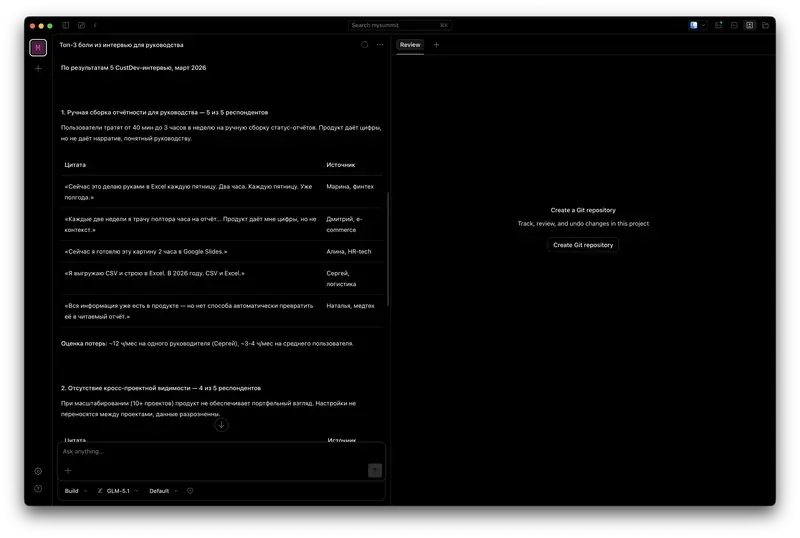
A practical note: best done in plan mode so the agent can’t accidentally modify the originals. And check the result – as the OpenClaw case shows, agents sometimes “invent” details that weren’t in the source.
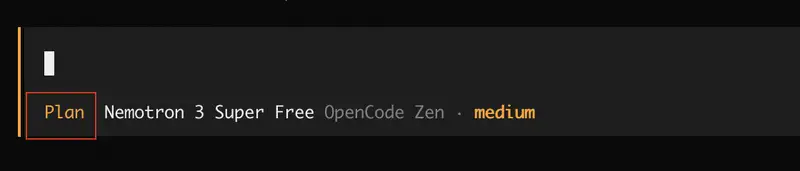
Task 3: One Document → Three Formats for Different Audiences
You have a draft of the weekly digest. Your manager needs an email summary. The team needs a Slack post. The knowledge base needs a Notion document. Same data – three tones and formats. Writing three versions manually: 40–60 minutes.
Based on the file weekly-digest.md, create three versions:
1. Slack post for the team – short, informal, with emoji
2. Email for leadership – strategic focus, 5 paragraphs
3. Notion document – detailed, for the archive, with links
Combine into one file digest-final.md.
The agent creates three versions with different structure, tone, and level of detail. The Slack post is 5 lines. The email has conclusions and recommendations. The Notion document is a full breakdown. Judge for yourself.
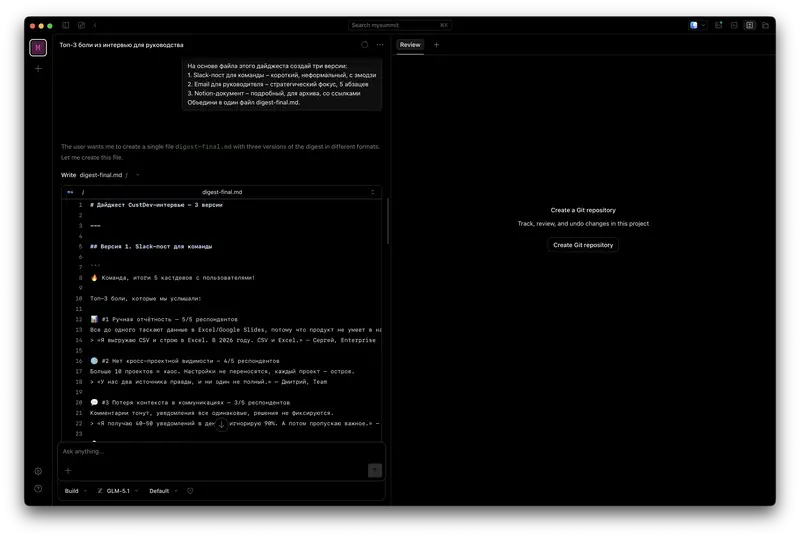
Three tasks combined: 4 hours of manual work → ~15 minutes with the agent. Not because the agent is “smarter” – because it reads files directly, without manual copy-paste.
But there’s a nuance that isn’t visible in the examples above. The prompts in these tasks look simple – and they are simple. The difficulty starts when you need the result to be not “roughly similar” but precise. A slightly different wording – and the agent starts inventing tasks that weren’t in the notes, or merging quotes from different interviews into one. The difference between “it works” and “it works reliably” is the skill of formulating tasks for AI. And that skill is what determines whether the agent becomes part of your working rhythm or remains a one-evening experiment.
Setup in 15 Minutes
OpenCode has two interface options: a desktop application with a familiar chat window, and a terminal client for those comfortable with the command line. Functionality is identical – only the wrapper differs.
If you don’t work in the terminal regularly – start with the desktop version. It’s a standard application: download, install, open a folder with files, start working. No commands, no cd to the right directory.
Desktop Version (Recommended for Getting Started)
Download the installer for your system from opencode.ai/download. macOS, Windows, Linux – all supported.
After installation:
- Open the application
- Select the folder with your working files
- On first launch, the app will ask about a provider and API key. There are free model tiers available. They’re slower, but they’ll get you started.
The interface looks like a regular chat – type a task in plain language, get a result. The agent sees all files in the selected folder and works with them directly.
Terminal Version (For Advanced Users)
If you’re comfortable in the terminal – the terminal client is faster and more minimal. No extra windows, everything in one place. Current instructions are best checked in the up-to-date documentation.
After installation, navigate to the folder with your working documents and run:
| |
The terminal interface will open. Type a task – for example: “Read all .md files in this folder and compile a list of all tasks mentioned as incomplete.”
Provider Setup
The simplest way to start is OpenCode Zen – a curated set of models tested by the OpenCode team. Free models are included, so you can try the agent without spending anything.
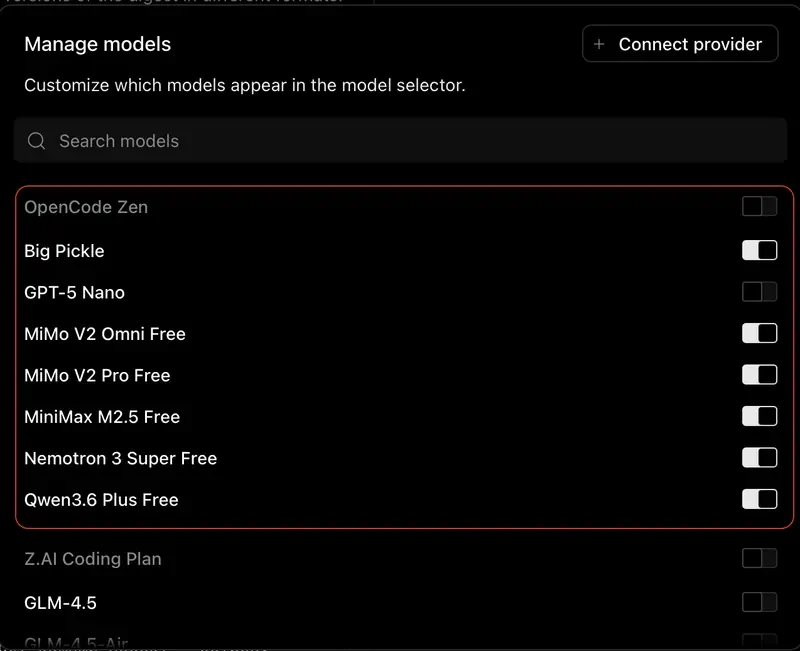
If you need a specific model, OpenCode works with any provider via API key. For DeepSeek, you get a key at platform.deepseek.com. For Gemini, at Google AI Studio (ai.google.dev). Gemini offers a free API tier with several models (including Gemini 2.5 Flash) – enough for a thorough introduction to the tool. Both services register without geographic restrictions.
Installed OpenCode but not sure you're formulating tasks correctly? The open module covers 9 lessons based on real management cases. It shows you how to write prompts that produce predictable results.
No payment required • Get notified on launch
What Can Go Wrong
The honest section that tutorials usually skip.
The Agent Can’t Find Files
The most common problem – launching OpenCode from the wrong directory. The agent works with files in the current folder and its subfolders. If you launched it from the home directory, it won’t see documents stored in Documents/Work/Q1-reports. Solution: always cd into the right folder before launching.
The Result Contains Hallucinations
LLM agents sometimes “invent” details that aren’t in the source material. Especially when working with a large number of files simultaneously. The rule is simple: for tasks with consequences (tasks with names, deadlines, decisions) – verify the output against the original. It takes 2–3 minutes but is worth it.
The Model Doesn’t Understand Context
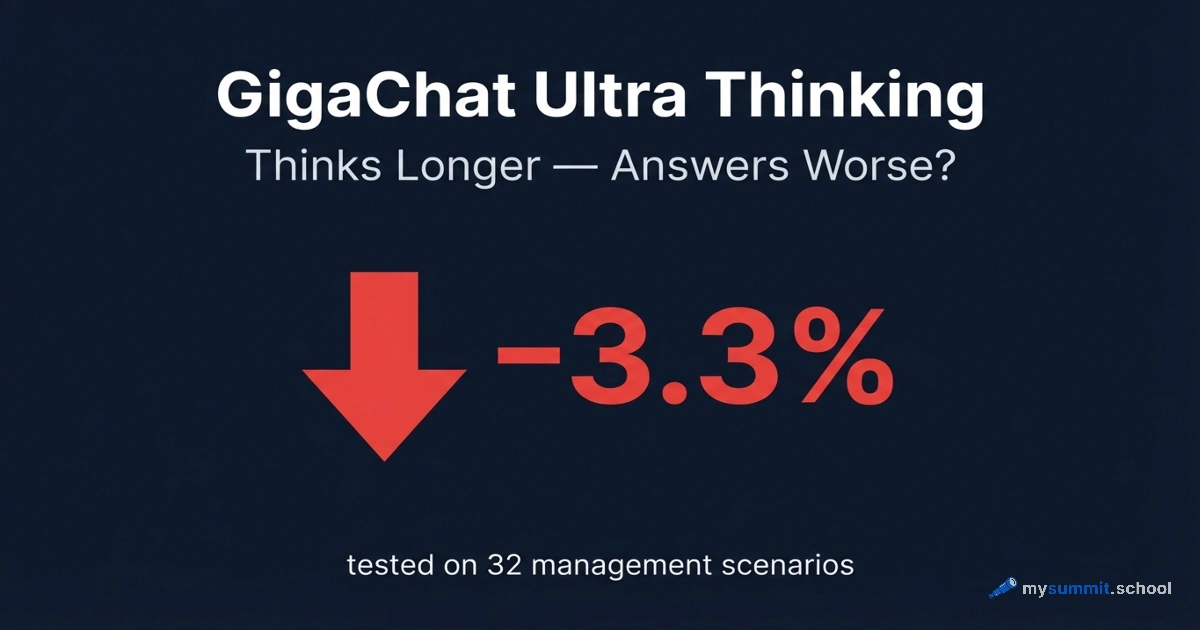
Cheap or small models struggle with long documents and complex instructions. If the result is disappointing – try a more capable model. DeepSeek V3 or Gemini 3 Pro significantly outperform minimal options on complex analytical tasks. Which model handles your type of tasks best – check our benchmark of 54 models.
macOS Permissions
On first launch, macOS may block OpenCode with an “unidentified developer” message. In security settings (System Settings → Privacy & Security) you need to explicitly allow the launch. This is standard procedure for any open-source tool.
Data Privacy
A separate consideration – don’t give the agent access to confidential data without thinking it through. The problem of data leakage in a corporate context is not an abstraction. OpenCode sends file contents to the API of your chosen provider. For documents containing employee personal data, financial reports, or NDA materials, this needs to be considered before running the agent.
What This Changes in a Manager’s Work
Here it’s worth stopping and honestly answering the question: why bother?
Chat with AI is already familiar. ChatGPT, Claude, Gemini – most managers have tried at least one. And many came away feeling: interesting, but it didn’t become part of my daily work. Too much manual effort preparing context.
The agent removes exactly this barrier. No need to copy fragments into a chat, worry about context limits, upload files one by one. The agent goes to where the data lives on its own.
Eleanor Konik, author of a popular newsletter, described this shift more precisely than most: “I’m trying not to do things faster – I’m trying to do them with less attention.” Tasks that previously just didn’t get done – not because they were hard, but because they required context-switching and routine clicking – now get completed in the background. This isn’t about speed. It’s about reducing cognitive load on things that don’t deserve your attention.
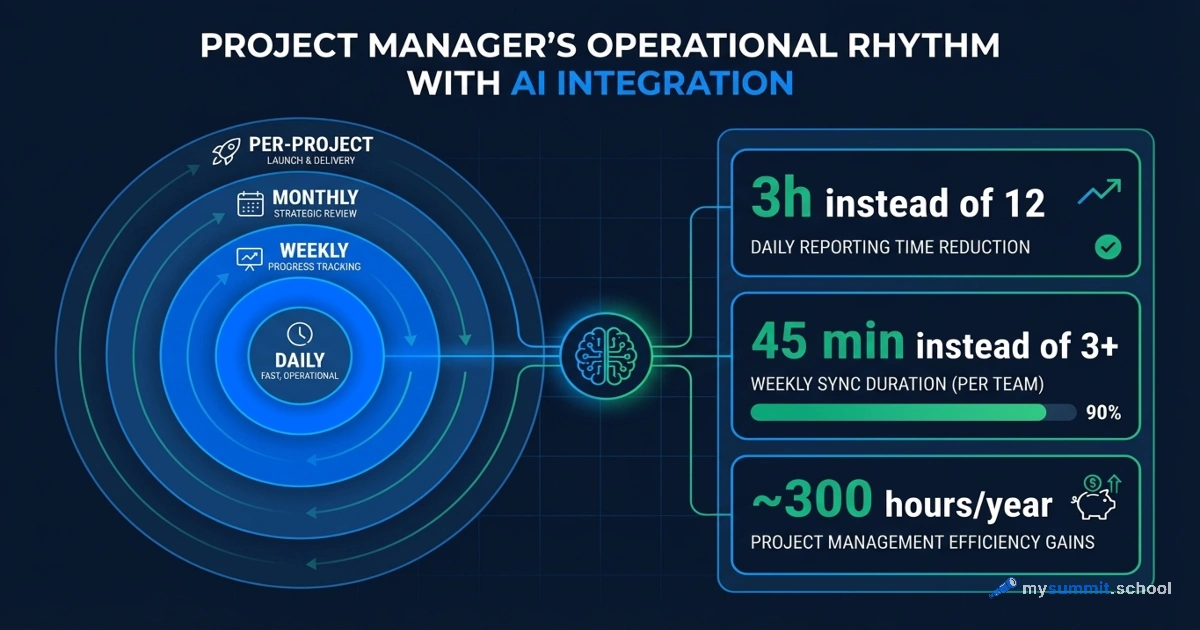
In practice, this means a shift: from “I sometimes use AI for individual tasks” to “AI is part of my operational rhythm.” An analysis of the 300 hours that systematically embedded AI returns to a manager shows: the difference isn’t in the magic of a specific tool, but in the regularity and systematicness of application.
OpenCode is a tool that makes that systematicness easier. Doesn’t guarantee it. Makes it easier.
There are limitations worth acknowledging too. The agent doesn’t replace judgement. It handles “find”, “group”, “structure” well. It handles “decide what’s more important” or “determine who to trust” poorly. That’s still your job.
And that’s fine. The Co-Pilot pattern – not replacing decisions, but accelerating their preparation. The agent takes on the labour-intensive part of analysis; the manager makes the final call. This balance is what produces real gains, not the illusion of automation.
Surprisingly, the most honest data on results comes not from vendors but from productivity research in real companies: AI saves time on tasks but creates additional overhead on verifying results. The net gain exists, but it’s smaller than the marketing promises.
OpenCode, in this sense, is an honest tool. It doesn’t promise magic. It just removes some of the friction between intention and files.
The Question People Rarely Ask
Lenny Rachitsky writes that everyone should be using Claude Code. That’s a strong claim. And it’s probably true – for a certain user profile.
That profile: someone who regularly works with large volumes of text data, is reasonably comfortable in the terminal, and is willing to invest a few hours in initial setup in exchange for systematic time savings later.
If that’s not your profile right now – that’s not a problem. It means the right entry point into AI agents is different. Perhaps start with understanding which tasks are even worth delegating to AI and which aren’t. Our benchmark of 54 models shows: the gap between the “best” and the “accessible” model is significantly smaller than the gap between “using it systematically” and “using it occasionally.”
OpenCode exists. It’s free. The $100/month barrier that everyone talks about in the context of Claude Code – it’s gone.
What you do with that information depends on whether you’re ready for the next step.
You have the tool. Now – the skill
OpenCode is free and open-source. But the agent is only as good as your prompt. The course programme covers everything from prompt engineering fundamentals to specialisations in project management and analytics. Learn to formulate tasks so the result doesn't need to be redone.